Blog

  • AI Server News 2026: Latest AI Infrastructure, GPU, and Data Centre Developments Driving Enterprise AI

    AI Server News 2026: Latest AI Infrastructure, GPU, and Data Centre Developments Driving Enterprise AI

    Artificial intelligence is no longer defined solely by breakthroughs in large language models or generative AI applications. Behind every AI assistant, recommendation engine, autonomous system, and enterprise chatbot is a rapidly expanding infrastructure ecosystem built on advanced servers, high-performance GPUs, networking technologies, and hyperscale data centres.

    Throughout 2026, the conversation around AI has shifted from who has the smartest model to who can build and operate the most efficient AI infrastructure. Hardware manufacturers, cloud providers, consulting firms, and governments are investing billions of dollars to secure computing capacity capable of supporting increasingly complex AI workloads.

    Recent announcements from AMD, Anthropic, Supermicro, Google Cloud, and McKinsey demonstrate that enterprise AI is entering a new phase. Rather than purchasing standalone hardware, organisations are investing in complete AI platforms that combine computing infrastructure, software, AI models, and transformation services into integrated ecosystems.

    In this article, we examine the most significant AI server developments of 2026, explain why they matter for businesses, and explore the major trends shaping the future of AI infrastructure.

    What Is an AI Server?

    An AI server is a specialised computing system designed to train, fine-tune, and deploy artificial intelligence models. Unlike conventional enterprise servers that primarily run business applications or websites, AI servers are optimised for computationally intensive machine learning workloads.

    Modern AI servers typically combine:

    • High-performance GPUs
    • Multi-core CPUs
    • High-bandwidth memory (HBM)
    • Ultra-fast networking technologies
    • AI software frameworks
    • Large-scale storage systems

    These components work together to process enormous datasets and perform the trillions of mathematical calculations required by today’s AI models.

    AI servers now support applications across numerous industries, including:

    • Generative AI
    • Large language models (LLMs)
    • Computer vision
    • Healthcare research
    • Financial analytics
    • Scientific simulations
    • Manufacturing automation
    • Autonomous vehicles
    • Robotics

    As enterprise AI adoption accelerates, demand for specialised AI infrastructure continues to grow worldwide.

    Why AI Infrastructure Demand Continues to Rise

    Several long-term trends are driving unprecedented investment in AI computing infrastructure.

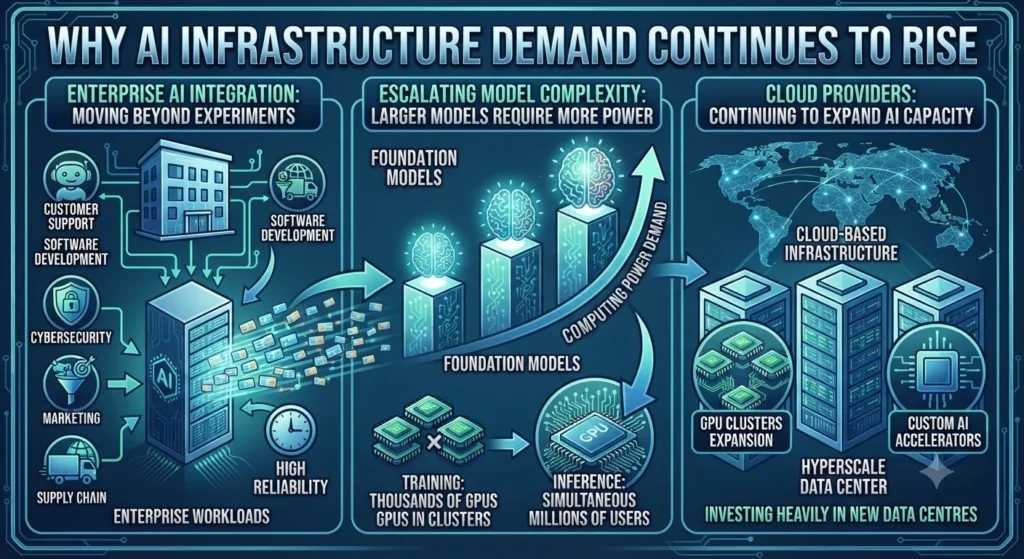
    Enterprise AI Is Moving Beyond Experiments

    Organisations are no longer evaluating AI through isolated pilot projects. Instead, businesses are integrating AI into customer support, software development, cybersecurity, marketing, supply chain management, and internal operations.

    Running these workloads at enterprise scale requires infrastructure capable of processing thousands—or even millions—of AI requests every day with low latency and high reliability.

    Larger AI Models Require More Computing Power

    Every new generation of foundation models demands greater computational resources.

    Training frontier AI models now requires thousands of GPUs operating together inside large AI clusters. Even inference—the process of generating responses after a model has been trained—requires significant computing power when millions of users access AI services simultaneously.

    As models continue growing in size and complexity, AI infrastructure has become one of the industry’s most valuable strategic assets.
    Why AI Infrastructure Demand Continues to Rise
    Why AI Infrastructure Demand Continues to Rise

    Cloud Providers Continue Expanding AI Capacity

    Instead of purchasing expensive on-premises hardware, many organisations increasingly rely on cloud-based AI infrastructure.

    This shift has encouraged major cloud providers to expand GPU clusters, develop custom AI accelerators, and invest heavily in new data centres capable of supporting next-generation AI workloads.

    AMD and Anthropic Announce One of 2026’s Largest AI Infrastructure Partnerships

    One of the year’s biggest infrastructure announcements came from AMD and Anthropic.

    The companies revealed plans for a long-term strategic partnership centred on AMD’s next-generation AI infrastructure. Anthropic intends to deploy up to two gigawatts of AI computing capacity using AMD Helios rack-scale systems powered by AMD Instinct GPUs.

    The deployment is expected to begin in 2027 and represents one of the largest publicly announced AI infrastructure projects involving an alternative to NVIDIA’s GPU ecosystem.

    The collaboration extends beyond hardware deployment. Anthropic will also work with AMD engineers to optimise AI workloads using the ROCm software platform while contributing improvements that strengthen AMD’s broader AI software ecosystem.

    Source:

    AMD and Anthropic Announce Strategic Partnership to Deploy up to 2 Gigawatts of AMD Instinct MI450 Series GPUs

    AMD and Anthropic Announce One of 2026's Largest AI Infrastructure Partnerships
    AMD and Anthropic Announce One of 2026’s Largest AI Infrastructure Partnerships

    AMD additionally announced plans for a strategic equity investment in Anthropic, highlighting how hardware vendors are increasingly forming long-term partnerships with leading AI developers rather than acting solely as component suppliers.

    Why This Partnership Matters

    For years, NVIDIA has dominated the AI accelerator market. AMD’s partnership with Anthropic signals that large AI companies are actively diversifying their infrastructure strategies.

    Competition among GPU vendors could encourage:

    • Greater hardware innovation
    • Improved software ecosystems
    • Lower infrastructure costs
    • Better supply-chain resilience
    • Increased customer choice

    Rather than competing only on processor performance, AI infrastructure providers are now competing across the entire technology stack—from silicon and networking to software, deployment tools, and enterprise support.

    McKinsey and Google Cloud Expand Enterprise AI Transformation

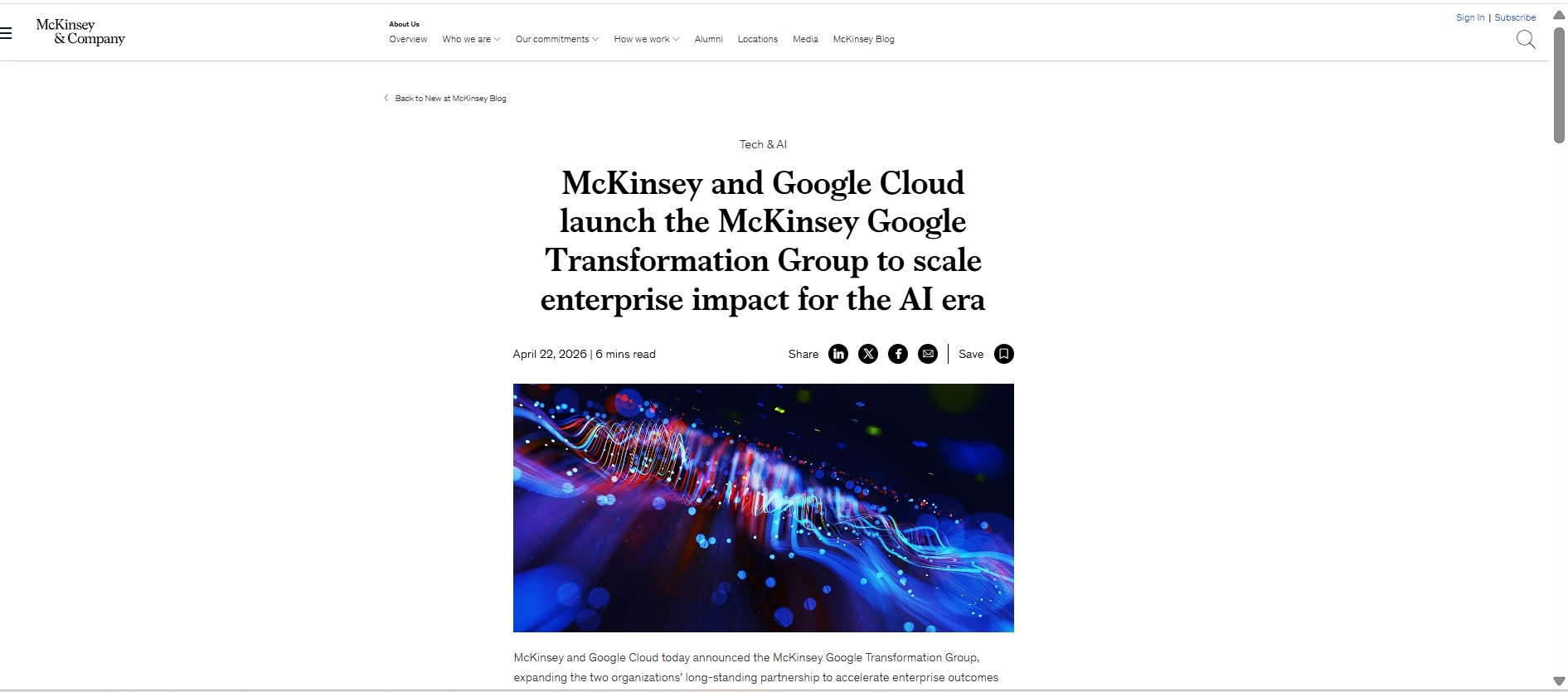
    Another significant development in 2026 came from McKinsey and Google Cloud, which announced the McKinsey Google Transformation Group. Unlike traditional infrastructure partnerships focused solely on hardware, this initiative combines AI technology, business strategy, and enterprise transformation into a single operating model.

    The collaboration brings together McKinsey’s consulting expertise with Google Cloud’s AI platform, including Gemini models, AI infrastructure, compute accelerators, and Gemini Enterprise. The objective is to help organisations move beyond limited AI pilots and deploy AI across entire business functions with measurable outcomes.

    Instead of offering isolated consulting projects, the new group provides end-to-end support covering AI opportunity assessments, transformation planning, minimum viable product (MVP) development, enterprise deployment, governance, and change management.
    McKinsey and Google Cloud Expand Enterprise AI Transformation
    McKinsey and Google Cloud Expand Enterprise AI Transformation

    Source:

    McKinsey and Google Cloud launch the McKinsey Google Transformation Group to scale enterprise impact for the AI era.

    Real Enterprise Examples

    The partnership also highlights several organisations already demonstrating measurable AI adoption.

    Indosat Ooredoo Hutchison, one of Indonesia’s leading telecommunications providers, is using Google Cloud AI technologies and Gemini models as part of its AI-native transformation. According to the announcement, the program is expected to generate more than $360 million in cumulative EBITDA by 2027, support more than 80 concurrent AI use cases, and enable over 90% of employees to become regular AI users.

    The collaboration also extends to CBRE, which is deploying agentic AI across multiple business domains, and Formula E, where Google Cloud and McKinsey are helping integrate AI into analytics, engineering, and operational workflows.

    These examples illustrate an important shift in enterprise AI. Businesses are increasingly seeking measurable operational improvements rather than experimenting with standalone AI tools.

    AMD Partners with South Korea to Advance Sovereign AI Infrastructure

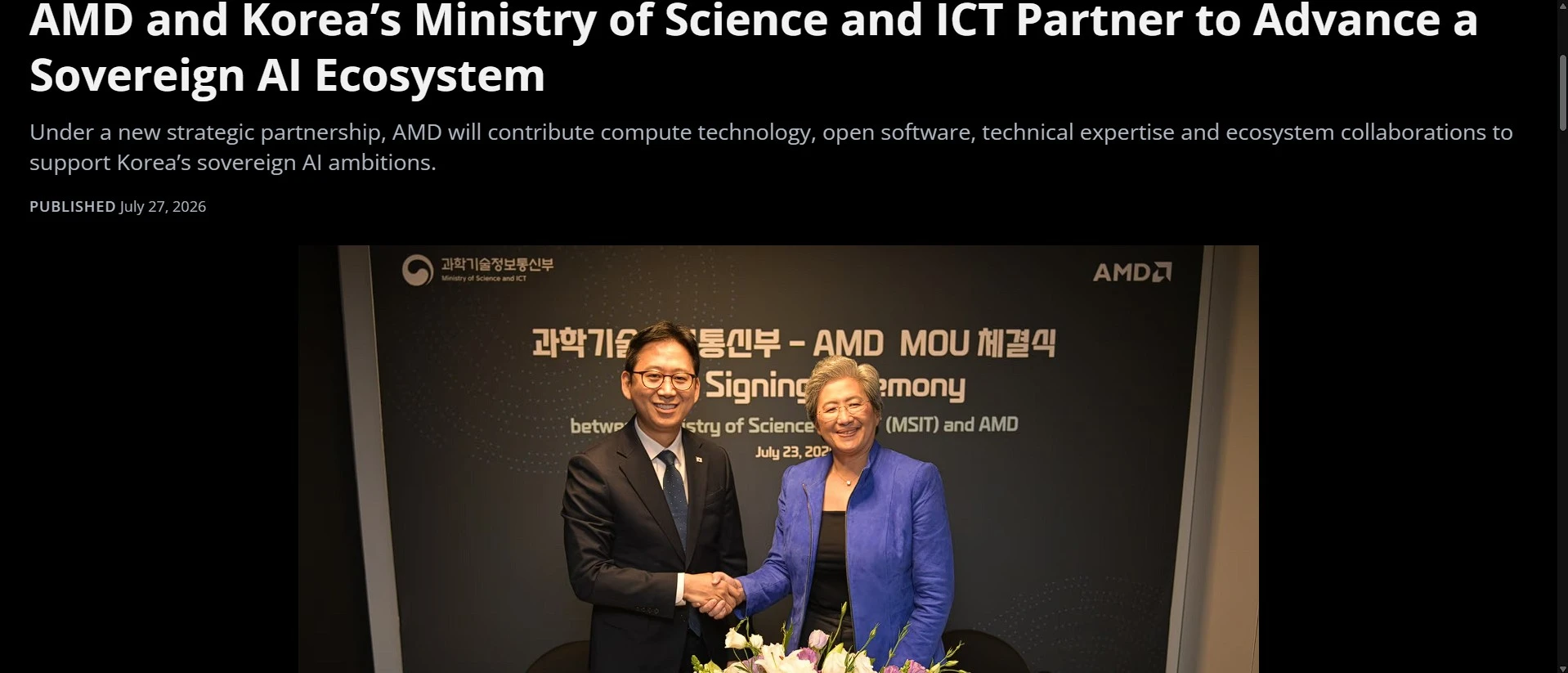
    Another major announcement shaping AI infrastructure in 2026 came from AMD’s strategic collaboration with South Korea’s Ministry of Science and ICT (MSIT). Rather than focusing solely on hardware procurement, the partnership aims to strengthen the country’s long-term sovereign AI capabilities through open computing platforms, domestic innovation, and workforce development.

    The initiative includes several areas of collaboration:

    • National AI infrastructure development
    • AI semiconductor research
    • Open-source AI software
    • University and research partnerships
    • AI talent development
    • High-performance computing centres
    • Physical AI research

    A key objective is integrating AMD’s CPUs and GPUs with Korean-developed Neural Processing Units (NPUs), allowing organisations to build heterogeneous AI environments instead of relying on a single hardware vendor.

    AMD also plans to establish an AI Centre of Excellence in South Korea, supporting software optimisation, developer education, academic research, and collaboration with local AI startups.
    AMD Partners with South Korea to Advance Sovereign AI Infrastructure
    AMD Partners with South Korea to Advance Sovereign AI Infrastructure

    Source:

    AMD and Korea’s Ministry of Science and ICT Partner to Advance a Sovereign AI Ecosystem

    Why Sovereign AI Matters

    Governments increasingly recognise artificial intelligence as critical national infrastructure.

    Instead of depending entirely on foreign cloud providers, many countries are investing in domestic AI ecosystems that support economic competitiveness, digital sovereignty, national security, and local innovation.

    South Korea joins a growing number of nations investing in sovereign AI initiatives designed to combine local infrastructure with global technology partnerships.

    For infrastructure vendors such as AMD, these initiatives represent long-term opportunities extending far beyond traditional enterprise customers.

    Supermicro Expands Its AI Server Portfolio

    Supermicro also introduced one of the most significant enterprise server announcements of the year with its latest H15 server portfolio powered by 6th Generation AMD EPYC™ 9006 Series processors.

    The new systems target demanding workloads including:

    • Artificial Intelligence
    • High-Performance Computing (HPC)
    • Enterprise applications
    • Cloud computing
    • Large-scale storage
    • Virtualisation
    • Agentic AI

    Compared with previous generations, the new platform delivers improvements in compute density, memory bandwidth, PCIe connectivity, and power efficiency.

    The processors support:

    • Up to 256 CPU cores
    • Up to 512 processing threads
    • Higher memory bandwidth
    • Faster PCIe connectivity
    • Improved energy efficiency

    These capabilities enable enterprises to consolidate workloads while supporting increasingly complex AI applications.
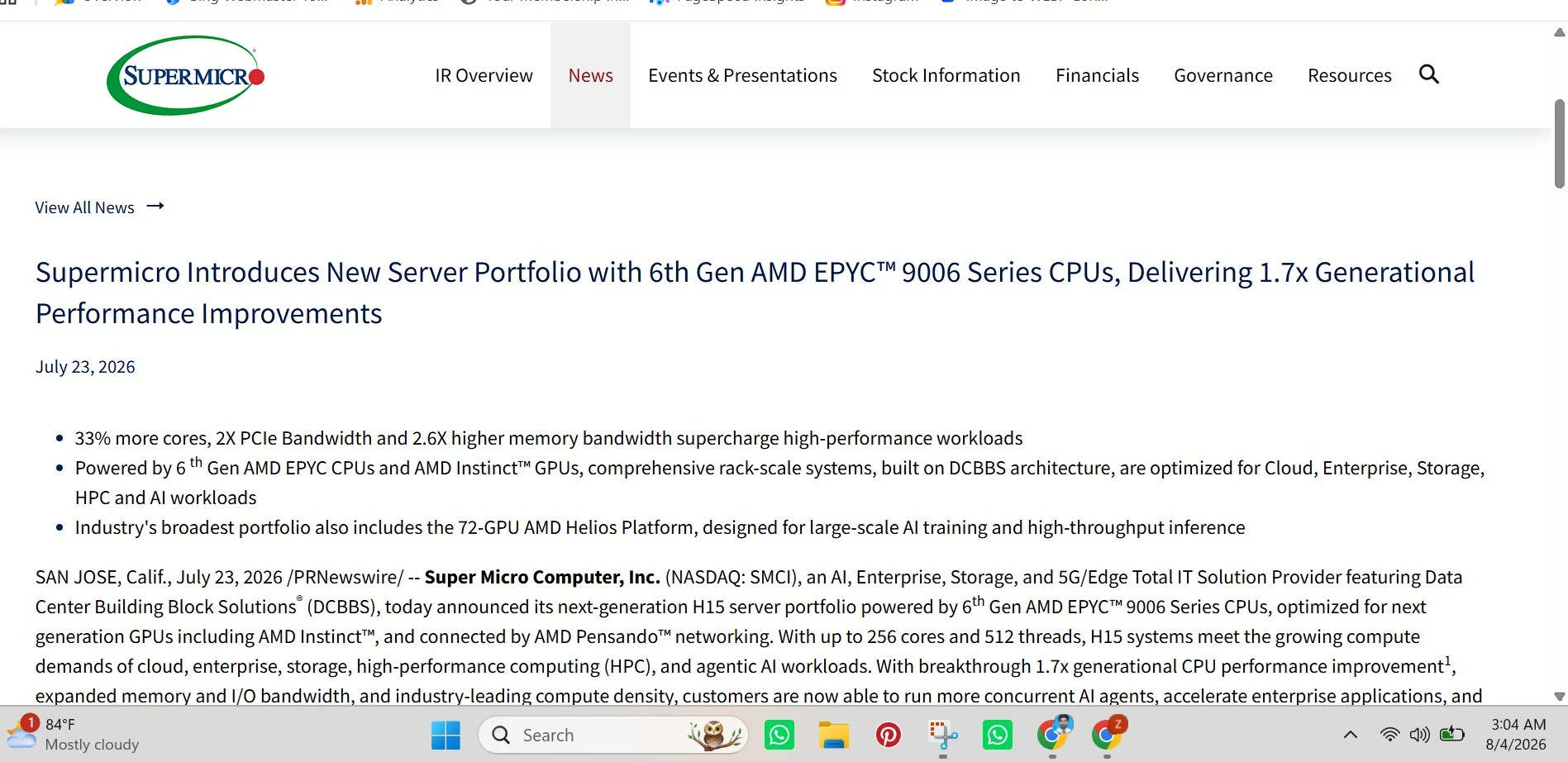
    Supermicro Expands Its AI Server Portfolio
    Supermicro Expands Its AI Server Portfolio

    Source:

    Supermicro Introduces New Server Portfolio with 6th Gen AMD EPYC™ 9006 Series CPUs, Delivering 1.7x Generational Performance Improvements.

    AI Infrastructure Beyond Individual Servers

    One of the most notable aspects of Supermicro’s announcement is its emphasis on complete rack-scale AI infrastructure instead of standalone servers.

    Its portfolio now includes specialised platforms such as:

    • Hyper Systems
    • CloudDC Servers
    • GrandTwin Architecture
    • FlexTwin Systems
    • Petascale Storage
    • SuperBlade Solutions

    Rather than asking customers to assemble infrastructure from multiple vendors, these integrated platforms simplify deployment while improving compatibility and operational efficiency.

    Rack-Scale Computing Is Becoming the Industry Standard

    One of the clearest infrastructure trends emerging in 2026 is the transition from individual GPU servers to rack-scale AI systems.

    Modern AI models frequently require thousands of GPUs operating together with extremely low latency.

    Rack-scale architectures combine:

    • AI accelerators
    • CPUs
    • Networking
    • High-speed storage
    • Power distribution
    • Cooling systems
    • AI software

    into a unified platform optimised for large-scale AI training and inference.

    This approach offers several advantages:

    • Faster deployment
    • Better scalability
    • Lower networking latency
    • Simplified infrastructure management
    • Improved power efficiency
    • Consistent performance across AI clusters

    As AI workloads continue expanding, rack-scale infrastructure is expected to become the preferred deployment model for hyperscalers, research organisations, and enterprise AI environments.

    Several technology trends are defining the next generation of AI computing.

    1. Integrated AI Platforms

    Organisations increasingly prefer complete infrastructure ecosystems that combine hardware, networking, software, and deployment services rather than purchasing individual components separately.

    2. High-Bandwidth Memory (HBM)

    Modern AI accelerators depend heavily on HBM to move enormous volumes of data efficiently, reducing training times and improving inference performance.

    3. Energy-Efficient Computing

    With AI data centres consuming unprecedented amounts of electricity, infrastructure vendors are prioritising performance per watt alongside raw computing power.

    4. Liquid Cooling

    Higher GPU densities generate significantly more heat than traditional enterprise servers.

    Liquid cooling is becoming essential for supporting next-generation AI clusters while reducing energy consumption.
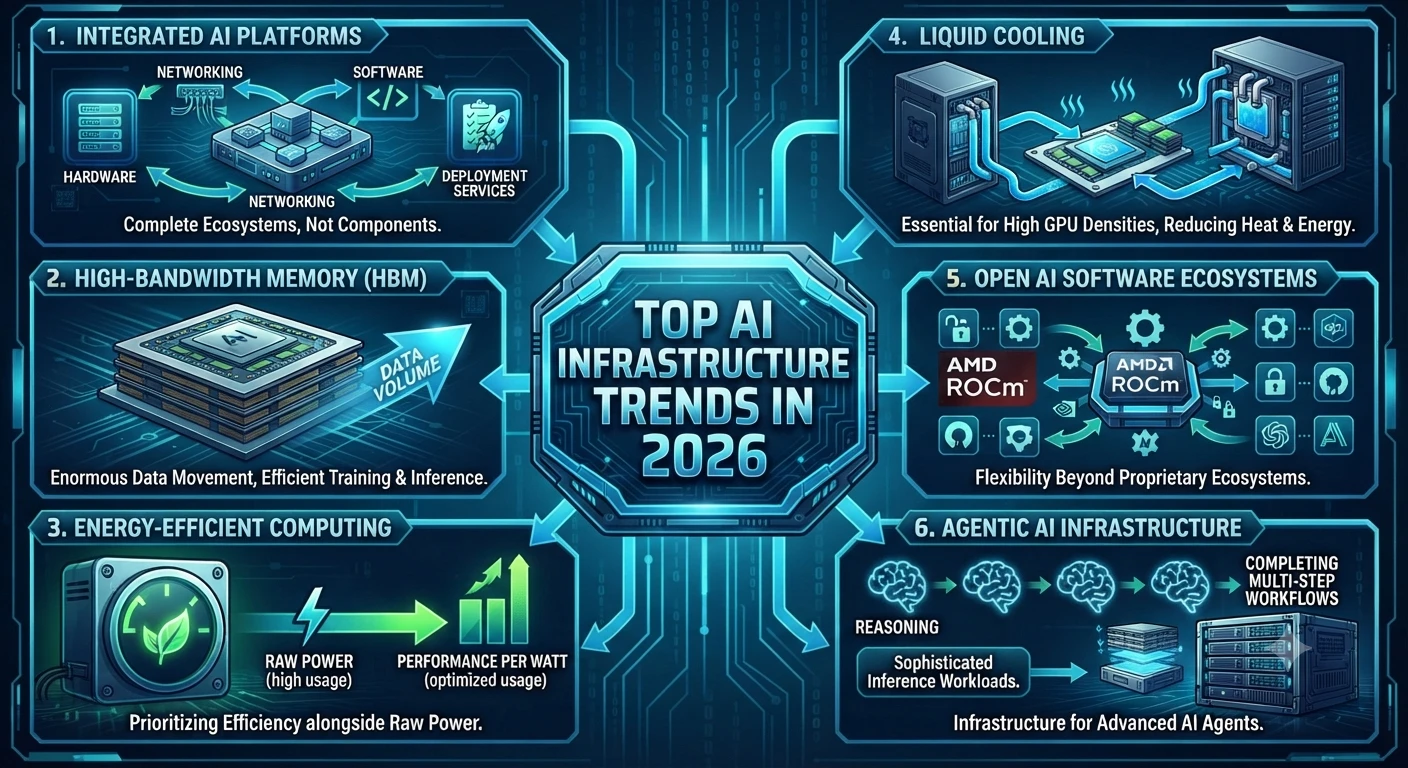
    Top AI Infrastructure Trends in 2026
    Top AI Infrastructure Trends in 2026

    5. Open AI Software Ecosystems

    Software platforms such as AMD ROCm continue expanding, giving developers additional flexibility beyond proprietary AI ecosystems.

    6. Agentic AI Infrastructure

    The emergence of AI agents capable of reasoning and completing multi-step workflows is driving demand for infrastructure capable of handling more sophisticated inference workloads.

    Challenges Facing AI Server Deployments

    Despite rapid investment, organisations still face several obstacles when deploying AI infrastructure.

    Rising Infrastructure Costs

    AI servers remain expensive because they combine high-performance GPUs, CPUs, networking equipment, storage systems, and advanced cooling technologies.

    Large enterprise deployments often require substantial capital investment before delivering measurable business value.

    Energy Consumption

    Training frontier AI models consumes enormous amounts of electricity.

    Power availability is becoming one of the most important constraints affecting AI data-centre expansion worldwide.

    Cooling Requirements

    As GPU density increases, conventional air cooling becomes less effective.

    Many hyperscale AI facilities are adopting direct-to-chip and liquid cooling technologies to maintain performance while improving energy efficiency.

    Software Compatibility

    Hardware performance alone is no longer enough.

    Organisations require mature software ecosystems, optimised drivers, AI frameworks, orchestration tools, and developer support to maximise infrastructure investments.

    Talent Shortages

    Building AI infrastructure requires specialists in cloud architecture, networking, GPU optimisation, cybersecurity, and machine learning.

    Demand for experienced AI infrastructure professionals continues to exceed supply.
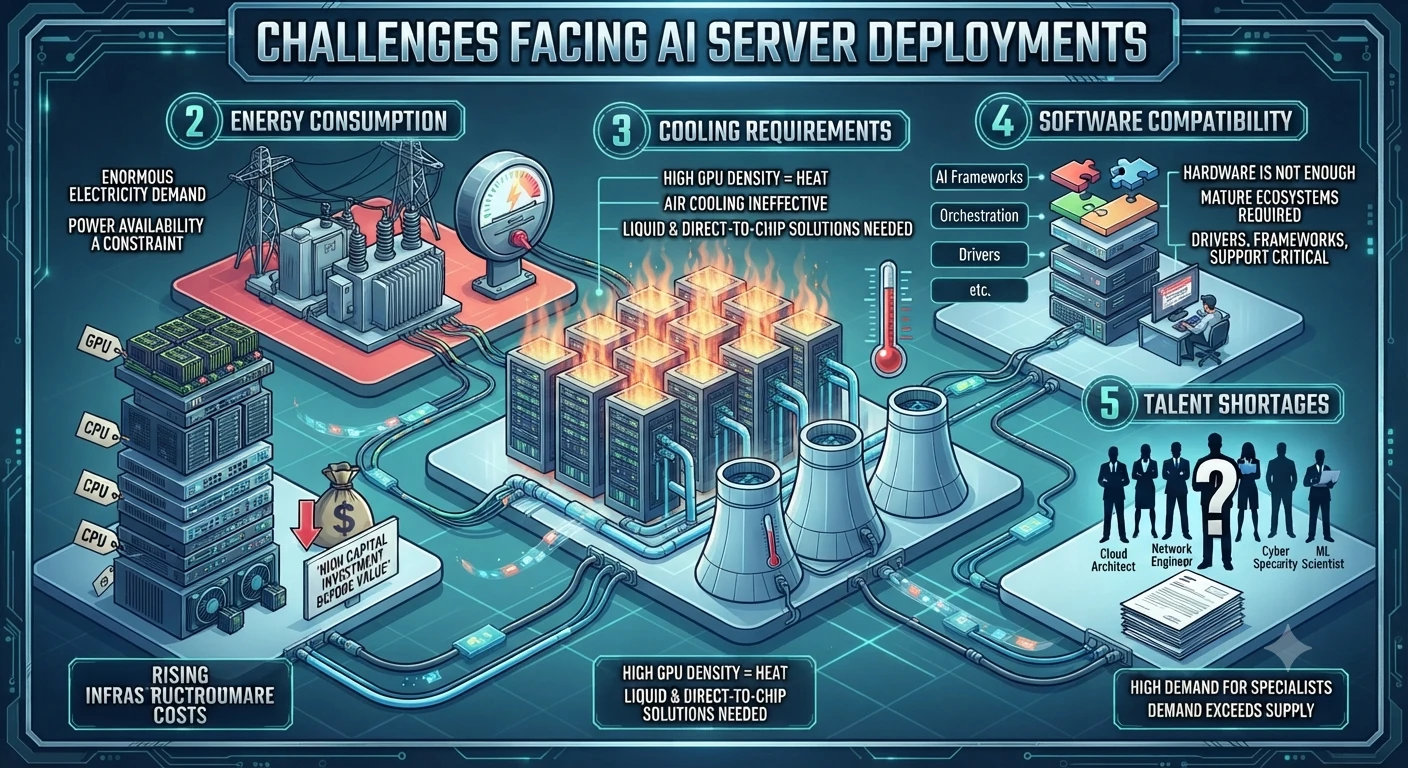
    Challenges Facing AI Server Deployments
    Challenges Facing AI Server Deployments

    What Businesses Should Consider Before Investing

    Organisations planning AI infrastructure investments should evaluate more than processor specifications.

    Important considerations include:

    • Business objectives
    • Expected AI workloads
    • Total cost of ownership
    • Cloud versus on-premises deployment
    • Scalability requirements
    • Software ecosystem maturity
    • Vendor support
    • Regulatory compliance
    • Security requirements
    • Future upgrade paths

    Selecting infrastructure based solely on hardware performance may create long-term operational challenges.

    A balanced evaluation of hardware, software, operational costs, and ecosystem maturity typically produces better long-term outcomes.

    Frequently Asked Questions

    What is an AI server?

    An AI server is a high-performance computing system designed specifically for training and running artificial intelligence models, using specialised hardware such as GPUs, high-speed networking, and optimised software.

    Why are GPUs essential for AI servers?

    GPUs perform thousands of mathematical operations simultaneously, making them significantly faster than traditional CPUs for machine learning and deep learning workloads.

    What is rack-scale AI infrastructure?

    Rack-scale infrastructure integrates servers, GPUs, networking, storage, and cooling into a unified platform optimised for large-scale AI training and inference.

    What is Sovereign AI?

    Sovereign AI refers to a country’s ability to develop, deploy, and govern AI infrastructure using technologies, policies, and computing resources aligned with national priorities.

    Why are consulting firms partnering with cloud providers?

    Enterprise AI success increasingly depends on business transformation rather than technology alone. Partnerships such as the McKinsey Google Transformation Group combine AI platforms, industry expertise, implementation, and governance to help organisations achieve measurable business outcomes.

    Conclusion

    The AI infrastructure landscape is evolving faster than ever. While advances in generative AI continue to capture headlines, the real competition is increasingly centred on the computing infrastructure that powers these technologies.

    Major announcements throughout 2026—including AMD’s strategic partnership with Anthropic, South Korea’s sovereign AI initiative, Supermicro’s next-generation AI servers, and the launch of the McKinsey Google Transformation Group with Google Cloud—demonstrate that the industry is moving toward integrated ecosystems rather than standalone hardware solutions.

    Organisations are no longer investing only in GPUs or servers. They are building scalable AI platforms that combine advanced hardware, cloud infrastructure, AI software, governance, and transformation expertise to support long-term innovation.

    For businesses, understanding these developments is becoming increasingly important. Infrastructure decisions made today will influence future AI performance, scalability, operational efficiency, and competitiveness. As AI adoption accelerates across industries, organisations that invest strategically in flexible, well-supported, and energy-efficient AI infrastructure will be better positioned to capitalise on the next generation of intelligent applications.

  • CGI vs AI: What’s the Difference? Complete Guide (2026)

    CGI vs AI: What’s the Difference? Complete Guide (2026)

    Artificial Intelligence (AI) has become one of the fastest-growing technologies in recent years, transforming industries from healthcare and education to software development and digital marketing. At the same time, Computer-Generated Imagery (CGI) has remained the backbone of modern movies, animation, video games, and visual effects for decades.

    Source:

    Because both technologies can create impressive digital content, many people assume they are the same thing. It is common to see AI-generated images mistaken for CGI or hear claims that AI will completely replace CGI artists.

    The truth is more nuanced.

    Although AI and CGI sometimes produce similar-looking results, they are built on entirely different technologies and serve different purposes. CGI relies on skilled artists who manually create 3D models, animations, lighting, and visual effects using specialized software. AI, on the other hand, uses machine learning algorithms to generate text, images, videos, or code based on patterns learned from large datasets.

    Understanding these differences is becoming increasingly important for content creators, designers, filmmakers, marketers, and businesses deciding which technology best fits their projects.

    How to Train ChatGPT for Accurate Content Generation Techniques (2026)

    In this comprehensive guide, you will learn:

    • What CGI really means
    • What artificial Intelligence is
    • The biggest differences between CGI and AI
    • Where each technology excels
    • Whether AI can replace CGI
    • Real-world examples from movies, gaming, business, and content creation
    • Which technology is better for different use cases

    By the end of this guide, you will have a clear understanding of the difference between CGI and AI and how both technologies are shaping the future of digital creativity.

    A Brief History of CGI and AI

    Understanding the origins of CGI and AI helps explain why these technologies evolved for very different purposes.

    The Evolution of CGI

    CGI began gaining popularity in the 1970s and 1980s as computer graphics became powerful enough for film production. Early examples appeared in movies like Tron (1982), while later films such as Jurassic Park (1993) demonstrated how realistic digital creatures could transform visual storytelling.

    Since then, CGI has become an essential part of:

    • Hollywood filmmaking
    • Television production
    • Video game development
    • Product visualization
    • Architecture
    • Engineering simulations

    Advancements in real-time rendering and graphics hardware have continued to push CGI toward increasingly photorealistic results.

    The Evolution of AI

    Artificial Intelligence as a research field dates back to the 1950s. However, rapid improvements in computing power, cloud infrastructure, and machine learning have accelerated AI adoption over the past decade.

    Today, AI powers technologies such as:

    • Virtual assistants
    • Recommendation systems
    • Large language models
    • AI image generators
    • Autonomous vehicles
    • Medical diagnostics

    Modern generative AI became mainstream after the release of ChatGPT in late 2022, making AI-assisted content creation accessible to millions of users.

    What Is CGI?

    Computer-Generated Imagery (CGI) is the process of creating digital images, animations, and visual effects using computer software.

    Source:

    Autodesk Maya official documentation

    Autodesk Maya official documentation
    Autodesk Maya official documentation

    Blender official documentation

    blender
    blender

    Unlike traditional photography, CGI does not rely on a camera to capture real-world objects. Instead, artists build everything digitally—from characters and environments to lighting, textures, and camera angles.

    CGI has been widely used in entertainment for decades and is responsible for many of the stunning visual effects seen in blockbuster films and AAA video games.

    Professional artists typically create CGI using software such as:

    • Blender – a free, open-source 3D creation suite used by independent artists and studios.
    • Autodesk Maya – an industry-standard tool for film, animation, and game production.
    • Cinema 4D – popular for motion graphics and broadcast design.
    • Houdini – widely used for complex visual effects simulations such as explosions, smoke, and fluids.
    • Unreal Engine – a real-time rendering and virtual production platform.
    • 3ds Max – commonly used for architecture, product visualization, and game asset creation.

    These applications allow artists to design realistic objects, animate characters, simulate explosions, create weather effects, and render highly detailed scenes.

    How CGI Works

    Creating CGI is a structured creative process that combines technical skills with artistic expertise.

    1. Concept Design

    Artists first develop sketches, storyboards, or concept art to visualize the final scene.

    2. 3D Modelling

    Objects and characters are built using polygons and digital geometry.

    Everything—from a coffee cup to an entire city—must be modelled manually.

    3. Texturing

    Textures are applied to give surfaces realistic appearances.

    Examples include:

    • Skin
    • Metal
    • Glass
    • Wood
    • Fabric
    • Stone

    Without textures, 3D models would appear flat and unrealistic.

    4. Lighting

    Digital lighting mimics real-world light sources.

    Artists carefully position lights to create mood, realism, and cinematic effects.

    5. Animation

    Characters, vehicles, and objects are animated using keyframes, motion capture, or physics simulations.

    This stage brings the scene to life.

    6. Rendering

    Rendering converts the completed 3D scene into a final image or video.

    High-quality rendering may take minutes—or even hours—per frame depending on scene complexity.

    Common Uses of CGI

    Today, CGI is used across numerous industries.

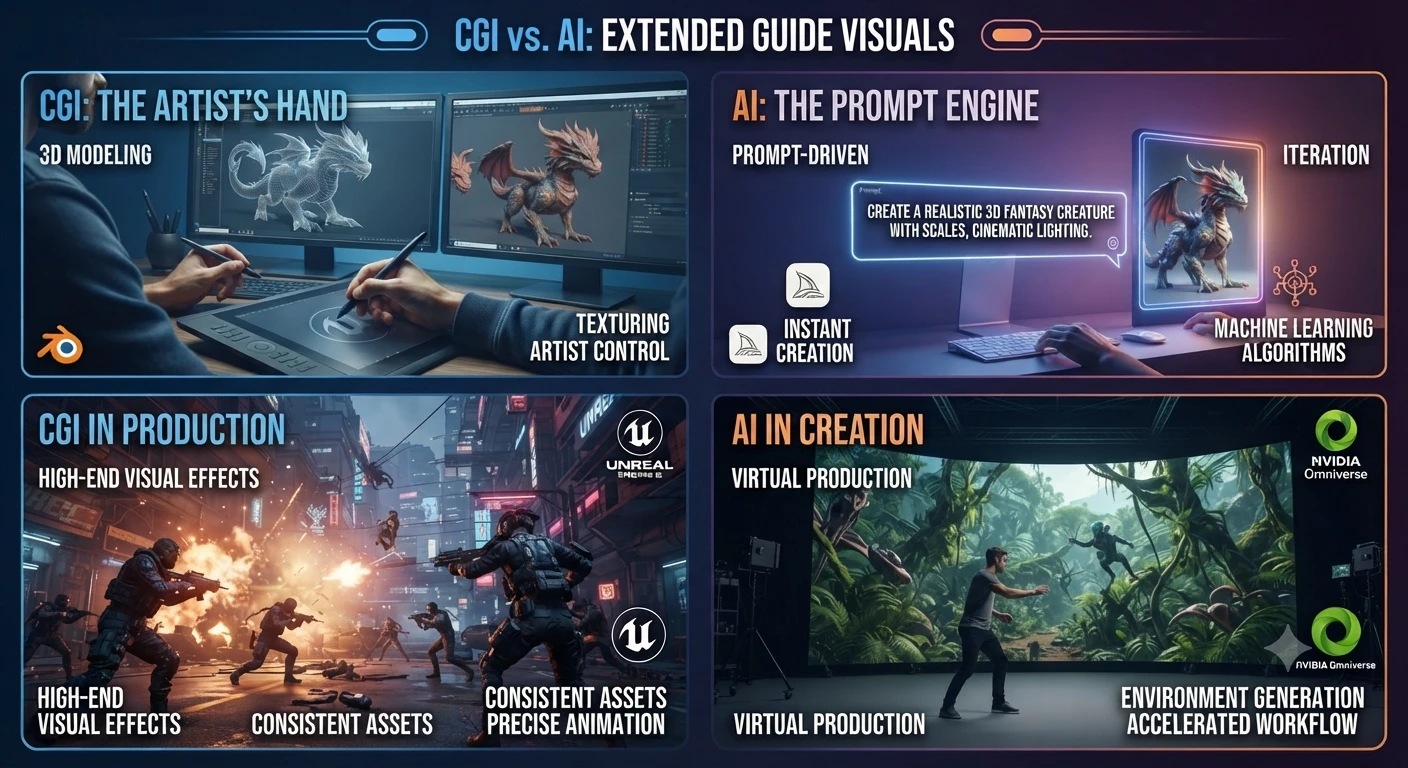
    CGI vs AI comparison guide
    CGI vs AI comparison guide

    Film and Television

    Movies rely on CGI for:

    • Fantasy creatures
    • Space scenes
    • Explosions
    • Superheroes
    • Historical recreations
    • Invisible visual effects

    Popular examples include:

    • Avatar
    • Avengers: Endgame
    • Jurassic World
    • The Lion King (2019)

    Many scenes that appear completely real are actually computer-generated.

    Video Games

    Modern games use CGI to create:

    • Characters
    • Open worlds
    • Vehicles
    • Buildings
    • Weather systems
    • Cinematic cutscenes

    Game engines such as Unreal Engine and Unity combine CGI with real-time rendering to deliver immersive gameplay.

    Architecture

    Architects create photorealistic 3D visualizations before construction begins.

    Clients can explore buildings long before they are built.

    Advertising

    Brands use CGI for:

    • Product launches
    • Commercials
    • Automotive advertising
    • Luxury product visualization

    CGI makes it possible to create scenes that would be expensive—or impossible—to film in real life.

    Advantages of CGI

    CGI remains one of the most powerful creative technologies available because it offers exceptional control over every visual detail.

    Highly Realistic Visuals

    Experienced artists can create images that are nearly indistinguishable from real photography.

    Complete Creative Control

    Every object, texture, animation, and lighting setup can be customized.

    Nothing is left to chance.

    Unlimited Imagination

    CGI allows creators to build impossible worlds, mythical creatures, futuristic cities, and cinematic environments that could never exist physically.

    Long-Term Consistency

    Once assets are created, they can be reused, modified, and rendered from different camera angles without starting from scratch.

    What Is Artificial Intelligence (AI)?

    Artificial Intelligence (AI) is a branch of computer science focused on building systems that can perform tasks that typically require human Intelligence.

    Claude Code vs OpenCode: Which AI Coding Tool Wins in 2026?

    Instead of manually designing every detail as CGI artists do, AI learns patterns from large amounts of data and uses those patterns to generate predictions or create new content.

    Modern AI can:

    • Answer questions
    • Write articles
    • Generate images
    • Create videos
    • Translate languages
    • Analyze data
    • Generate software code
    • Summarize documents
    • Assist with research

    Unlike CGI software, AI does not require users to build every object or animation manually. Instead, users typically provide instructions—called prompts—and the AI generates content automatically.

    How AI Works

    While the technical details are complex, the basic workflow is easier to understand.

    Step 1: Training

    AI models learn patterns from enormous collections of text, images, audio, or video.

    During training, the model identifies relationships between words, objects, colours, and concepts.

    Step 2: Understanding Prompts

    When a user enters a prompt, the AI interprets the request and predicts the most appropriate response based on its training.

    Example:

    Create a futuristic city at sunset with flying cars.

    Instead of manually building the scene, the AI generates an image based on learned patterns.

    Step 3: Content Generation

    Depending on the model, AI can produce:

    • Articles
    • Images
    • Videos
    • Audio
    • Computer code
    • Marketing copy
    • Product descriptions
    • Research summaries

    The entire process often takes only a few seconds.

    Artificial Intelligence now powers hundreds of creative and productivity tools.

    AI ToolPrimary Use
    ChatGPTWriting, coding, research, brainstorming
    ClaudeLong-form writing and advanced reasoning
    GeminiSearch, productivity, and multimodal AI
    MidjourneyAI image generation
    Adobe FireflyCommercial AI image creation
    DALL·EAI-generated artwork
    GitHub CopilotAI coding assistance

    Each tool uses AI differently, but all rely on machine learning rather than manual 3D design.

    CGI and AI: Why People Often Confuse Them

    The confusion usually starts because both technologies can produce visually impressive results.

    For example:

    • An AI image generated from a text prompt may look similar to a CGI illustration.
    • A CGI character in a movie may appear so realistic that viewers assume it was created using AI.
    • Modern filmmaking increasingly combines AI-powered tools with traditional CGI workflows, making the distinction even less obvious.

    However, the process behind the final result is completely different. CGI is primarily artist-driven and manually constructed, while AI is data-driven and generates content based on learned patterns from training data.

    Understanding this distinction is essential before deciding which technology is better suited for a specific project.

    The Biggest Differences Between CGI and AI

    Although CGI and AI are often mentioned together, they solve different problems and rely on completely different technologies. Understanding these differences will help you choose the right solution for your project.

    CGI vs AI: Quick Comparison Table

    FeatureCGIAI
    Full FormComputer-Generated ImageryArtificial Intelligence
    Primary PurposeCreate digital graphics and animationsSimulate human Intelligence and generate content
    Human InvolvementVery HighModerate (prompt-driven)
    Content CreationManual by artistsAutomatic based on prompts
    Learning AbilityNoYes
    Training RequiredArtist trainingAI model training
    Software ExamplesBlender, Maya, Houdini, Cinema 4DChatGPT, Claude, Gemini, Midjourney
    Output3D models, animations, VFXText, images, code, audio, video
    Best ForMovies, games, architectureWriting, automation, research, AI art
    Production TimeDays to monthsSeconds to minutes
    CostHigherLower to moderate

    The comparison clearly shows that CGI focuses on manually creating digital visuals, while AI focuses on generating intelligent outputs based on patterns learned from data.

    1. Human Creativity vs Machine Learning

    The biggest difference between CGI and AI is how content is created.

    CGI

    A human artist intentionally creates every object.

    Artists manually decide:

    • Shape
    • Colors
    • Lighting
    • Camera angles
    • Materials
    • Animation
    • Visual effects

    Nothing appears automatically.

    AI

    AI generates content after analyzing patterns learned during training.

    A user enters a prompt such as:

    “Create a futuristic city at sunset with flying cars.”

    The AI then produces an image or other content within seconds.

    This makes AI significantly faster, but users have less control over every detail compared with traditional CGI workflows.

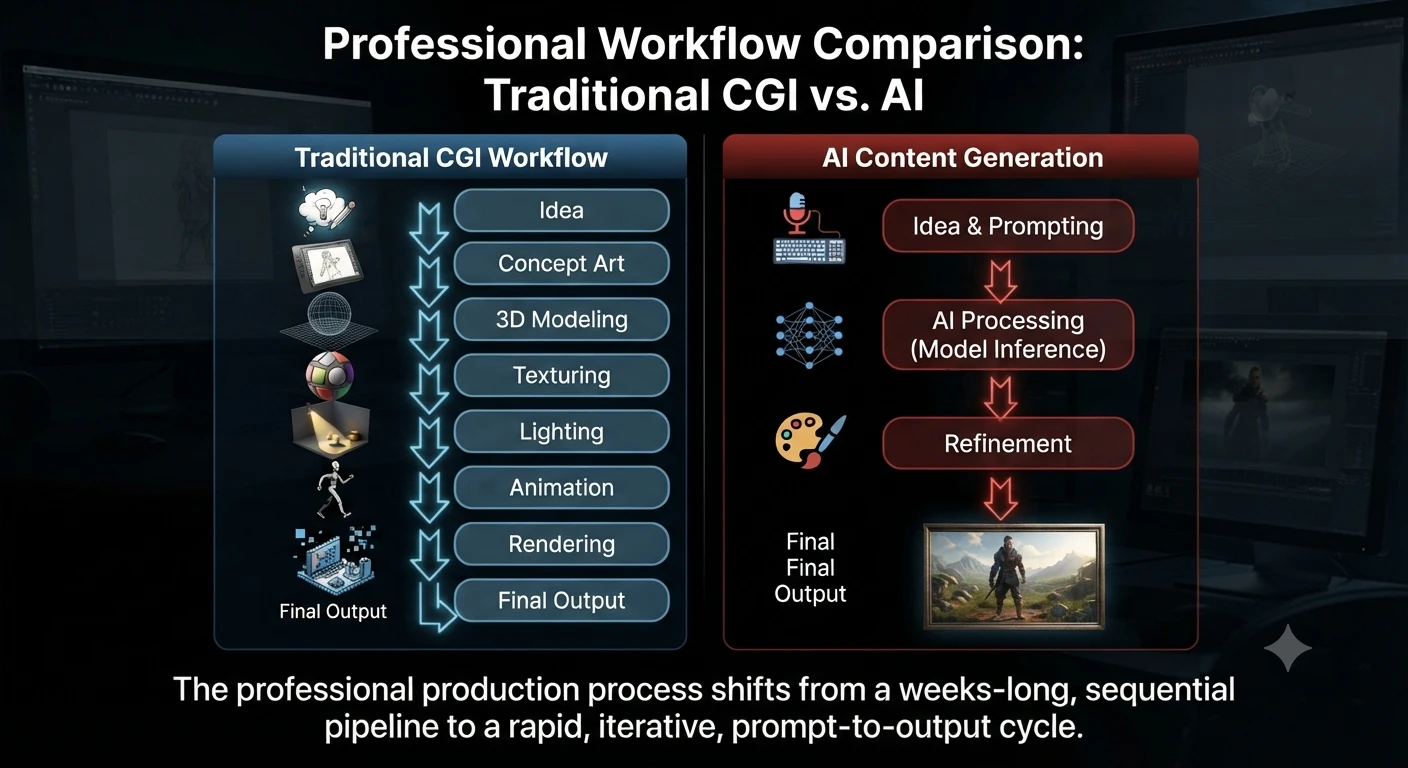
    2. Workflow Differences

    The production process differs dramatically.

    Traditional CGI Workflow

    Idea

    ↓

    Concept Art

    ↓

    3D Modeling

    ↓

    Texturing

    ↓

    Lighting

    ↓

    Animation

    ↓

    Rendering

    ↓

    Final Output

    A professional CGI project can take weeks or even months depending on its complexity.

    AI Workflow

    Idea

    ↓

    Prompt

    ↓

    AI Model

    ↓

    Generated Content

    ↓

    Human Editing

    ↓

    Final Output

    Many AI-generated images, articles, or videos can be produced in less than a minute.

    Traditional CGI vs. AI Content Creation: Workflow Analysis
    Traditional CGI vs AI Content Creation: Workflow Analysis

    3. Speed

    One reason AI has become so popular is speed.

    CGI

    Creating a realistic movie scene may require:

    • Character modeling
    • Hair simulation
    • Cloth simulation
    • Lighting adjustments
    • Physics simulations
    • Rendering

    Large Hollywood productions often spend months producing only a few minutes of finished visual effects.

    AI

    AI tools dramatically reduce production time.

    Examples include:

    • ChatGPT drafting articles within minutes
    • AI image generators creating multiple concepts in seconds
    • AI coding assistants writing boilerplate code instantly
    • AI video generators producing short clips much faster than traditional animation

    For rapid prototyping and brainstorming, AI has a clear advantage.

    4. Level of Creative Control

    Speed is important, but precision matters too.

    CGI

    Artists control:

    • Every polygon
    • Every texture
    • Every light source
    • Every animation frame
    • Every camera movement

    Nothing is left to chance.

    AI

    AI interprets prompts.

    Even small wording changes can generate completely different results.

    Although prompt engineering improves output quality, AI still cannot provide the same frame-by-frame precision as professional CGI software.

    5. Learning Capability

    Another major difference lies in learning.

    CGI Software

    Programs like Blender and Autodesk Maya do not learn from previous projects.

    They provide creative tools that artists operate manually.

    AI Systems

    AI models learn patterns during training.

    They can:

    • Recognize language
    • Generate images
    • Translate text
    • Write software code
    • Answer questions
    • Summarize documents

    Learning is fundamental to AI but not to CGI.

    6. Skill Requirements

    Both technologies require valuable—but very different—skill sets.

    CGI Artists Need

    • 3D Modeling
    • Animation
    • Lighting
    • Rendering
    • Digital sculpting
    • Color theory
    • Composition
    • Visual storytelling

    Professional CGI often takes years to master.

    AI Users Need

    • Prompt engineering
    • Critical thinking
    • Fact-checking
    • Editing
    • Workflow optimization
    • AI tool selection

    Although AI lowers the barrier to entry, creating high-quality results still requires experience and human judgment.

    Although CGI and AI are often compared, professionals rely on completely different software depending on their goals.

    Hammer AI Review 2026: Best Free AI Character Chat & Roleplay Platform

    SoftwarePrimary Purpose
    BlenderFree 3D Modeling and animation
    Autodesk MayaFilm and animation production
    HoudiniAdvanced VFX simulations
    Cinema 4DMotion graphics
    Unreal EngineReal-time rendering
    UnityInteractive 3D and game development
    ToolBest For
    ChatGPTWriting, coding, research
    ClaudeLong-form reasoning
    GeminiProductivity and multimodal AI
    MidjourneyAI artwork
    Adobe FireflyCommercial AI content creation
    GitHub CopilotAI coding assistance

    Official Tool Sources:

    The right software depends entirely on your project’s requirements.

    CGI vs AI in Real-World Industries

    Understanding where each technology excels makes the comparison much clearer.

    Movies and Television

    CGI remains the industry standard for blockbuster films.

    Examples include:

    • Avatar
    • Avengers: Endgame
    • Dune
    • Jurassic World
    • The Lion King (2019)

    CGI creates:

    • Digital environments
    • Creatures
    • Explosions
    • Weather simulations
    • Space scenes
    • Superheroes

    How AI Is Used

    AI increasingly assists filmmakers by helping with:

    • Storyboarding
    • Script analysis
    • Voice enhancement
    • Background cleanup
    • Image generation
    • Video editing

    Rather than replacing CGI, AI enhances existing production workflows.

    Video Games

    Modern games rely heavily on CGI.

    Artists create:

    • Characters
    • Weapons
    • Buildings
    • Landscapes
    • Cinematics

    Meanwhile, AI powers:

    • Smarter NPC behavior
    • Adaptive gameplay
    • Procedural world generation
    • Voice synthesis
    • Automated testing

    Together, CGI and AI create richer gaming experiences.

    Marketing and Advertising

    CGI

    Brands use CGI to produce:

    • Product renders
    • Automotive commercials
    • Luxury product showcases
    • Impossible camera movements

    AI

    Marketing teams rely on AI for:

    • Blog writing
    • Email campaigns
    • Social media posts
    • Product descriptions
    • Customer support
    • Personalized recommendations

    The goals are different, even though both technologies create digital content.

    Architecture

    Architects depend on CGI to visualize buildings before construction begins.

    Clients can explore photorealistic interiors and exteriors months before the first brick is laid.

    AI assists by:

    • Generating design concepts
    • Optimizing floor plans
    • Predicting energy efficiency
    • Automating documentation

    Healthcare

    CGI creates:

    • Medical animations
    • Surgical simulations
    • Educational videos

    AI supports:

    • Disease detection
    • Medical image analysis
    • Drug discovery
    • Clinical documentation
    • Predictive analytics

    Both technologies complement one another rather than compete.

    CGI vs AI: Cost Comparison

    Budget is often one of the biggest deciding factors.

    FactorCGIAI
    Initial CostHighLow to Moderate
    SoftwareOften requires paid licensesFree and subscription options
    HardwarePowerful GPU requiredMostly cloud-based
    Production TimeDays to monthsSeconds to minutes
    Team SizeMultiple specialistsIndividual creators can often manage alone

    Reference Sources:

    For projects demanding maximum realism, CGI remains worth the investment.

    For rapid content generation and smaller budgets, AI is often the more economical choice.

    Can AI Replace CGI?

    This question appears frequently as AI image generators become increasingly capable.

    The short answer is:

    No—not completely.

    AI is transforming creative industries, but it is not a full replacement for professional CGI.

    CGI Still Leads In

    • Hollywood visual effects
    • AAA video game production
    • Engineering simulations
    • Architectural visualization
    • Product design
    • High-end animation

    These projects require frame-by-frame precision and consistency that AI cannot reliably provide.

    AI Excels At

    • Concept art
    • Rapid brainstorming
    • Marketing visuals
    • Draft illustrations
    • Social media graphics
    • Content creation
    • Image variations

    AI should be viewed as a productivity tool that accelerates creative work rather than replacing experienced artists.

    How AI and CGI Work Together

    The future isn’t CGI vs AI.

    It’s CGI + AI.

    Many creative professionals now combine both technologies.

    A common workflow looks like this:

    1. Use AI to generate concept art.
    2. Select the strongest design.
    3. Build detailed 3D assets using CGI software.
    4. Use AI to generate textures or enhance reference images.
    5. Complete animation, lighting, and rendering with traditional CGI tools.

    This hybrid workflow significantly reduces production time while maintaining professional-quality results.

    Advantages of CGI

    Although AI has introduced new ways to create digital content, CGI remains the preferred choice for projects that require precision, realism, and complete artistic control.

    1. Complete Creative Control

    CGI artists decide every aspect of a scene, including:

    • Camera angles
    • Character movements
    • Lighting
    • Shadows
    • Materials
    • Facial expressions
    • Visual effects

    This level of control is essential for professional filmmaking, game development, and product visualization.

    2. High-Quality Visual Effects

    Modern CGI can produce visuals that are almost indistinguishable from real-life footage.

    It is widely used for:

    • Hollywood movies
    • Television commercials
    • Video game cinematics
    • Architectural visualization
    • Product marketing

    3. Consistent Results

    Once a CGI asset is created, it can be reused across multiple projects while maintaining consistent quality.

    For example, a 3D car model can be rendered from different camera angles without rebuilding it from scratch.

    4. Industry Standard

    Major film studios, animation companies, engineering firms, and game developers rely on CGI because it delivers predictable, professional-quality results.

    Limitations of CGI

    Despite its strengths, CGI also has some drawbacks.

    Time-Consuming

    Creating realistic CGI scenes often requires weeks or even months of work.

    Complex animations may involve multiple specialists working together throughout production.

    Expensive

    Professional CGI projects typically require:

    • Skilled artists
    • High-performance computers
    • Licensed software
    • Long production schedules

    This makes CGI significantly more expensive than many AI-powered workflows.

    Steep Learning Curve

    Learning software such as Blender, Maya, or Houdini takes considerable time and practice.

    Many professionals spend years mastering Modeling, lighting, animation, rendering, and visual effects.

    Advantages of AI

    Artificial Intelligence has transformed how individuals and businesses create digital content.

    Its biggest advantage is speed.

    1. Fast Content Generation

    AI can produce:

    • Articles
    • Images
    • Marketing copy
    • Videos
    • Code
    • Presentations

    within seconds or minutes.

    2. Increased Productivity

    Businesses use AI to automate repetitive tasks, allowing teams to focus on strategy and creative decision-making.

    Common applications include:

    • Customer support
    • Email writing
    • Research summaries
    • Brainstorming
    • Social media content
    • Data analysis

    3. Lower Costs

    Compared with large CGI productions, many AI tools are affordable and accessible to freelancers, startups, and small businesses.

    4. Beginner-Friendly

    Unlike professional CGI software, many AI platforms require little technical knowledge.

    A well-written prompt is often enough to generate useful results, making AI accessible to a wider audience.

    Limitations of AI

    AI is powerful, but it also has important limitations.

    What Are the Best AI Tools for Business Workflow Analysis and Process Mapping in 2026?

    Less Creative Control

    AI generates content based on prompts.

    Even small wording changes can produce very different results, making precision difficult for complex creative projects.

    Inconsistent Output

    The same prompt may generate different outputs each time.

    Maintaining consistency across a long animation, branding campaign, or product line can therefore be challenging.

    Possible Errors

    AI may occasionally produce:

    • Incorrect facts
    • Unrealistic images
    • Distorted objects
    • Hallucinated information

    Human review is essential before publishing or using AI-generated content professionally.

    Organizations should understand licensing terms, intellectual property policies, and disclosure requirements when using AI-generated content, especially for commercial projects.

    Reviewing the terms of the specific AI tool you use is an important step before publishing or distributing AI-generated assets.

    Copyright and Ethical Considerations
    Copyright and Ethical Considerations

    Source:

    U.S. Copyright Office – Copyright and Artificial Intelligence Reports

    When Should You Use CGI Instead of AI?

    Choosing between CGI and AI depends on your project’s requirements.

    Use CGI When You Need

    • Hollywood-quality visual effects
    • AAA video game assets
    • Architectural rendering
    • Engineering simulations
    • Product visualization
    • Scientific visualization
    • Highly controlled animation

    Use AI When You Need

    • Blog articles
    • Marketing copy
    • Social media content
    • Brainstorming ideas
    • AI-generated illustrations
    • Research assistance
    • Draft presentations

    In many cases, combining both technologies delivers the best results.

    Best Practices for Using CGI and AI Together

    Organizations increasingly integrate AI into traditional CGI pipelines to improve efficiency.

    Some best practices include:

    • Use AI for brainstorming and concept art.
    • Build final assets using professional CGI software.
    • Fact-check AI-generated text before publishing.
    • Review licensing terms before commercial use.
    • Maintain human oversight throughout the production process.
    • Combine AI’s speed with CGI’s precision for the highest-quality results.

    This hybrid workflow helps creative teams work faster without sacrificing quality.

    CGI vs AI: Which Should You Choose?

    The right choice depends entirely on your goals.

    Your GoalRecommended Technology
    Create blockbuster movie effectsCGI
    Develop AAA video gamesCGI
    Build architectural visualizationsCGI
    Produce engineering simulationsCGI
    Generate blog contentAI
    Create marketing copyAI
    Brainstorm creative conceptsAI
    Generate concept art quicklyAI
    Automate repetitive writing tasksAI
    Produce high-end animationsCGI

    For many businesses, the most effective solution is combining AI and CGI rather than choosing one over the other.

    Common Myths About CGI and AI

    Let’s clear up some common misconceptions.

    Myth 1: CGI and AI Are the Same

    Reality: They are completely different technologies.

    CGI is a graphics creation process, while AI is a broader field focused on enabling computers to perform tasks associated with human Intelligence.

    Myth 2: AI Has Replaced CGI

    Reality: No.

    Professional filmmaking, AAA gaming, architecture, and engineering still depend heavily on CGI.

    AI primarily speeds up parts of the creative workflow.

    Myth 3: AI Requires No Human Input

    Reality: High-quality AI output depends on:

    • Well-written prompts
    • Editing
    • Fact-checking
    • Creative direction
    • Human review

    Expertise still matters.

    Myth 4: CGI Is Outdated

    Reality: CGI continues to evolve through technologies such as:

    • Real-time rendering
    • Virtual production
    • Physically Based Rendering (PBR)
    • Ray tracing
    • GPU acceleration

    It remains one of the most important technologies in digital entertainment and design.

    Future of CGI and AI

    Rather than competing directly, CGI and AI are becoming complementary technologies.

    Several trends are shaping the future:

    • AI-assisted 3D modeling
    • AI-powered texture generation
    • AI-enhanced animation
    • Real-time rendering improvements
    • Intelligent visual effects automation
    • Virtual production workflows
    • Generative AI integrated into creative software

    Creative professionals increasingly combine AI with traditional CGI software to improve productivity while maintaining artistic quality.

    As AI continues to evolve, it is likely to become an intelligent assistant rather than a replacement for experienced CGI artists.

    Frequently Asked Questions

    Is CGI a type of AI?

    No. CGI (Computer-Generated Imagery) is a graphics creation technique, while AI (Artificial Intelligence) is a broader field focused on building systems that can learn, reason, and generate content.

    Can AI create CGI?

    AI can assist with concept art, textures, and certain visual assets, but professional CGI projects still require specialized software and skilled artists to model, animate, and render high-quality scenes.

    Does Hollywood use AI instead of CGI?

    No.

    Major film studios continue to rely heavily on CGI for visual effects.

    AI is increasingly used for previsualization, editing, voice enhancement, and concept development, but it does not replace traditional CGI pipelines.

    Which is better for beginners?

    If your goal is content creation, image generation, or productivity, AI tools are generally easier to learn.

    If you want a career in animation, visual effects, or game development, learning CGI software is a valuable long-term investment.

    Is Midjourney CGI?

    No.

    Midjourney is an AI image-generation platform that creates images from text prompts.

    Traditional CGI images are manually built using 3D graphics software.

    Can ChatGPT create CGI?

    No.

    ChatGPT generates text and can help plan CGI projects, explain workflows, write scripts, or assist with creative ideas.

    Professional CGI scenes are created using specialized 3D software such as Blender, Maya, or Houdini.

    Turn your pitch into the exact cut

    Conclusion

    Understanding the difference between CGI and AI is becoming increasingly important as both technologies continue to shape digital creativity.

    While they may produce visually impressive results, CGI and AI are fundamentally different in their purpose, workflow, and capabilities.

    CGI focuses on manually creating high-quality 3D graphics, animations, and visual effects with complete artistic control. It remains the industry standard for blockbuster films, AAA video games, architectural visualization, engineering simulations, and product design.

    AI, on the other hand, learns from vast amounts of data to generate text, images, code, audio, and other digital content quickly and efficiently. It has transformed industries by improving productivity, accelerating research, and automating repetitive tasks.

    Rather than asking “CGI vs AI: Which is better?”, the more practical question is which technology best suits your project.

    For high-end visual production, CGI remains unmatched. For rapid content creation and automation, AI offers significant advantages.

    In many real-world workflows, the strongest results come from combining both technologies—using AI to accelerate brainstorming, repetitive tasks, and concept development while relying on CGI for precision, consistency, and professional-quality execution.

    As both technologies continue to evolve, creators, developers, marketers, and businesses that understand when and how to use each will be better equipped to build innovative, efficient, and visually compelling digital experiences.

    Our Tools
    QR Code Generator
    Text Alignment Tool
    PDF to JPG
    Turn images into one PDF

  • How to Train ChatGPT for Accurate Content Generation Techniques (2026)

    How to Train ChatGPT for Accurate Content Generation Techniques (2026)

    Artificial intelligence has transformed content creation, but one of the biggest misconceptions is that you need to train ChatGPT the same way developers train an AI model. For most users, that isn’t true.

    Instead, producing accurate, trustworthy, and high-quality AI content depends on how you communicate with ChatGPT, not on changing the underlying model. The real skill is learning prompt engineering, context engineering, and structured research workflows that guide the model toward better results.

    Whether you’re a blogger, marketer, student, researcher, or business owner, learning these techniques can help you create articles, reports, product comparisons, emails, and research documents that are more accurate and useful.

    In this guide, you’ll learn how to train ChatGPT for accurate content generation using OpenAI’s recommended prompting practices, Deep Research, fact-checking methods, and proven AI content workflows.

    What Does “Train ChatGPT” Actually Mean?

    Many people search for phrases like “how to train ChatGPT” or “teach ChatGPT my writing style.” In reality, these searches often refer to improving responses rather than retraining the model itself.

    CGI vs AI: What’s the Difference? Complete Guide (2026)

    For everyday users, training ChatGPT means learning how to provide:

    • Clear instructions
    • Relevant background information
    • A defined audience
    • Specific goals
    • Desired output format
    • Quality expectations

    Rather than changing the AI model, you’re improving the quality of the conversation so ChatGPT understands exactly what you need.

    Think of ChatGPT as an experienced editor.

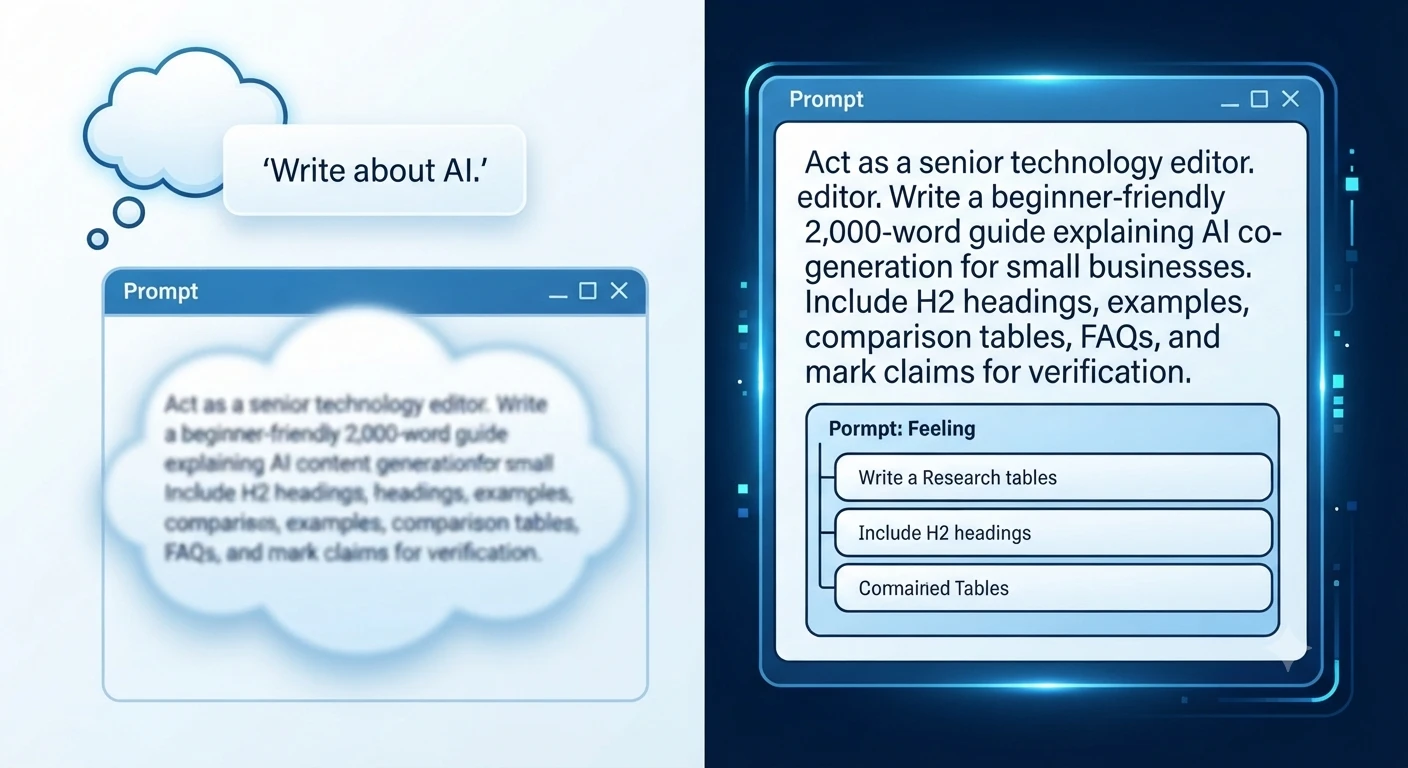
    If you ask:

    Write an article about AI.

    You’ll probably receive a broad overview.

    But if you ask:

    Act as a senior technology editor. Write a beginner-friendly 2,000-word guide explaining AI content generation for small businesses. Include H2 headings, practical examples, comparison tables, FAQs, and clearly identify any claims that should be verified from official sources.

    The second prompt gives ChatGPT a clear objective, audience, structure, and success criteria, making the response much more useful.

    Can You Actually Train ChatGPT?

    The short answer is no in the traditional machine learning sense.

    Organizations can fine-tune certain AI models for specialized tasks, but most ChatGPT users improve results by providing better instructions rather than retraining the model.

    You can influence ChatGPT by using:

    • Prompt engineering
    • Custom Instructions
    • Project-specific context
    • Uploaded reference documents
    • Deep Research
    • Follow-up refinement

    These methods help ChatGPT generate responses that better match your goals without modifying the underlying model.

    Why Accurate AI Content Matters More Than Ever

    AI-generated content is now used across nearly every industry, from blogging and education to software development and business research. While AI can save time, publishing unverified information can damage credibility and reduce trust.

    Accurate content is especially important when writing about:

    • Technology
    • Finance
    • Healthcare
    • Law
    • Product reviews
    • Market research
    • SEO
    • Software documentation

    Even well-written AI responses can contain outdated information, incorrect product details, or unsupported claims. That’s why professional writers combine AI with human review and trusted sources.

    How ChatGPT Generates Content

    Understanding how ChatGPT works helps explain why some prompts produce excellent answers while others produce generic ones.

    ChatGPT is a large language model (LLM). Instead of searching the internet every time you ask a question, it predicts the most appropriate response based on patterns learned during training and the information available in the current conversation.

    Depending on how you’re using ChatGPT, it may also have access to tools such as web search or Deep Research, allowing it to retrieve current information and include citations.

    Several factors influence every response:

    • Your prompt
    • The conversation history
    • Any uploaded files
    • Available tools (such as Search or Deep Research)
    • The instructions you provide

    This is why two users asking similar questions often receive different answers.

    Why Some ChatGPT Responses Are More Accurate Than Others

    Accuracy isn’t determined only by the AI model. In many cases, it’s the prompt that makes the difference.

    Poor Prompt

    Explain cybersecurity.

    Who is the audience?

    A high school student?

    An IT manager?

    A software developer?

    A business owner?

    The request doesn’t provide enough information.

    Better Prompt

    Explain cybersecurity to small business owners using plain English. Include common cyber threats, practical protection tips, real-world examples, and a checklist they can implement this week.

    The second prompt provides context, audience, scope, and expected outcome, reducing ambiguity and producing a more targeted response.

    Why ChatGPT Sometimes Produces Incorrect Information

    Even advanced AI models can make mistakes. Understanding these limitations helps you build a more reliable workflow.

    1. Missing Context

    ChatGPT can only work with the information you provide.

    If your request lacks important details, the model must make assumptions, which can lead to generic or inaccurate responses.

    Instead of asking:

    Write about cloud computing.

    Try:

    Explain cloud computing to non-technical entrepreneurs considering their first cloud migration. Include benefits, risks, pricing considerations, and common mistakes.

    Adding context significantly improves relevance.

    2. Ambiguous Instructions

    Broad requests often produce broad answers.

    For example:

    Tell me about SEO.

    This could refer to:

    • Technical SEO
    • Local SEO
    • Ecommerce SEO
    • Enterprise SEO
    • WordPress SEO
    • AI SEO
    • International SEO

    The more specific your request, the better the output.

    3. Outdated Information

    Technology changes rapidly.

    Software features, pricing, regulations, APIs, and product capabilities evolve continuously.

    Before publishing AI-generated content, verify:

    • Pricing
    • Release dates
    • Product features
    • Company announcements
    • Industry statistics
    • Government regulations

    Whenever possible, confirm these details using official documentation.

    4. AI Hallucinations

    One of the most discussed AI limitations is hallucination.

    Hallucinations occur when an AI confidently presents information that appears believable but is inaccurate or unsupported.

    Examples include:

    • Invented research papers
    • Fake citations
    • Incorrect statistics
    • Wrong release dates
    • Features that don’t exist
    • Misattributed quotes

    This is why experienced editors never publish AI-generated content without verification.

    5. Lack of Source Validation

    By default, ChatGPT generates language—it doesn’t automatically verify every statement against authoritative databases.

    When factual accuracy matters, always ask ChatGPT to:

    • Identify claims requiring verification.
    • Separate facts from assumptions
    • Include citations when available.
    • Highlight uncertain information

    These practices reduce the risk of publishing misleading content.

    AI Server News 2026: Latest AI Infrastructure, GPU, and Data Centre Developments Driving Enterprise AI

    What Is Prompt Engineering?

    Prompt engineering is the process of designing clear, structured instructions that help AI models generate more accurate and relevant responses.

    The Foundation of Prompt Engineering
    The Foundation of Prompt Engineering

    Rather than simply asking a question, prompt engineering provides enough context for ChatGPT to understand:

    • What to do
    • Who the audience is
    • What outcome you expect
    • How the answer should be organized
    • What tone to use

    Think of prompt engineering as writing a detailed project brief for an experienced professional.

    The clearer your instructions, the more likely you’ll receive a high-quality result.

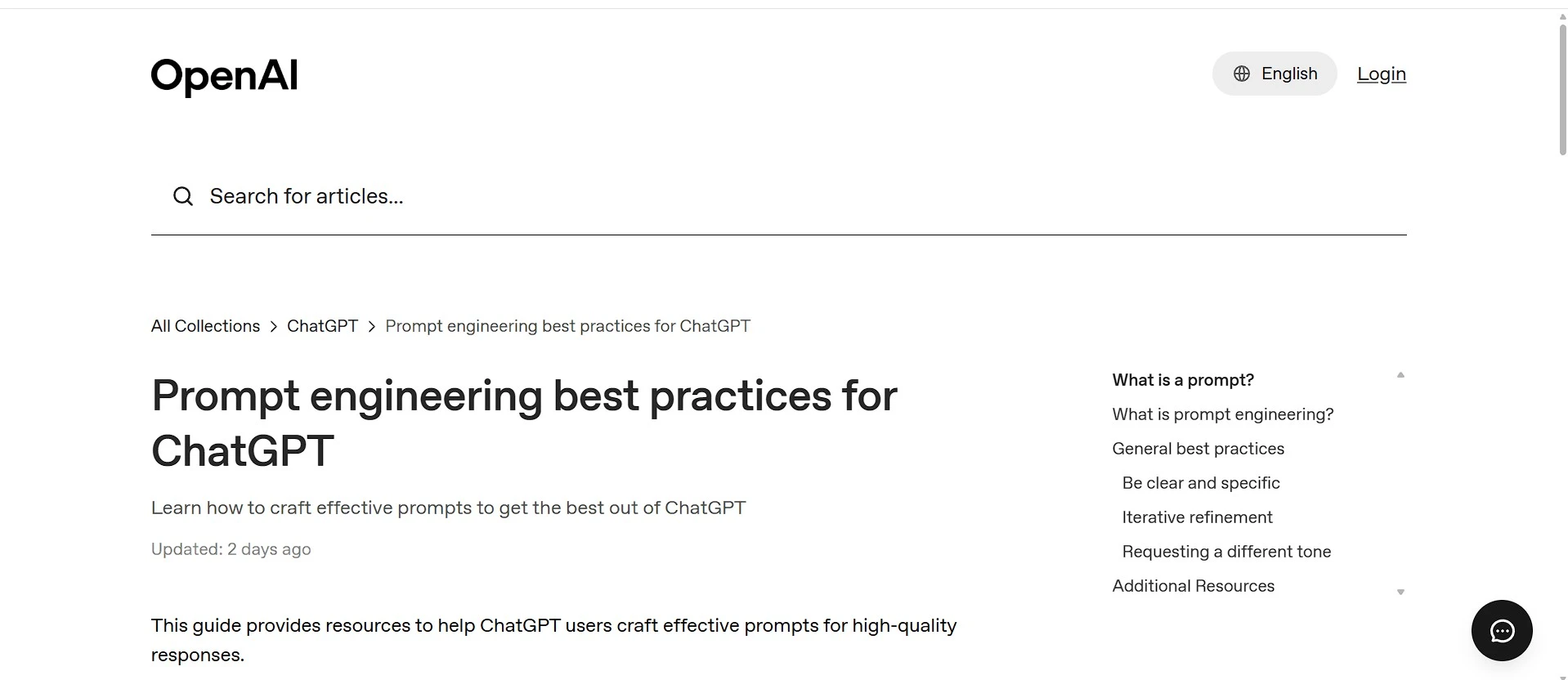
    Reference: Prompt engineering best practices for ChatGPT

    OpenAI’s Prompt Engineering Best Practices

    According to OpenAI’s guidance, effective prompts generally follow a few core principles.

    Be Clear and Specific

    Avoid vague requests.

    Instead of:

    Explain AI.

    Write:

    Explain generative AI to digital marketers using beginner-friendly language and include three practical business examples.

    Provide Context

    Context helps ChatGPT understand the situation.

    Include information such as:

    • Industry
    • Audience
    • Experience level
    • Goals
    • Constraints
    • Existing knowledge

    The more relevant context you provide, the more focused the response becomes.

    Refine Prompts Iteratively

    Prompt engineering is rarely a one-step process.

    Instead of expecting a perfect answer immediately, review the first draft and improve it with follow-up requests such as:

    • Expand this section.
    • Simplify the explanation.
    • Add comparison tables.
    • Improve readability.
    • Include practical examples.
    • Highlight claims needing verification.

    Each iteration usually produces a stronger final result.

    Specify Tone and Style

    You can also guide ChatGPT by describing the desired writing style.

    Examples include:

    • Professional
    • Conversational
    • Friendly
    • Formal
    • Educational
    • Technical
    • Journalistic

    For example:

    Explain prompt engineering in a professional yet conversational tone suitable for beginner bloggers.

    This helps align the writing with your audience.

    The Six Elements of an Effective Prompt

    Most high-quality prompts answer six basic questions before asking ChatGPT to generate content.

    Prompt ElementExample
    RoleAct as a senior technology editor
    AudienceBeginner bloggers
    ObjectiveTeach prompt engineering
    Format2,000-word SEO article
    ToneProfessional but conversational
    Success CriteriaAccurate, practical, easy to understand

    Including these elements creates a strong foundation for reliable AI-generated content.

    Why Better Prompts Produce Better Results

    Prompt engineering isn’t about using secret words or tricks. It’s about reducing uncertainty.

    The more precisely you define your request, the less ChatGPT has to guess.

    That usually leads to:

    • Better organization
    • Higher factual accuracy
    • Improved readability
    • Stronger SEO structure
    • More relevant examples
    • Fewer revisions

    Professional content creators often spend several minutes refining a prompt because better instructions save much more time during editing.

    12 Prompt Engineering Techniques That Improve ChatGPT Accuracy

    If you want to train ChatGPT for accurate content generation techniques, improving your prompts is the single most effective step you can take. Instead of expecting the model to guess your intent, provide detailed instructions that reduce ambiguity and guide the response.

    The following techniques are based on widely recommended prompting practices and practical workflows used by content creators, researchers, and businesses.

    1. Assign ChatGPT a Clear Role

    One of the easiest ways to improve output quality is to tell ChatGPT who it should act as.

    Instead of writing:

    Write an article about SEO.

    Try:

    Act as a senior SEO editor with experience writing for technology websites.

    Role-based prompting helps the model adjust:

    • Writing style
    • Technical depth
    • Vocabulary
    • Perspective
    • Level of explanation

    Example

    Generic PromptRole-Based Prompt
    Write about AI.Act as an AI consultant explaining artificial intelligence to small business owners.

    The second prompt usually produces more focused, audience-specific content.

    2. Define Your Target Audience

    The same topic should be explained differently depending on who will read it.

    For example:

    • Beginners
    • Students
    • Software developers
    • Marketing teams
    • Business owners
    • Healthcare professionals

    Weak Prompt

    Explain machine learning.

    Better Prompt

    Explain machine learning to complete beginners using simple analogies, diagrams, and everyday examples.

    Audience-focused prompts improve:

    • Readability
    • Relevance
    • Engagement
    • User satisfaction

    3. Clearly State Your Goal

    Many users describe only the topic.

    Professional prompts describe the objective.

    Instead of:

    Write about cloud computing.

    Specify your purpose.

    Examples include:

    • Explain
    • Compare
    • Teach
    • Review
    • Troubleshoot
    • Summarize
    • Recommend
    • Analyze

    Better Prompt

    Explain how cloud computing reduces IT costs for small businesses and compare cloud storage with traditional servers.

    The objective gives ChatGPT a clear direction.

    4. Provide Background Context

    Context dramatically improves AI-generated content.

    Instead of immediately asking for an answer, explain the situation.

    Poor Prompt

    Write an About Us page.

    Better Prompt

    Our website publishes AI software reviews, technology tutorials, and productivity guides for beginners. Write an About Us page that emphasizes transparency, educational value, and editorial independence.

    The additional information helps ChatGPT generate content that aligns with your brand.

    5. Request a Specific Structure

    High-quality articles follow a logical format.

    Instead of saying:

    Write a blog post.

    Specify the structure you need.

    For example:

    • Introduction
    • H2 headings
    • H3 subheadings
    • Comparison tables
    • Step-by-step guides
    • Practical examples
    • FAQ section
    • Conclusion

    Example Prompt

    Write a 2,000-word beginner-friendly guide using H2 and H3 headings, comparison tables, practical examples, and six FAQs.

    Structured prompts usually produce structured content.

    6. Specify Length and Depth

    Word count influences the level of detail.

    Examples:

    • 500 words
    • 1,000 words
    • 2,000 words
    • Executive summary
    • Comprehensive guide

    Instead of saying:

    Write a guide.

    Try:

    Write an approximately 2,000-word beginner-friendly guide with detailed explanations and actionable examples.

    7. Request Real Examples

    Examples make AI-generated content significantly more useful.

    Instead of asking for theory, request:

    • Practical scenarios
    • Templates
    • Workflows
    • Case studies
    • Before-and-after comparisons

    Example Prompt

    Include three real-world scenarios showing how detailed prompts improve AI-generated articles.

    Readers generally understand concepts faster when they’re demonstrated with examples.

    8. Ask for Tables and Checklists

    Tables make information easier to compare and scan.

    Example:

    Prompt QualityAccuracyStructure
    GenericLowBasic
    DetailedMediumBetter
    Context-richHighExcellent

    You can also request:

    • Decision matrices
    • Checklists
    • Comparison charts
    • Summary tables

    These improve readability and user experience.

    9. Ask ChatGPT to Review Its Draft

    Before accepting the final response, ask ChatGPT to perform a quality review.

    Example prompt:

    Review your response for grammar, repetition, unclear wording, factual uncertainty, missing sections, and readability improvements before presenting the final version.

    Although this doesn’t replace human editing, it often improves the first draft.

    10. Identify Claims That Need Verification

    Instead of assuming every statement is correct, ask ChatGPT to identify information requiring fact-checking.

    Example:

    Highlight statistics, software features, pricing, dates, regulations, or research claims that should be verified using official sources.

    This creates a more responsible publishing workflow.

    11. Break Large Tasks Into Smaller Steps

    Complex requests work better when divided into stages.

    Instead of asking for everything at once:

    Create:

    1. Outline
    2. Introduction
    3. Main sections
    4. Examples
    5. SEO optimization
    6. Fact-check review
    7. Final proofreading

    Breaking work into smaller prompts generally produces more consistent results.

    12. Improve the Prompt After Every Draft

    Prompt engineering is iterative.

    After reading the first response, continue refining it.

    Examples:

    • Simplify the language.
    • Expand this section.
    • Add comparison tables.
    • Reduce repetition.
    • Improve transitions.
    • Add expert insights.
    • Include beginner-friendly examples.

    Every refinement helps the final content become more useful and polished.

    How ChatGPT Deep Research Improves Content Accuracy

    For complex projects, standard conversations may not provide enough depth.

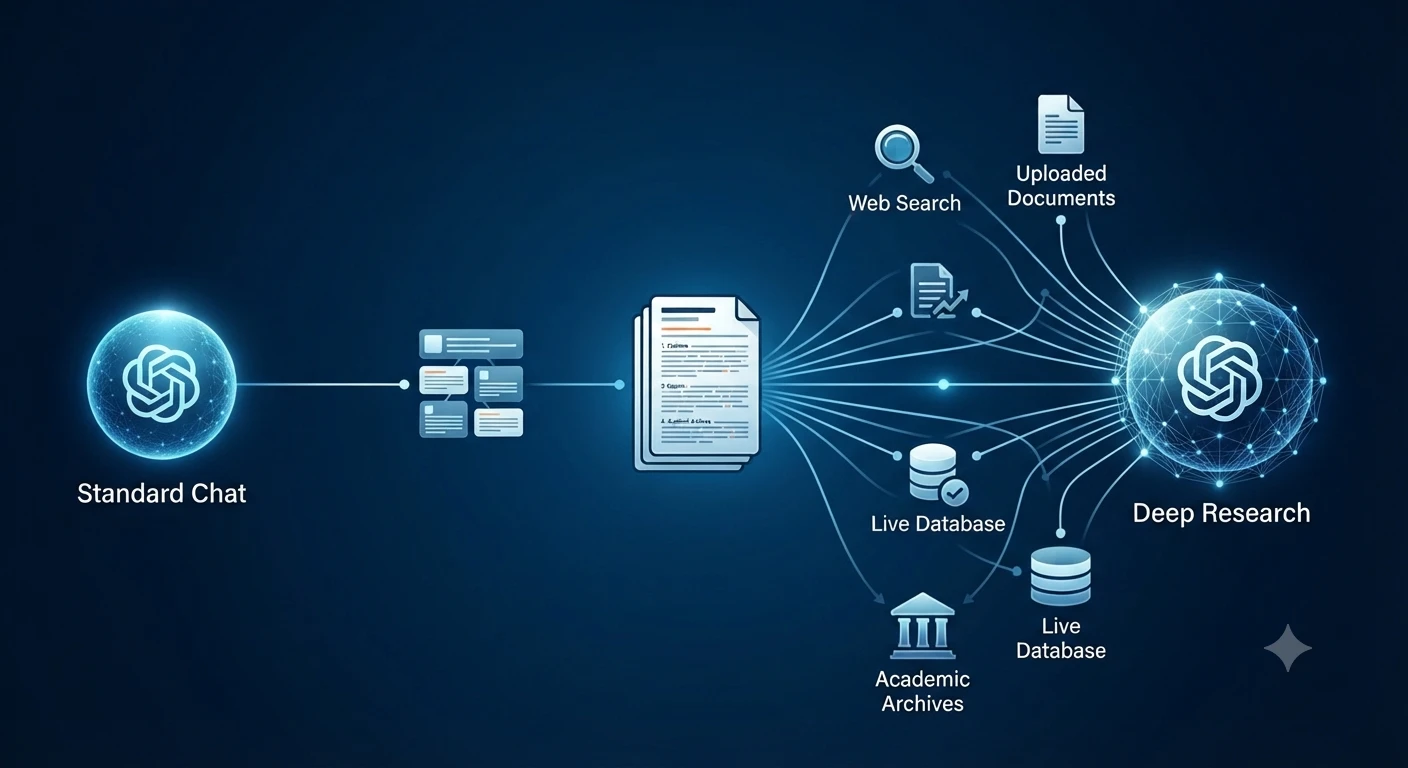
    The Deep Research Advantage (Multi-Step Investigation)
    The Deep Research Advantage (Multi-Step Investigation)

    This is where Deep Research becomes valuable.

    Deep Research is designed for multi-step investigations that require planning, gathering information, evaluating multiple sources, and producing a structured report.

    Instead of generating a quick answer, Deep Research can:

    • Create a research plan before starting.
    • Break large questions into smaller research topics.
    • Search the public web.
    • Analyze uploaded files
    • Use connected applications when available.
    • Synthesize findings into a documented report.
    • Include citations or source links for verification.

    Unlike a typical chat response, Deep Research is built for research-heavy tasks where traceability and source verification matter.

    How Deep Research Works

    A typical Deep Research workflow follows these stages:

    Step 1: Describe the Goal

    Start by clearly explaining what you need.

    For example:

    Research the latest AI content generation techniques used by enterprise marketing teams. Compare major AI platforms, summarize current best practices, include citations, and identify areas where evidence is limited.

    The clearer your objective, the better the research plan.

    Step 2: Choose Your Sources

    One advantage of Deep Research is that you can control where information comes from.

    Depending on your setup, you can use:

    • Public websites
    • Uploaded PDFs
    • Word documents
    • Google Drive
    • SharePoint
    • Connected research applications
    • Other enabled data sources

    You can also prioritize specific websites or restrict Research to trusted domains.

    Step 3: Review the Research Plan

    Before Research begins, ChatGPT proposes a research plan.

    Review it carefully.

    Check whether it covers:

    • Important subtopics
    • Required comparisons
    • Evaluation criteria
    • Trusted sources

    If necessary, modify the plan before continuing.

    Step 4: Monitor Progress

    Unlike a standard chat response, Deep Research shows its progress as it gathers information.

    You can interrupt the task, refine the scope, or change the allowed sources if your priorities change.

    Step 5: Review the Final Report

    Completed reports typically include:

    • Structured sections
    • Table of contents
    • Citations
    • Source links
    • Research history
    • Download options

    This makes the output easier to verify, share, and reuse.

    Reference: How do I create a good prompt for an AI model?

    Standard Chat vs. Deep Research

    Standard ChatDeep Research
    Fast responsesMulti-step investigations
    General explanationsStructured research reports
    Short conversationsDetailed documented reports
    Limited synthesisMulti-source analysis
    Best for quick questionsBest for complex Research
    Usually conversationalIncludes citations and source links

    If you’re writing a long-form article, researching an industry, or preparing a business report, Deep Research usually provides a stronger starting point than relying on a single AI-generated response.

    Context Engineering: The Next Step Beyond Prompt Engineering

    Prompt engineering focuses on writing better instructions.

    Context engineering goes further.

    Prompt Engineering
    Prompt Engineering
    Structured Context Engineering
    Structured Context Engineering

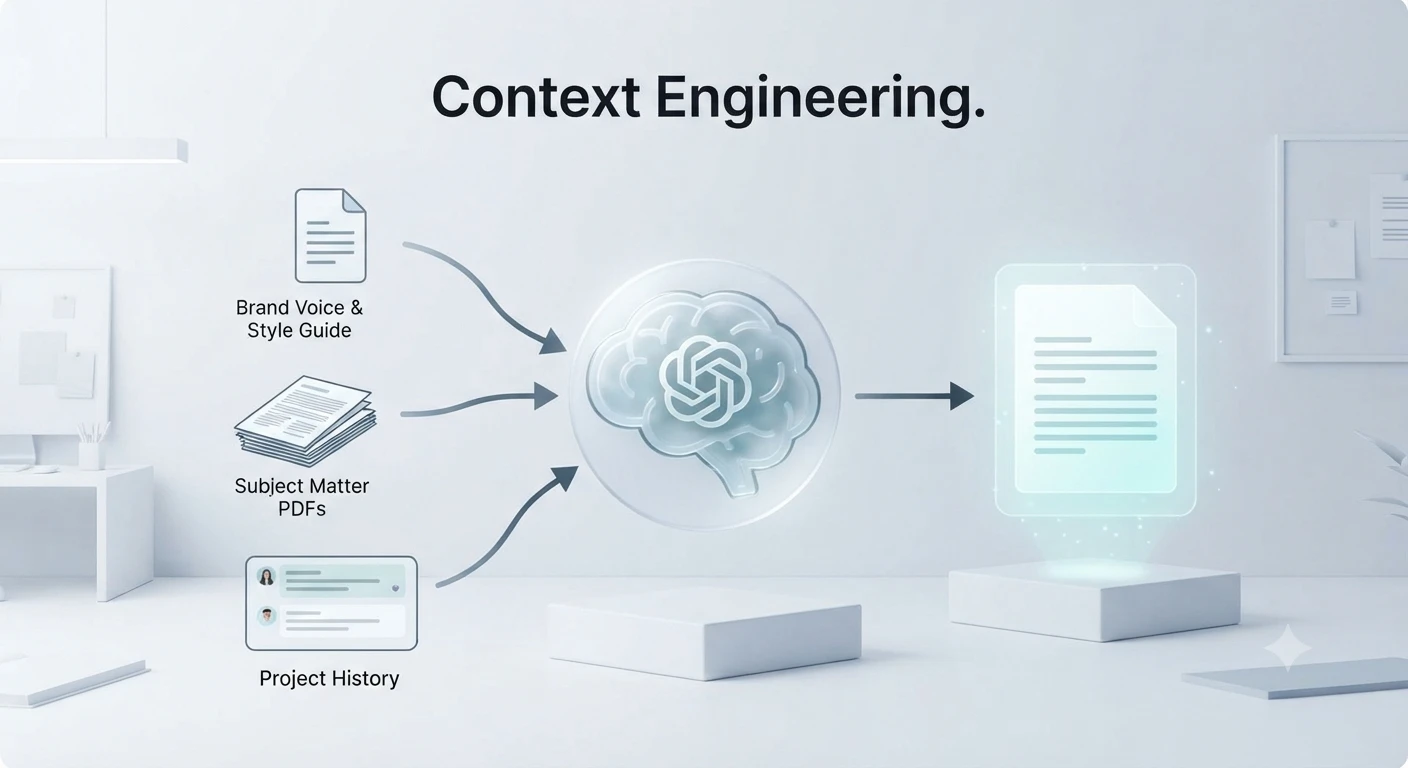
    Instead of optimizing only the prompt, context engineering manages all the information available to the model while it works.

    That may include:

    • System instructions
    • Uploaded documents
    • Previous conversation history
    • Examples
    • External knowledge
    • Tool outputs
    • Search results
    • Research notes

    The goal is to provide the smallest set of high-value information needed to complete the task accurately.

    Too much irrelevant context can reduce focus, while carefully selected context helps the model produce more reliable answers.

    Why Context Matters

    Imagine asking ChatGPT to review a 50-page technical report.

    Instead of pasting the entire document, you might provide:

    • Executive summary
    • Key objectives
    • Relevant chapters
    • Important terminology
    • Required output format

    This focused context allows the model to spend more attention on the information that matters most.

    For long projects, thoughtful context management often produces better results than simply increasing the amount of text you provide.

    Prompt Engineering vs. Context Engineering

    Prompt EngineeringContext Engineering
    Focuses on writing better promptsFocuses on managing all available context
    Improves instructionsImproves the entire working environment
    Best for individual requestsBest for complex, long-running projects
    Optimizes wordingOptimizes information quality

    Together, these approaches create a stronger foundation for accurate AI-assisted writing.

    Build a Professional AI Content Workflow

    Experienced writers rarely publish raw AI output.

    Instead, they combine AI with Research, editing, and verification.

    A practical workflow looks like this:

    1. Identify the search intent and target audience.
    2. Research authoritative sources.
    3. Create a detailed prompt.
    4. Generate the first draft.
    5. Expand weak sections.
    6. Add examples and comparison tables.
    7. Verify important facts.
    8. Optimize for SEO.
    9. Proofread the final version.
    10. Perform a final human review before publishing.

    Following a structured workflow reduces errors and produces content that is more helpful, trustworthy, and aligned with modern search quality expectations.

    Frequently Asked Questions (FAQs)

    Is prompt engineering still important in 2026?

    Yes, but its role has changed. Instead of focusing on clever tricks or hidden prompt formulas, modern prompt engineering emphasizes providing clear instructions, relevant context, reliable source material, and specific output requirements. For advanced Research, Deep Research features often deliver better results than relying on a single prompt.

    What’s the difference between prompt engineering and context engineering?

    Prompt engineering focuses on writing better instructions, while context engineering focuses on managing all information available to the AI, including:

    • System instructions
    • Uploaded documents
    • Memory
    • Conversation history
    • External tools
    • Connected applications
    • Retrieved web sources

    Context engineering generally produces more accurate outputs because the model works with higher-quality information rather than better wording alone.

    How can I reduce ChatGPT hallucinations?

    Try these proven techniques:

    • Provide source documents
    • Request citations
    • Break complex tasks into smaller prompts.
    • Use Deep Research for factual topics.
    • Ask ChatGPT to verify claims.
    • Specify uncertainty handling
    • Cross-check important facts
    • Ask for confidence levels.
    • Compare multiple sources
    • Avoid vague instructions

    These methods significantly improve factual reliability.

    Does Deep Research generate more accurate content than normal ChatGPT?

    Generally, yes.

    Deep Research is designed for multi-step investigations. It analyzes multiple sources, creates a structured research plan, synthesizes findings, and includes citations or source links for verification.

    For quick brainstorming or simple questions, standard ChatGPT is usually faster.

    Should I use one long prompt or several smaller prompts?

    For complex projects, several focused prompts almost always work better.

    A recommended workflow is:

    1. Create an outline.
    2. Research each section separately.
    3. Generate drafts section by section.
    4. Fact-check the draft.
    5. Improve readability.
    6. Perform a final SEO review.

    This iterative process typically produces more accurate and higher-quality content than one massive prompt.

    Can ChatGPT write content that’s ready to publish?

    It can produce an excellent first draft, but a human should still review every article.

    Before publishing:

    • Verify factual claims
    • Check statistics
    • Review citations
    • Update outdated information
    • Add personal expertise
    • Optimize SEO
    • Edit for brand voice.
    • Proofread grammar

    Human review remains essential for quality and credibility.

    Rafter Calculator

    Which industries benefit most from accurate AI content generation?

    Accurate AI-assisted writing is especially valuable in:

    • Digital marketing
    • Blogging
    • Journalism
    • Technical documentation
    • Software development
    • Education
    • Healthcare content (with expert review)
    • Finance (with compliance review)
    • Legal research support (not legal advice)
    • Academic Research
    • E-commerce
    • SaaS documentation

    Final Thoughts: The Future of Training ChatGPT for Accurate Content Generation

    Learning to train ChatGPT for accurate content generation techniques is no longer about discovering secret prompts. The most reliable results come from combining clear instructions with high-quality context, structured workflows, verification, and evidence-backed Research.

    Modern AI content creation is evolving from simple prompting to comprehensive context management. Features like Deep Research, connected knowledge sources, iterative refinement, and citation-based reporting make it possible to create content that is not only faster to produce but also significantly more trustworthy.

    To consistently generate accurate content:

    • Write clear, specific prompts.
    • Provide sufficient context and supporting material.
    • Break complex tasks into smaller steps.
    • Use Deep Research when depth and citations matter.
    • Request structured outputs and source references.
    • Refine responses iteratively instead of expecting perfection in one prompt.
    • Verify important claims before publication.
    • Add human expertise, experience, and editorial judgment.

    AI is most effective as a collaborative assistant rather than a replacement for critical thinking. By following these best practices, you can produce content that aligns with modern SEO expectations, supports E-E-A-T principles, and delivers greater value to readers.

    Whether you’re a blogger, marketer, researcher, student, or business owner, mastering these techniques will help you create more accurate, reliable, and useful content with ChatGPT.

    Key Takeaways

    • Training ChatGPT starts with clear, detailed prompts and enough context.
    • Context engineering is becoming more important than prompt engineering alone.
    • Deep Research is ideal for complex, evidence-based reports with citations.
    • Breaking large tasks into smaller prompts improves accuracy and consistency.
    • Few-shot examples help guide the desired output format and style.
    • Grounding the model with trusted sources reduces hallucinations.
    • Asking for citations and structured outputs increases reliability.
    • Human review remains essential before publishing AI-generated content.
    • Iterative refinement consistently outperforms one-shot prompting.
    • Combining AI with human expertise produces the highest-quality content.

    Our Tools
    QR Code Generator
    Text Alignment Tool
    PDF to JPG

    Claude Code vs OpenCode: Which AI Coding Tool Wins in 2026?
    Does Google Drive Work with AI Tools? Complete Guide (2026)
    What Are the Best AI Tools for Business Workflow Analysis and Process Mapping in 2026?
    Hammer AI Review 2026: Best Free AI Character Chat & Roleplay Platform?

  • HR Tech News 2026: How AI, Human-AI Collaboration, and Digital Workplace Trends Are Transforming HR

    HR Tech News 2026: How AI, Human-AI Collaboration, and Digital Workplace Trends Are Transforming HR

    Written by Hazel Patrica
    Technology Writer covering Artificial Intelligence, Workplace Automation, and Digital Transformation

    Introduction: HR Technology Enters the Human-AI Collaboration Era in 2026

    Human resources technology is entering a new phase in 2026. Instead of simply adding artificial intelligence tools on top of existing HR processes, organisations are increasingly redesigning how people and technology work together.

    According to Deloitte’s 2026 Global Human Capital Trends research, organisations that focus only on technology adoption are 1.6 times more likely to miss expected AI investment returns compared with organisations that take a human-centred approach. The research highlights that the biggest advantage will come from combining AI capabilities with uniquely human strengths such as adaptability, creativity, judgment, and decision-making.

    Deloitte 2026 Global Human Capital Trends report on human AI collaboration
    “Deloitte’s 2026 Global Human Capital Trends highlights how human-AI collaboration is becoming a key factor in workplace transformation.”

    The shift is changing how companies approach recruitment, employee experience, workforce planning, learning, and workplace automation. Modern HR technology is no longer only a system for storing employee information—it is becoming a strategic foundation for building adaptable organisations.

    Deloitte’s research, conducted with more than 9,000 business and human resources leaders across 89 countries, shows that companies are facing a major workplace transformation. Leaders are now focusing on three important questions:

    • How can humans and AI collaborate effectively?
    • How can organisations maintain trust and accountability when AI influences decisions?
    • How can businesses build a workforce that continuously learns and adapts?

    In 2026, successful HR technology strategies will not be defined by automation alone. They will depend on how effectively organisations combine intelligent systems with human expertise.

    AI Server News 2026: Latest AI Infrastructure, GPU, and Data Centre Developments Driving Enterprise AI

    What Is HR Technology and Why Does It Matter in 2026?

    HR technology refers to digital platforms, software solutions, and artificial intelligence systems designed to help organisations manage their workforce more effectively.

    Traditional HR systems mainly focused on administrative tasks such as:

    • Employee records management
    • Payroll processing
    • Attendance tracking
    • Benefits administration

    However, modern HR technology has expanded beyond basic administration. Today’s platforms support:

    • AI-powered recruitment
    • Employee experience management
    • Skills-based workforce planning
    • Learning and development
    • Performance management
    • Workforce analytics
    • Digital employee support

    The purpose of HR technology in 2026 is not simply to automate tasks. The goal is to help organisations make better decisions, improve employee experiences, and create more flexible ways of working.

    Deloitte’s Human Capital Trends research emphasises that organisations gain more value when they redesign work around human-AI collaboration instead of using AI only as an additional automation layer.

    How HR Technology Has Evolved From Automation to AI in 2026

    HR technology has gone through several major transformations over the past decades.

    From Paper-Based Processes to Digital HR Systems

    Earlier HR departments depended heavily on:

    • Physical employee files
    • Manual approvals
    • Spreadsheet-based tracking
    • Paper documentation

    These processes consumed significant time and increased the possibility of errors.

    The introduction of Human Resource Management Systems (HRMS) changed this approach by allowing companies to store employee information digitally and automate repetitive administrative activities.

    The Rise of Cloud-Based HR Platforms

    The next major shift came with cloud technology.

    Cloud-based HR platforms allowed organisations to:

    • Access employee information from anywhere
    • Support remote and hybrid work.
    • Improve collaboration between departments.
    • Scale HR operations globally

    Companies began moving from traditional HR software toward flexible platforms that could support changing workforce needs.

    AI-Powered HR Technology in 2026

    The current transformation is focused on artificial intelligence.

    AI is changing HR from a transactional function into a more strategic capability.

    Modern AI-powered HR systems can help organisations:

    • Identify workforce skills gaps.
    • Support recruitment decisions
    • Provide employee assistance
    • Analyze workforce patterns
    • Recommend learning opportunities

    However, Deloitte’s 2026 research highlights that AI success depends on how organisations design human-machine relationships.

    Technology alone is not the competitive advantage.

    The real advantage comes from combining:

    • AI speed and analytical capability
    • Human creativity and judgment
    • Responsible decision-making
    • Strong workplace culture

    Why Human-AI Collaboration Is Becoming the Biggest HR Technology Trend in 2026

    One of the biggest changes in HR technology is the movement from human plus machine toward human multiplied by machine.

    Many organisations previously focused on using technology to replace manual processes. However, DDeloitte’sresearch shows that future success depends on redesigning work so humans and AI systems can operate together.

    The research found that organisations leading in intentional human-AI work design are nearly 2.5 times more likely to report better financial results.

    Deloitte research shows organizations focusing on human-AI collaboration achieve stronger business outcomes."
    Deloitte research shows organisations focusing on human-AI collaboration achieve stronger business outcomes.

    This approach focuses on:

    AI Supporting Human Decisions

    AI can analyse large amounts of information quickly, but human professionals are still needed for:

    • Ethical decisions
    • Employee-related judgments
    • Strategic planning
    • Understanding workplace context

    Humans Providing Oversight and Accountability

    As AI becomes involved in hiring, performance evaluation, and workforce decisions, organisations need clear accountability.

    Deloitte highlights that AI-generated outputs require human review because AI systems can produce inaccurate or misleading information.

    For HR teams, this means:

    • Reviewing AI recommendations
    • Monitoring fairness
    • Protecting employee trust
    • Maintaining transparency

    Building a More Adaptive Workforce

    DDeloitte’sresearch shows that adaptability has become a critical workplace advantage.

    The report found:

    • 85% of leaders say adaptability is critical for organisations and workers
    • Only 7% say they are leading effectively in helping employees continuously grow and adapt.

    This gap shows why HR technology must focus not only on automation but also on continuous learning and workforce development.

    The future of HR technology is moving beyond simple automation. In 2026, organisations are focusing on how artificial intelligence can improve decision-making, workforce adaptability, employee experience, and business performance.

    Deloitte’s 2026 Global Human Capital Trends identifies several major shifts that are shaping the future of work. These trends show that companies need to redesign work, strengthen trust, and create better collaboration between humans and intelligent systems.

    1. Human-AI Collaboration Becomes the Foundation of Modern HR

    One of the biggest HR technology trends in 2026 is the transition from using AI as a separate tool to integrating AI directly into everyday work.

    Many organisations previously focused on adding AI solutions to existing processes. However, Deloitte highlights that this approach often creates only incremental improvements.

    The organisations gaining stronger results are those redesigning workflows around human-AI collaboration.

    Instead of asking:

    “How can AI replace existing HR tasks?”

    Modern HR leaders are asking:

    “How can AI help employees make better decisions and create more value?”

    How Human-AI Collaboration Impacts HR

    AI can support HR teams by helping with:

    • Candidate screening
    • Workforce analytics
    • Employee support
    • Skills identification
    • Learning recommendations
    • Administrative automation

    However, human professionals remain responsible for:

    • Ethical decisions
    • Employee relationships
    • Strategic workforce planning
    • Fairness and accountability

    Deloitte’s research found that organisations redesigning work around human-AI collaboration are more likely to achieve better financial outcomes compared with organisations focusing only on technology implementation.

    2. AI Trust, Governance, and Data Quality Become Critical HR Priorities

    As organisations use AI in workplace decisions, trust becomes one of the most important issues.

    HR systems handle some of the most sensitive business information, including:

    • Employee records
    • Compensation data
    • Performance information
    • Personal employee details

    In 2026, companies cannot focus only on AI capabilities. They must also build strong governance systems.

    Deloitte highlights that financial and workforce data are among the most valuable enterprise assets, making data accuracy and responsible AI usage essential.

    Why HR Teams Need AI Governance

    Organisations need clear policies for:

    • How AI systems use employee information
    • Who reviews AI-generated recommendations?
    • How companies handle incorrect AI outputs
    • How employees are informed about AI usage

    AI can process information quickly, but human oversight remains necessary because AI systems can sometimes generate inaccurate or misleading results.

    3. AI Is Changing Workforce Decision-Making

    Decision-making is becoming a major focus area for HR technology in 2026.

    AI systems can analyse workforce information faster than traditional methods, helping organisations understand:

    • Employee skills
    • Hiring needs
    • Workforce trends
    • Training requirements

    However, Deloitte emphasises that AI should improve human decision-making rather than replace human judgment.

    The Human-in-the-Loop Approach

    A successful AI-powered HR strategy requires humans to remain involved in important decisions.

    For example:

    AI can help:

    • Identify potential candidates
    • Analyze workforce patterns
    • Recommend training paths

    HR professionals should:

    • Review recommendations
    • Consider employee circumstances
    • Apply organizational values
    • Make final decisions

    This balance helps organisations maintain fairness, transparency, and trust.

    4. Culture Becomes a Competitive Advantage in the AI Workplace

    AI transformation is not only a technology challenge. It is also a culture challenge.

    Deloitte describes this challenge as “culture debt” — the negative impact organisations experience when they adopt new technologies without adapting workplace behaviours and values.

    When companies introduce AI without proper planning, problems may appear:

    • Employees lose trust in decision-making.
    • Teams become disconnected
    • Workers feel uncertain about their roles.
    • Organisations struggle with adoption.

    How HR Technology Can Support Better Culture

    Modern HR platforms can help companies build healthier workplace cultures through:

    • Employee feedback systems
    • Learning platforms
    • Transparent communication tools
    • Digital collaboration systems

    Deloitte’s research found that:

    • 65% of organisations believe their culture needs significant change because of AI transformation

    This shows that successful AI adoption requires cultural transformation alongside technology investment.

    5. AI Orchestration: Connecting People, Skills, Data, and Technology

    A major HR technology shift in 2026 is moving from automation toward orchestration.

    AI is allowing organisations to coordinate:

    • Employees
    • Skills
    • Data
    • Technology systems
    • Business priorities

    Instead of keeping jobs and departments isolated, organisations are beginning to build more flexible workforce models.

    What AI Orchestration Means for HR

    HR leaders can use technology to:

    • Identify available skills inside the organisation.
    • Match employees with opportunities.
    • Understand workforce capabilities
    • Support internal mobility

    Deloitte explains that future organisations will need to continuously reorganise capabilities around changing business needs.

    The advantage will belong to companies that can adapt quickly.

    6. Traditional HR Functions Are Being Redesigned

    Traditional business functions were created around specialisation and efficiency.

    However, AI and digital transformation are changing how organisations operate.

    Deloitte reports that many corporate functions, including HR, finance, IT, and legal departments, were designed for older business models based on fixed structures.

    Modern organisations need more collaboration between departments.

    The Future Role of HR Technology

    HR technology will increasingly connect:

    • Human resources
    • Finance
    • Operations
    • Technology teams
    • Business leadership

    For example:

    A workforce analytics platform can help HR understand employee skills, help finance plan investments, and help managers build future teams.

    Deloitte found that:

    • 66% of C-suite leaders believe traditional functions need to change
    • Only 7% say they are making progress toward that transformation.

    This gap creates a major opportunity for HR technology.

    7. Continuous Learning and Workforce Adaptability Become Essential

    The speed of workplace change is increasing.

    Employees are no longer expected to learn new skills only through occasional training programs.

    Instead, AI is enabling learning directly inside daily workflows.

    Modern HR technology can support:

    • Personalised learning recommendations
    • AI coaching assistants
    • Skills development tracking
    • Real-time employee feedback

    Deloitte’s research shows that:

    • 85% of leaders consider adaptability critical
    • Only 7% believe they are effectively helping workers continuously adapt.

    This means HR technology must focus on creating a workforce that can learn continuously.

    The HR technology market includes platforms that are adding AI capabilities to improve workforce management.

    Workday

    Workday provides enterprise HR and finance solutions that help organisations manage:

    • Workforce planning
    • Talent management
    • Employee data
    • Business analytics

    Its AI capabilities focus on improving workforce insights and decision support.

    SAP SuccessFactors

    SAP SuccessFactors is a cloud-based human capital management platform used for:

    • Employee experience
    • Recruiting
    • Learning management
    • Performance management

    It helps organisations manage workforce processes at scale.

    Microsoft Viva

    Microsoft Viva focuses on employee experience by combining:

    • Communication tools
    • Learning resources
    • Employee engagement features
    • Workplace insights

    It supports organisations building more connected digital workplaces.

    Key Takeaway

    The biggest HR technology trend in 2026 is not simply AI adoption.

    The real transformation is how organisations combine:

    • Artificial intelligence
    • Human judgment
    • Workforce adaptability
    • Responsible decision-making
    • Strong organizational culture

    Companies that treat AI as a replacement tool may struggle to achieve expected value. Organisations that redesign work around human-AI collaboration are more likely to create sustainable competitive advantage.

    HR Tech News 2026: How AI, Human-AI Collaboration, and Digital Workplace Trends Are Transforming HR
    HR Tech News 2026: How AI, Human-AI Collaboration, and Digital Workplace Trends Are Transforming HR

    Benefits of AI-Powered HR Technology for Modern Workplaces

    HR technology is becoming a strategic investment rather than only an administrative tool. In 2026, organisations are using AI-powered systems to improve workforce decisions, increase productivity, and create better employee experiences.

    However, the biggest value does not come from automation alone. Deloitte’s 2026 Global Human Capital Trends research shows that organisations achieve stronger results when they combine technology with human capabilities such as creativity, judgment, and adaptability.

    Modern HR technology helps companies move from reactive workforce management toward proactive decision-making.

    1. Faster and More Data-Driven Recruitment

    Recruitment is one of the areas where AI-powered HR technology is creating significant changes.

    Traditional hiring processes often require HR teams to review applications manually, organise candidate information, and coordinate interviews.

    AI-powered recruitment platforms can help organisations:

    • Analyse candidate information
    • Identify relevant skills
    • Automate scheduling
    • Improve communication with applicants.
    • Support recruiters with workforce insights.

    However, AI should not make final hiring decisions without human review.

    A responsible recruitment process requires HR professionals to evaluate:

    • Candidate experience
    • Cultural fit
    • People’s
    • Context behind applicant information

    Human judgment remains essential because hiring decisions directly impact people’s careers.

    2. Improved Employee Experience Through Digital HR Platforms

    Employee expectations are changing.

    Modern workers expect workplace technology to be:

    • Simple to use
    • Personalized
    • Fast
    • Accessible from anywhere

    HR technology platforms help organisations improve employee experiences by providing:

    • Self-service HR systems
    • Digital onboarding
    • Employee support assistants
    • Learning recommendations
    • Workplace feedback tools

    Instead of employees waiting for HR teams to handle every request manually, digital platforms allow faster access to important information.

    3. Better Workforce Planning and Skills Management

    One of the biggest challenges organisations face is understanding what skills they need in the future.

    AI-powered workforce analytics can help companies identify:

    • Existing employee capabilities
    • Skills gaps
    • Future hiring needs
    • Training opportunities

    This supports a shift toward skills-based workforce planning.

    Instead of focusing only on job titles, organisations can better understand the actual capabilities available within their workforce.

    Deloitte highlights that future organisations will need to continuously adapt by redesigning work around skills, technology, and changing business needs.

    4. More Effective Learning and Development

    The traditional approach to employee training is changing.

    Instead of occasional courses, organisations are moving toward continuous learning supported by technology.

    AI-powered learning can provide:

    • Personalised learning paths
    • Recommended courses
    • Skill development tracking
    • Real-time feedback

    Deloitte’s research highlights that adaptability is becoming a critical competitive advantage.

    Organisations need employees who can continuously develop new skills as technology changes.

    5. Improved Decision-Making With Workforce Analytics

    HR leaders increasingly rely on data to understand workforce trends.

    HR analytics platforms can help organisations analyse:

    • Employee engagement
    • Workforce changes
    • Retention patterns
    • Skills availability
    • Productivity trends

    However, data alone does not create better decisions.

    Deloitte emphasises that organisations need human oversight when AI influences important decisions.

    The strongest results come from combining:

    • AI-powered analysis
    • Human experience
    • Ethical judgment
    • Organizational values

    HR Technology Challenges: AI Risks, Privacy, and Trust Issues

    While HR technology creates many opportunities, organisations also face important challenges.

    Successful AI adoption requires more than purchasing software. Companies need proper governance, employee trust, and responsible implementation.

    1. Data Privacy and Security Risks

    HR systems store some of the most sensitive information inside an organisation.

    This includes:

    • Personal employee information
    • Compensation details
    • Performance records
    • Career history

    As AI systems become more involved in workplace decisions, protecting this information becomes increasingly important.

    Organisations should focus on:

    • Strong access controls
    • Data protection policies
    • Transparent AI practices
    • Regular security reviews

    Deloitte highlights that trust and quality reporting can become competitive advantages in an AI-powered business environment.

    2. AI Bias and Unfair Decisions

    AI systems learn from existing data.

    If training data contains mistakes or unfair patterns, AI recommendations may also become inaccurate or biased.

    Potential risks include:

    • Unfair hiring recommendations
    • Incorrect employee assessments
    • Limited representation of certain groups

    To reduce these risks, organisations should:

    • Review AI recommendations
    • Monitor outcomes
    • Maintain human involvement
    • Create clear accountability processes.

    3. Lack of Employee Trust

    Employees may have concerns about AI adoption.

    Common concerns include:

    • Will AI replace my role?
    • How is my data being used?
    • Are AI decisions fair?
    • Will human judgment still matter?

    Organisations should communicate clearly about:

    • Why AI is being introduced
    • How employees benefit
    • What decisions remain human-controlled

    Deloitte’s research shows that trust and culture are major factors determining successful AI transformation.

    4. Technology Adoption Without Work Redesign

    One of the biggest mistakes companies can make is adding AI tools without changing existing processes.

    Deloitte explains that organisations often struggle when they layer AI onto old systems instead of redesigning work around human-AI collaboration.

    Successful adoption requires:

    • New workflows
    • Updated responsibilities
    • Employee training
    • Clear decision-making processes

    The Future of HR Technology: What to Expect Beyond 2026

    The future of HR technology will not be defined only by smarter software.

    It will be shaped by how organisations redesign work around people and intelligent systems.

    Several changes are expected to continue:

    AI Agents Will Support Everyday HR Operations

    AI assistants are expected to become more common in HR workflows.

    They may support:

    • Employee questions
    • Policy guidance
    • Administrative tasks
    • Workforce insights

    However, human oversight will remain necessary for sensitive decisions.

    HR Will Become More Connected With Business Strategy

    HR technology will increasingly connect workforce information with broader business planning.

    Future HR platforms may help organisations understand:

    • Which skills they need
    • Where talent gaps exist
    • How workforce decisions affect business goals

    This will make HR a more strategic partner within organisations.

    Continuous Adaptability Will Become a Core Business Skill

    Deloitte’s 2026 research identifies adaptability as one of the most important workplace capabilities.

    The research found:

    • 85% of leaders say adaptability is critical
    • Only 7% say they are leading effectively in helping workers continuously grow and adapt.

    This shows a major opportunity for HR technology to support continuous learning.

    HR Tech News Today, October 2025: Top Trends & AI Updates

    Frequently Asked Questions About HR Technology in 2026

    How is AI changing HR technology in 2026?

    AI is transforming HR technology by helping organisations automate repetitive tasks, analyse workforce information, improve employee experiences, and support better decisions. However, Deloitte research shows that the strongest results come when companies combine AI capabilities with human judgment.

    Will AI replace HR professionals?

    No. AI is more likely to change HR roles rather than completely replace them. Human professionals remain essential for ethical decisions, employee relationships, strategic planning, and accountability.

    Why is human-AI collaboration important for HR?

    Human-AI collaboration allows organisations to combine machine efficiency with human creativity, adaptability, and judgment. Deloitte’s research shows that organisations intentionally designing human-AI workflows are more likely to achieve stronger outcomes.

    What are the biggest HR technology risks in 2026?

    The biggest challenges include:
    Data privacy concerns
    AI bias
    Lack of transparency
    Employee trust issues
    Poor AI governance
    Organisations need responsible AI strategies to reduce these risks.

    How can small businesses benefit from HR technology?

    Small businesses can use HR technology to:
    Simplify employee management
    Automate administrative work
    Improve hiring processes
    Support employee development
    Cloud-based HR platforms allow smaller companies to access tools that were previously available mainly to large enterprises.

    Conclusion: The Future Belongs to Human-Centered HR Technology

    HR technology in 2026 is moving beyond automation.

    Turn images into one PDF.

    The organisations that succeed will not be those that rely on Deloitte’s most AI tools. They will be the organisations that understand how to combine technology with human strengths.

    Deloitte’s 2026 Global Human Capital Trends research shows that the future of work depends on:

    • Human-AI collaboration
    • Trust and accountability
    • Continuous learning
    • Workforce adaptability
    • Responsible technology adoption

    AI can increase speed, improve analysis, and support better decisions. But human creativity, judgment, and leadership remain the foundation of meaningful transformation.

    The future of HR technology is not humans versus machines.

    It is humans working together with machines to create better workplaces.

    Sources & References

    Deloitte — The CFO Guide to 2026 Human Capital Trends

    Brazil Fintech News: How Competition Is Changing Lending Rates, Digital Banks and Payments in 2026
    Droven.io Cloud Computing Guide: A Practical Decision Framework for 2026
    What Are the Best AI Tools for Business Workflow Analysis and Process Mapping in 2026?
    OUR TOOLS
    Turn images into one PDF
    PDF to JPG
    Explore our New Free Tools

  • Droven.io Cloud Computing Guide: A Practical Decision Framework for 2026

    Droven.io Cloud Computing Guide: A Practical Decision Framework for 2026

    Most people don’t land on a cloud computing guide because they’re curious about definitions. They land here because they’re stuck on a decision: which service model to pick, whether to migrate now or wait, how much security is actually “enough,” or which provider fits a specific budget. This droven.io cloud computing guide is built around that reality. Instead of walking through cloud computing as a list of facts, it gives you a six-point framework you can actually apply — to Droven.io’s own explainer content, to AWS/Azure/GCP marketing pages, or to any cloud decision sitting on your desk right now.

    Droven.io Cloud Computing Guide: A Practical Decision Framework for 2026
    Droven.io Cloud Computing Guide: A Practical Decision Framework for 2026

    Explore our New Free Tools

    Why a Framework Instead of a Glossary

    Cloud computing has enough moving parts that reading definitions in order rarely helps anyone decide anything. Knowing what “serverless” means doesn’t tell you if serverless is right for your workload. Knowing IaaS vs PaaS vs SaaS doesn’t tell you which one avoids a six-month migration disaster.

    So here’s the approach: six criteria, applied consistently, that turn “what is cloud computing” into “what should I actually do.”

    Droven.io Cloud Computing Guide: A Practical Decision Framework for 2026
    Droven.io Cloud Computing Guide: A Practical Decision Framework for 2026

    The 6-Point Cloud Decision Framework

    1. Workload Fit

    Before anything else, ask what you’re actually running: a stateless web app, a batch data job, a database with strict latency needs, or an AI training pipeline. Each points to a different service model.

    • Steady, predictable workloads → Infrastructure as a Service (IaaS) usually wins on cost control, since you’re managing fixed capacity you already understand.
    • Apps you want to ship fast without managing servers → Platform as a Service (PaaS) removes the operational overhead.
    • Off-the-shelf business functions (email, CRM, storage sync) → Software as a Service (SaaS) is almost always cheaper than building it yourself.

    If a guide — Droven.io’s or anyone else’s — jumps straight to “the cloud” as a single monolithic thing without asking what you’re running, that’s a sign it’s written for search engines, not for your decision.

    2. Control vs. Convenience Trade-off

    This is the axis that decides public vs. private vs. hybrid cloud, and most explainers skip it.

    Public cloudProvider manages hardware, you manage software/dataStartups, variable traffic, fast iteration
    Private cloudYou manage most of the stack, on dedicated infrastructureRegulated industries, predictable heavy load
    Hybrid cloudSplit — sensitive workloads private, elastic workloads publicEnterprises with compliance + scale needs
    Multi-cloudMultiple public providers for redundancy or best-of-breed servicesRisk-averse teams avoiding vendor lock-in

    The honest answer for most small and mid-size teams in 2026 is hybrid-by-accident: they start public, then quietly end up hybrid once compliance or cost forces a rethink. Planning for that upfront saves a painful re-architecture later.

    3. Security as a Line Item, Not an Afterthought

    Security isn’t a checkbox at the end of a cloud project — it changes which architecture makes sense from day one. Three things to lock down before you touch a migration timeline:

    • Identity and Access Management (IAM): least-privilege access, not “everyone gets admin because it’s faster.”
    • Encryption at rest and in transit: non-negotiable for anything touching customer data, and often a compliance requirement, not a preference.
    • Backup and disaster recovery: if you can’t state your recovery time objective (RTO) and recovery point objective (RPO) in a sentence, you don’t have a real disaster recovery plan yet — you have a hope.

    4. Cost Model Reality Check

    Cloud pricing is usage-based, which sounds simple until a team gets its first surprise bill. The framework question here isn’t “what’s the sticker price” — it’s “what’s my cost curve as I scale?”

    Droven.io Cloud Computing Guide: A Practical Decision Framework for 2026
    Droven.io Cloud Computing Guide: A Practical Decision Framework for 2026
    • IaaS costs scale with compute/storage you provision, whether or not it’s fully used.
    • PaaS often bundles compute + management overhead into a slightly higher per-unit cost, but saves engineering hours.
    • Serverless computing bills per execution, which is cheap at low volume and can get expensive fast at high, constant volume — the opposite of what people expect.

    Cloud cost optimization isn’t a one-time audit; it’s a recurring review, ideally monthly, of what’s provisioned versus what’s used.

    5. Migration Reality, Not Migration Theory

    Cloud migration guides love clean four-step diagrams. Real migrations rarely go that cleanly. A more honest planning sequence:

    1. Inventory what you actually run today, including the undocumented internal tool nobody remembers building.
    2. Classify by sensitivity and complexity — migrate the boring, low-risk stuff first to build institutional confidence.
    3. Pilot one non-critical workload fully, end-to-end, before committing the rest.
    4. Expect a 20–30% timeline buffer. Almost every real migration hits a dependency nobody mapped in step one.

    Common failure points worth planning around: underestimated data transfer time, legacy systems with no clean API, and teams treating migration as a one-time project instead of an ongoing operational shift.

    6. Where AI Actually Changes the Calculus

    AI-powered cloud computing isn’t a separate category anymore — it’s a workload type with its own demands: GPU/TPU access, high-throughput storage, and elastic scaling for training versus inference. If AI workloads are on your roadmap, factor that into provider choice now rather than bolting it on later, since GPU availability and pricing vary sharply between AWS, Azure, and Google Cloud.

    Applying the Framework: AWS vs. Azure vs. Google Cloud

    Droven.io Cloud Computing Guide: A Practical Decision Framework for 2026
    Droven.io Cloud Computing Guide: A Practical Decision Framework for 2026
    Broadest service catalogStrongestStrongGrowing fast
    Enterprise/Microsoft ecosystem fitGoodStrongestGood
    AI/ML toolingStrongStrongOften cited as most developer-friendly
    Pricing complexityHighHighModerate
    Best forTeams wanting maximum flexibilityExisting Microsoft-stack businessesData/AI-first teams

    None of these is a universal “winner” — the framework above should decide which column matters most for your workload, not brand familiarity.

    Common Mistakes Teams Still Make in 2026

    • Treating security as a launch-day task instead of an architectural decision made early.
    • Ignoring cost monitoring tools until the first bill shock, instead of setting budget alerts from day one.
    • Skipping the pilot migration and moving everything at once — the single biggest predictor of a rough migration.
    • Choosing a provider based on a single feature instead of the full six-point picture above.

    FAQs

    Is Droven.io a cloud provider like AWS or Azure?

    No. Droven.io functions as an educational resource on cloud computing, AI, and DevOps topics — it doesn’t host infrastructure or sell compute/storage itself. If you’re comparing it to AWS, Azure, or Google Cloud expecting a hosting service, that’s a mismatch; it’s better compared to other cloud-learning content.

    What’s the difference between IaaS, PaaS, and SaaS in simple terms?

    IaaS gives you raw infrastructure (servers, storage, networking) that you configure yourself. PaaS adds a managed platform on top so you can deploy code without managing servers. SaaS is a finished application you use directly, with no infrastructure or platform management at all.

    Should a small business start with public, private, or hybrid cloud?

    Most small businesses should start with public cloud for cost and speed, and only move to hybrid once a specific driver — compliance, predictable heavy load, or data residency rules — makes it necessary. Starting hybrid without that driver usually adds cost and complexity for no real benefit.

    How long does a typical cloud migration take?

    It depends heavily on system complexity, but plan for a 20–30% buffer beyond your initial estimate. Migrations that pilot one low-risk workload first tend to finish closer to schedule than “big bang” migrations that move everything at once.

    Does serverless computing always save money?

    Not always. It’s usually cheaper at low, variable usage volumes, but at high, constant volume, per-execution billing can end up costing more than a reserved IaaS or PaaS setup. Check your usage pattern before assuming serverless is the cheaper option.

    What’s the single biggest cloud security mistake teams make?

    Treating security as a step added near launch instead of a decision baked into the architecture from the start — particularly around identity and access management (IAM) and backup/disaster recovery planning.

    Which cloud provider is “best” — AWS, Azure, or Google Cloud?

    There’s no universal winner. AWS tends to offer the broadest service catalog, Azure fits best for existing Microsoft-stack businesses, and Google Cloud is often favored for data/AI-heavy workloads. The right choice depends on your workload fit and ecosystem, not brand reputation.

    Final Verdict

    There’s no shortage of cloud computing guides — including several already covering “Droven.io Cloud Computing Guide” as a topic — that walk through definitions in a fixed order. What actually helps is a framework you can re-use every time a new cloud decision comes up: workload fit, control trade-offs, security-first thinking, real cost curves, honest migration planning, and where AI changes the math. Apply those six checks consistently, and the “public vs. private,” “AWS vs. Azure,” and “migrate now vs. later” questions mostly answer themselves.

    Is Droven.io AI Automation Tools Worth It? (2026 Review)
    DrovenIO AI for Business Review 2026: Features, Benefits, Limitations & Is It Worth Using?

    Our Tools
    QR Code Generator
    Text Alignment Tool
    PDF to JPG


  • How to Set Up DeepSeek on Janitor AI (2026 Step-by-Step Guide)

    How to Set Up DeepSeek on Janitor AI (2026 Step-by-Step Guide)

    If you’re wondering how to set up DeepSeek on Janitor AI, the process is straightforward. Create a DeepSeek API key, open Janitor AI > API Settings, choose a Custom/OpenAI-Compatible API, enter the correct Base URL, paste your API key, select a supported DeepSeek model, save the settings, and test the connection with a simple prompt.

    The most common setup mistake is mixing a DeepSeek API key with an OpenRouter endpoint. Always make sure your API key, Base URL, and model belong to the same provider.

    Explore our New Free Tools

    Visual Setup Flow
    Visual Setup Flow

    How to Set Up DeepSeek on Janitor AI Without Errors

    You finally have your DeepSeek API key.

    You open Janitor AI, navigate to the API settings, and suddenly you’re faced with fields like Base URL, Endpoint, Model Name, and API Key. If you’re new to AI integrations, it’s easy to feel overwhelmed.

    The good news? Connecting DeepSeek to Janitor AI usually takes less than five minutes once you understand what each setting does.

    Does Google Drive Work with AI Tools

    Unlike many tutorials that tell you what to paste where, this guide explains why each step matters, highlights the most common mistakes beginners make, and includes practical tips to help you get everything working on the first try.

    Whether you’re using Janitor AI for roleplay, creative writing, coding assistance, or character conversations, this tutorial will walk you through the complete setup process in a beginner-friendly way.

    Who Is This Guide For?

    ✔ First-time Janitor AI users

    ✔ Beginners who have never used an API before

    ✔ Users switching from OpenAI or OpenRouter

    ✔ Anyone getting API connection or authentication errors

    Before You Begin: A Quick Setup Checklist

    Before changing any settings in Janitor AI, make sure you have everything ready.

    DeepSeek AccountTo generate your API key
    Janitor AI AccountTo connect the AI model
    DeepSeek API KeyRequired for authentication
    Stable Internet ConnectionPrevents setup interruptions
    Updated BrowserEnsures all settings load correctly

    Pro Tip: Open both the DeepSeek dashboard and Janitor AI in separate browser tabs. Switching between them makes the setup process much faster.

    Understanding the Three Things That Matter Most

    Many tutorials jump directly into the settings page without explaining what you’re actually configuring.

    Understanding these three items will save you a lot of troubleshooting later.

    1. What Is an API Key?

    Think of an API key as a secure password.

    Instead of logging into DeepSeek every time Janitor AI needs to generate a response, it uses this unique key to communicate securely with DeepSeek’s servers.

    Without a valid API key, Janitor AI cannot generate responses.

    Important: Never share your API key publicly or include it in screenshots. Anyone with access to your key may be able to use your account.

    2. What Is the Base URL?

    The Base URL tells Janitor AI where to send your requests.

    You can think of it as the address of DeepSeek’s servers.

    If this address is incorrect, Janitor AI won’t know where to send your prompts.

    Many beginners accidentally paste the wrong endpoint or copy an outdated URL from an old YouTube tutorial.

    3. What Is the Model Name?

    The model determines which version of DeepSeek answers your prompts.

    Different models are optimized for different tasks.

    For example:

    • Fast conversations
    • Coding
    • Long-form writing
    • Advanced reasoning

    Choosing the right model can noticeably improve both speed and response quality.

    Visual Setup Flow

    Visual Setup Flow
    Visual Setup Flow

    Step 1 — Create Your DeepSeek Account

    DeepSeek developer dashboard
    DeepSeek developer dashboard

    If you already have a DeepSeek account, you can skip to the next step.

    Otherwise, visit the DeepSeek platform and create a free account using your email address.

    After registering:

    1. Verify your email address.
    2. Sign in to your dashboard.
    3. Complete any required account verification.
    4. Open the developer or API section.

    This dashboard is where you’ll generate and manage your API keys.

    Beginner Tip

    Don’t create multiple accounts unless necessary. Keeping all your API keys in one account makes billing, usage tracking, and key management much easier.

    Step 2 — Generate Your DeepSeek API Key

    DeepSeek API key generation dashboard
    DeepSeek API key generation dashboard

    Now it’s time to create the most important part of the setup: your API key.

    Inside the DeepSeek dashboard:

    1. Navigate to API Keys.
    2. Click Create New API Key.
    3. Give your key a descriptive name, such as Janitor AI.
    4. Copy the generated key immediately.
    5. Save it somewhere secure.

    Most platforms only display a newly created API key once. If you lose it, you’ll usually need to generate a new one.

    DeepSeek API key generation dashboard
    DeepSeek API key generation dashboard

    Common Beginner Mistake

    Copying extra spaces before or after the API key.

    Even a single hidden space can cause an authentication error when connecting to Janitor AI.

    A good habit is to paste the key into a plain text editor first to ensure it hasn’t picked up any unwanted formatting.

    Pro Tip

    Instead of naming your key “New API Key,” use descriptive names like:

    • Janitor AI
    • Coding Assistant
    • Testing
    • Personal Projects

    This makes future management much easier if you create multiple keys.

    Step 3 — Open Janitor AI and Prepare a Test Chat

    Janitor AI dashboard
    Janitor AI dashboard

    Log in to your Janitor AI account.

    Rather than opening the settings menu immediately, select a character or create a new chat first.

    Why?

    Many versions of Janitor AI expose API settings directly in the chat interface rather than in a separate developer dashboard.

    Creating a test conversation also lets you verify the connection as soon as the setup is complete.

    What You’ll Be Looking For

    Depending on the version of Janitor AI you’re using, you may see options such as:

    • API Settings
    • AI Settings
    • Proxy Settings
    • Model Settings
    • Custom API
    • OpenAI-Compatible API

    Don’t worry if the wording is slightly different. The functionality is usually the same.

    Janitor AI Character
    Janitor AI Character

    Step 4 — Open the API Settings

    Once you’re inside Janitor AI, locate the settings area where external AI providers can be configured.

    Janitor AI character chat interface
    Janitor AI character chat interface

    You’ll typically find fields similar to these:

    Janitor AI API settings page
    Janitor AI API settings page
    API KeyAuthenticates your DeepSeek account
    Base URLTells Janitor AI where to send requests
    ModelSelects the DeepSeek model
    Save ButtonApplies your configuration

    At this stage, don’t paste anything yet. First, double-check that you’re editing the correct provider settings.

    Common Mistake

    Many users accidentally configure an OpenRouter profile while using a DeepSeek API key. Since the API key, Base URL, and model must all come from the same provider, mixing them will almost always result in connection errors.

    Step 5 — Connect DeepSeek to Janitor AI

    Now that you have your API key and the API settings page open, it’s time to connect Janitor AI to DeepSeek.

    This is the step where most setup errors happen. The reason isn’t usually a bad API key—it’s entering the wrong combination of API key, Base URL, and model.

    Think of these three settings as a matching set. If one belongs to a different provider, the connection won’t work.

    Enter Your API Key

    Locate the API Key field in Janitor AI and paste the key you copied from your DeepSeek dashboard.

    Before clicking Save, double-check that:

    • There are no extra spaces before or after the key.
    • You’re using a DeepSeek API key, not one from another provider.
    • The key hasn’t been revoked or regenerated.

    Pro Tip: If the API key field includes a “Show” icon, use it briefly to confirm you’ve pasted the entire key correctly, then hide it again for security.

    Selecting DeepSeek model in Janitor AI
    Selecting DeepSeek model in Janitor AI

    Enter the Correct Base URL

    The Base URL tells Janitor AI where to send your prompts.

    Depending on your setup, you’ll see either a Base URL field or a Full Endpoint URL field. Don’t confuse the two.

    Typical Configuration

    Base URLOfficial DeepSeek API base URL
    Full EndpointOfficial DeepSeek chat completions endpoint (only if the interface specifically asks for a full endpoint)

    Important: Never paste a full endpoint into a Base URL field unless the interface explicitly requests it.

    Choose the Correct DeepSeek Model

    Once the API key and URL are configured, you’ll need to select a model.

    Choosing the right model depends on what you plan to do with Janitor AI.

    Flash ModelFaster repliesEvery day chat, roleplay, casual conversations
    Pro ModelBetter reasoningStory writing, coding, planning, and complex characters

    Which One Should Beginners Use?

    If you’re new to Janitor AI, start with the Flash model.

    It generally provides:

    • Faster responses
    • Lower usage costs (where applicable)
    • Smooth conversations
    • Reliable roleplay performance

    You can always switch to a more advanced model later if you need deeper reasoning or longer responses.

    Step 6 — Save Your Settings

    After entering your API key, Base URL, and model:

    1. Click Save.
    2. Wait a few seconds.
    3. Refresh the Janitor AI page.

    Many users skip the refresh step and assume the setup failed, even though the new configuration hasn’t been loaded yet.

    Beginner Mistakes to Avoid

    Don’t change every setting at once.

    Some users immediately modify:

    • Temperature
    • Max Tokens
    • Memory
    • Context Length
    • Streaming

    If something stops working, it becomes difficult to identify the real cause.

    Instead:

    1. Save the connection.
    2. Test it.
    3. Adjust advanced settings afterward.

    Step 7 — Test Your Connection

    With everything saved, it’s time to confirm the connection is working.

    Use a simple prompt first, such as:

    “Reply with one sentence if you’re connected correctly.”

    If you receive a response within a few seconds, congratulations—your setup is working.

    Once you’ve verified the connection, you can begin using more detailed prompts for roleplay, writing, coding, or brainstorming.

    What If Nothing Happens?

    Don’t panic.

    A blank response doesn’t always mean your setup is broken.

    Start by checking:

    • Is the API key correct?
    • Is the Base URL entered in the correct field?
    • Does the selected model belong to the same provider?
    • Did you save and refresh the page?

    Most issues are resolved by correcting one of these settings.

    Direct DeepSeek vs OpenRouter

    One of the biggest sources of confusion is deciding whether to connect Janitor AI directly to DeepSeek or use a service like OpenRouter.

    Claude Code vs OpenCode

    Here’s a simple comparison to help you choose.

    Make your pictures lighter.

    Easy for Beginners⭐⭐⭐⭐⭐⭐⭐⭐
    Multiple AI Models❌✅
    Simpler Setup✅❌
    Easier Troubleshooting✅❌
    Flexible Model Switching❌✅

    Which Should You Choose?

    Choose Direct DeepSeek if you:

    • Want the simplest setup.
    • Only plan to use DeepSeek.
    • Prefer fewer configuration steps.
    • We are new to AI APIs.

    Choose OpenRouter if you:

    • Want access to multiple AI providers.
    • Frequently switch between models.
    • Already use other APIs.
    • Don’t mind a slightly more advanced setup.

    For most beginners, Direct DeepSeek is the better starting point because it reduces the chances of configuration mistakes.

    Once your connection is working, you can fine-tune the experience.

    TemperatureMediumBalances creativity and consistency
    Max Response LengthModerateAvoids overly short or excessively long replies
    Context LengthMediumMaintains conversation history without slowing responses
    StreamingEnabled (if available)Makes replies appear faster

    Remember, there isn’t one perfect configuration for everyone. If you’re writing stories, you may prefer more creative settings, while coding tasks often benefit from more consistent outputs.

    Pro Tips for Better Results

    ✔ Start with short prompts when testing.

    ✔ Create separate chats for unrelated topics to keep conversations focused.

    ✔ Keep your API key private and regenerate it immediately if you suspect it has been exposed.

    ✔ Update your browser regularly to avoid compatibility issues.

    ✔ If replies seem unusually slow, try reducing the conversation context or switching to a faster model.

    Quick Success Checklist

    Before moving on, confirm that you’ve completed each of these steps:

    • Created a DeepSeek account.
    • Generated a valid API key.
    • Opened Janitor AI API settings.
    • Entered the correct Base URL.
    • Selected a compatible DeepSeek model.
    • Saved the configuration.
    • Refreshed Janitor AI.
    • Successfully tested the connection.

    If every box is checked, your DeepSeek integration should now be ready for everyday use.

    Troubleshooting: DeepSeek Not Working on Janitor AI?

    Even if you’ve followed every step carefully, you might still run into an error. The good news is that most connection problems stem from a few common mistakes and can usually be fixed within minutes.

    Before changing multiple settings, identify the exact issue first. Troubleshooting one setting at a time makes it much easier to find the root cause.

    Common DeepSeek Errors and Their Fixes

    401 Authentication ErrorInvalid or expired API keyGenerate a new API key and replace the old one.
    400 Bad RequestIncorrect Base URL or unsupported request formatVerify that you’re using the correct URL for your chosen provider.
    404 Not FoundWrong model name or endpointDouble-check the selected model and API configuration.
    429 Rate Limit ExceededToo many requests in a short timeWait a few minutes before sending another request.
    500 Internal Server ErrorTemporary provider issueRetry after a few minutes.
    No ResponseConnection isn’t configured correctlySave settings again and refresh Janitor AI.
    Slow RepliesHigh server load or long contextReduce conversation length or choose a faster model.

    Expert Tip: More than half of setup issues happen because users accidentally combine a DeepSeek API key with another provider’s endpoint. Keep your API key, Base URL, and model from the same provider.

    Five Common Mistakes Beginners Make

    Learning how to set up DeepSeek on Janitor AI becomes much easier once you know what not to do.

    Mixing Different Providers

    A DeepSeek API key only works with DeepSeek’s own configuration. If you’re using OpenRouter, use its endpoint, API key, and model together.

    Using an Old Model Name

    Some tutorials on YouTube or Reddit still mention outdated model names.

    Always use the latest model available in your provider dashboard, rather than copying settings from an older guide.

    Forgetting to Refresh Janitor AI

    Many users save their settings but never reload the page.

    Refreshing the chat ensures Janitor AI loads your new configuration.

    Testing with Complex Prompts

    Avoid sending a long roleplay prompt immediately after setup.

    Instead, use a simple message like:

    “Reply with one sentence if you’re connected correctly.”

    If that works, your connection is successful.

    Exposing Your API Key

    Never:

    • Share screenshots containing your API key.
    • Post your API key online.
    • Paste it into public chats.

    Treat it like your password.

    Best Settings for Roleplay and Character Chats

    Once your connection is working, you can optimize Janitor AI for better conversations.

    TemperatureMedium (around 0.7–0.9)Creates natural and creative conversations.
    Context LengthModerateKeeps conversation history without slowing responses.
    Max Response LengthMediumProduces detailed but manageable replies.
    StreamingEnabledMakes responses appear more quickly.

    There isn’t a universal “perfect” configuration. Experiment with small adjustments after confirming your API connection is stable.

    Direct DeepSeek vs OpenRouter: Final Recommendation

    Many users ask which integration method is better.

    Here’s a simple decision guide.

    Easiest setup✅ Direct DeepSeek
    Multiple AI models✅ OpenRouter
    Less troubleshooting✅ Direct DeepSeek
    More flexibility✅ OpenRouter
    Best option for beginners⭐ Direct DeepSeek

    If this is your first API integration, start with Direct DeepSeek. Once you’re comfortable with the setup process, you can explore other providers if needed.

    Security and Privacy Tips

    Connecting an external AI model also means you’re responsible for protecting your account.

    Follow these best practices:

    • Never publish your API key.
    • Rotate or regenerate keys if you suspect they’ve been exposed.
    • Avoid entering passwords, banking details, or sensitive personal information into AI chats.
    • Review your API usage regularly if your provider charges based on requests.
    • Use official dashboards whenever possible.

    Good security habits help prevent unauthorized usage and unexpected costs.

    Final Setup Checklist

    Before you start using DeepSeek with Janitor AI, verify each of these items.

    DeepSeek account created

    API key generated

    Correct Base URL entered.

    Correct DeepSeek model selected

    Settings saved

    Janitor AI refreshed

    Test message successful

    If every item is checked, your setup is complete.

    Frequently Asked Questions

    Can I use DeepSeek on Janitor AI for free?

    Some providers offer limited free access, while others charge based on API usage. Check your provider’s pricing before sending large numbers of requests.

    Do I need programming experience?

    No.

    Everything is done through the Janitor AI settings page by copying and pasting the required information.

    Why does my API key keep failing?

    The most common reasons include:

    • Copying extra spaces
    • Using an expired key
    • Mixing providers
    • Entering the wrong Base URL

    Which DeepSeek model should beginners use?

    A fast chat-focused model is usually the best starting point because it provides quick responses and is easy to test.

    Can I switch models later?

    Yes.

    You can update your selected model at any time through the API settings without creating a new account.

    Is OpenRouter required?

    No.

    You can connect Janitor AI directly to DeepSeek without using OpenRouter.

    Is DeepSeek good for roleplay?

    Yes.

    Many users prefer DeepSeek because it produces natural conversations, creative storytelling, and consistent character responses when configured correctly.

    How do I know the setup worked?

    Send a short test message after saving your settings.

    If you receive a response without any errors, the connection is working.

    Does changing temperature improve responses?

    Yes, but only after your API connection is working properly.

    Avoid adjusting advanced settings until you’ve confirmed the integration is successful.

    Is it safe to use DeepSeek with Janitor AI?

    Yes, as long as you use official APIs, protect your API key, and avoid sharing sensitive personal information in conversations.

    Final Verdict

    Setting up DeepSeek on Janitor AI isn’t difficult—it simply requires the right combination of an API key, a Base URL, and a model. Once these three elements match, the integration usually takes only a few minutes to complete.

    Instead of experimenting with random settings from outdated tutorials, start with a clean configuration, test it using a simple prompt, and then fine-tune your preferences for roleplay, writing, or productivity. This approach saves time and avoids the most common setup errors.

    Whether you’re using Janitor AI for immersive character chats, brainstorming ideas, or creative storytelling, DeepSeek offers a capable and flexible option when configured correctly.

    Hammer AI Review 2026: Best Free AI Character Chat & Roleplay Platform?
    Claude Code vs OpenCode: Which AI Coding Tool Wins in 2026?
    What Are the Best AI Tools for Business Workflow Analysis and Process Mapping in 2026?

    EXPLORE OUR NEW TOOL “Text Alignment Tool”: Turn images into one PDF

  • Hammer AI Review 2026: Best Free AI Character Chat & Roleplay Platform?

    Hammer AI Review 2026: Best Free AI Character Chat & Roleplay Platform?

    After testing dozens of AI productivity and automation tools over the past two years, we’ve learned what separates genuinely useful software from marketing hype. But Hammer AI is different. It’s not another work assistant trying to organize your emails or automate spreadsheets. Instead, it’s one of the most engaging free AI character chat and roleplay platforms available in 2026.

    If you’re into immersive conversations, creative storytelling, or want to chat with unique AI personas without paying subscriptions or worrying about privacy, this Hammer AI review will show you exactly what it offers.

    What Is Hammer AI?

    Hammer AI is a free AI character chat and roleplay platform that lets you talk to hundreds of AI characters — from anime-inspired warriors and fantasy figures to custom personas you create yourself.

    It combines cloud-based models with powerful local/offline capabilities powered by Ollama, making it one of the most private and flexible options in the space. You can chat without logging in for quick sessions, or sign in to save favorites, create characters, generate images, and build stories.

    hammer ai
    hammer ai

    What makes it special in 2026 is the balance between accessibility (a completely free core experience) and depth (local models, a desktop app, story writing, and image generation). It’s popular with roleplay enthusiasts, writers, anime fans, and anyone who wants fun, uncensored, or highly customized AI conversations.

    What Makes Hammer AI Stand Out in 2026?

    Most character AI platforms lock advanced features behind paywalls or compromise on privacy. Hammer AI stands out by being:

    • Truly Free: Unlimited chats on both local and cloud models.
    • Private by Default: Desktop app runs everything locally on your machine.
    • Multimodal: Chat + image generation + story writing in one place.
    • Cross-Platform: Web, Android app, and desktop apps for Windows, Mac, and Linux.

    The interface feels modern and community-driven, with thousands of user-created and featured characters across categories like Anime, Fantasy, Historical, and more.

    Key Features of Hammer AI

    Huge Character Library

    Browse and chat with popular characters like Sister Patience (a teasing nun), Shinobu (insect Hashira-inspired), Furina, or original creations. Each has detailed personas, example dialogues, and high-quality artwork.

    Create Your Own Characters

    Build custom AI personas with rich backstories, personality traits, appearance descriptions, and scenario settings. Perfect for long-term roleplay or writing partners.

    Image Generation

    The integrated AI image creator lets you generate visuals for your characters or scenes directly on the platform.

    Story Writing & Lorebooks

    Write collaborative stories, maintain lorebooks, and develop personas over time. Great for fiction writers and world-builders.

    Local Desktop App (Powered by Ollama)

    Run models entirely on your computer for maximum privacy and offline use. Supports Apple Silicon, Windows, and Linux. Conversations stay private and never leave your device.

    Best AI tools for workflow analysis

    hammer ai Desktop
    hammer ai Desktop

    Mobile Experience

    The Android app is available now, with iOS support coming soon. Chat on the go with the same characters.

    hammer ai mobile app
    hammer ai mobile app

    Privacy & Safety Options

    Choose between cloud (convenient) and local (maximum privacy) modes. Messages aren’t saved on servers by default in local mode.

    Community Features

    Favorites, likes, trending characters, and easy sharing.

    hammerai
    hammerai

    How Does Hammer AI Work?

    1. Quick Start — Visit the site and click any character to start chatting instantly — no login required for basic use.
    2. Sign In (optional) — Use Google, Discord, Apple, Email, or Phone for saving progress.
    3. Chat & Roleplay — Natural conversations with memory of previous messages.
    4. Create & Customize — Build new characters or tweak existing ones.
    5. Generate Media — Create images or expand into full stories.
    6. Go Offline — Download the desktop app for local processing.

    The workflow is intuitive, whether you’re casual or deeply into roleplay campaigns.

    sign in hammer ai
    Sign to Hammer AI

    Real-World Use Cases

    • Roleplay Enthusiasts: Long-term immersive stories with consistent characters.
    • Writers & Creators: Brainstorming, co-writing stories, or developing characters.
    • Anime & Game Fans: Chat with favorites or create crossovers.
    • Students & Hobbyists: Language practice, creative fun, or character exploration.
    • Privacy-Conscious Users: Local models for sensitive or personal conversations.

    Pros and Cons

    Pros:

    • Completely free with generous limits
    • Strong privacy options and local/offline support
    • Creative tools (image gen, stories, character creator)
    • Active character library with community contributions
    • Cross-platform support, including desktop apps

    Cons:

    • Not designed as a productivity/work tool (it’s for fun and creativity)
    • Cloud model quality can vary compared to premium-only platforms.
    • iOS app still in development
    • Some advanced features may require stronger local hardware.

    Hammer AI Pricing

    The best part? Core experience is 100% free.

    • Free Plan: Unlimited chats, character creation, image generation, local models, and stories.
    • Premium Options: Likely exist for faster cloud models or extra storage (pricing is very affordable or optional, depending on the current model).
    • Pricing Detail

    No heavy paywalls blocking the main experience — a big win in 2026.

    Hammer AI vs Alternatives

    Hammer AI competes with Character.AI, SillyTavern, and other roleplay platforms, but it wins out on freedom and privacy.

    It offers better local support than most web-only tools and more built-in creativity features than pure local solutions.

    Is Hammer AI Worth It?

    Yes — especially if you want free, private, and fun AI character interactions. It’s ideal for hobbyists, writers, and roleplayers who are tired of restrictions elsewhere.

    Skip it if you’re looking strictly for business productivity tools (try other assistants for that).

    Best Tips for Getting the Most from Hammer AI

    • Start with featured characters to understand the style.
    • Use the desktop app for longer, private roleplays.
    • Be detailed in character creation prompts for better results.
    • Combine image generation with stories for rich world-building.
    • Experiment with different models (local vs cloud).

    Common Mistakes to Avoid

    • Expecting professional work features instead of creative fun.
    • Not trying the local desktop app for privacy.
    • Giving vague instructions when creating characters.

    Frequently Asked Questions

    What is Hammer AI?

    A free AI character chat and roleplay platform with local and cloud options.

    Is Hammer AI free?

    Yes — unlimited free chats and core features.

    Does Hammer AI have a mobile app?

    Yes, full Android support with iOS coming soon.

    Is it private?

    Very — especially with the local desktop app using Ollama.

    Can I create my own characters?

    Absolutely, with deep customization.

    Does it support image generation?

    Yes, built-in.

    Is there a desktop app?

    Yes — offline-capable for Windows, Mac, and Linux.

    Who should use Hammer AI?

    Anyone who enjoys AI roleplay, storytelling, or chatting with creative characters.

    Final Verdict

    Hammer AI delivers one of the best free AI character chat experiences in 2026. Its combination of unlimited access, strong privacy tools, cross-platform support, and creative features makes it a standout choice for fun and imaginative conversations.

    Biggest strengths: Freedom, privacy, and creativity.

    Biggest limitations: It’s entertainment-focused, not a work tool.

    Whether you’re looking to roleplay epic adventures or have casual chats with interesting AI personas, Hammer AI is worth checking out right now. Click any character on their homepage and start chatting instantly.

    Try it free today and see why so many users are switching to this platform for their AI roleplay needs.

    Claude Code vs OpenCode: Which AI Coding Tool Wins in 2026?
    How to Set Up DeepSeek on Janitor AI (2026 Step-by-Step Guide)
    CGI vs AI: What’s the Difference? Complete Guide (2026)
    How to Train ChatGPT for Accurate Content Generation Techniques (2026)

    Make your images lighter. Explore our Free Tools
    EXPLORE OUR NEW TOOL “Text Alignment Tool”: Turn images into one PDF

  • Claude Code vs OpenCode: Which AI Coding Tool Wins in 2026?

    Claude Code vs OpenCode: Which AI Coding Tool Wins in 2026?

    Claude Code vs OpenCode: Which AI Coding Tool Should Developers Choose?

    AI coding assistants have evolved far beyond simple autocomplete. In 2026, they can understand entire repositories, generate production-ready code, debug complex issues, write tests, explain unfamiliar codebases, and even execute multi-step development tasks with minimal supervision.

    Two names that frequently appear in developer discussions are Claude Code and OpenCode. While both aim to improve software development workflows, they take very different approaches.

    • Claude Code is Anthropic’s AI-powered coding assistant designed around deep reasoning, long-context understanding, and agentic software development.
    • OpenCode is an open-source AI coding platform that allows developers to connect multiple large language models (LLMs), including Claude, OpenAI, Gemini, local Ollama models, and many others.

    The right choice depends on your workflow, preferred development environment, budget, and the level of customization you need.

    In this guide, we’ll compare both tools across real-world developer scenarios, including performance, pricing, flexibility, integrations, security, and developer experience. Rather than declaring a universal winner, the goal is to help you decide which solution best fits your projects.

    CGI vs AI: What’s the Difference? Complete Guide (2026)

    Why This Comparison Matters in 2026

    Artificial intelligence has become a standard part of modern software development.

    According to the JetBrains 2025 State of Developer Experience and Productivity Report, 85% of developers now use at least one AI tool for coding or software development activities, while 62% regularly use AI coding assistants or AI-powered code editors. The same report found that developers primarily want AI to help with:

    • generating boilerplate code (62%)
    • understanding and fixing bugs (58%)
    • generating tests (57%)
    • improving code quality through refactoring (57%)
    • writing and editing code (49%)

    These findings show that developers increasingly view AI as a productivity partner rather than a replacement for human programming.

    Instead of asking “Should I use AI?”, most teams are now asking:

    • Which AI coding assistant fits our workflow?
    • Which produces the most reliable code?
    • Which offers the best balance between automation and developer control?

    That’s exactly where Claude Code and OpenCode compete.

    Quick Verdict

    If you want the short answer:

    Choose Claude Code if you want:

    • exceptional reasoning
    • minimal setup
    • reliable code generation
    • large project understanding
    • enterprise-ready workflows

    Choose OpenCode if you want:

    • complete control
    • open-source flexibility
    • support for multiple AI models
    • local LLMs
    • lower operating costs

    Many experienced developers actually use both tools together rather than treating them as direct replacements.

    What Is Claude Code?

    What Is Claude Code?
    What Is Claude Code?

    Claude Code is Anthropic’s agentic coding assistant built specifically for professional software development.

    Unlike traditional chatbots, Claude Code integrates directly into development workflows. It can understand project structure, inspect multiple files simultaneously, execute terminal commands, edit code, explain architecture, and iteratively solve programming tasks.

    Rather than generating isolated code snippets, Claude Code is designed to function like an experienced engineering partner, reasoning across an entire repository.

    Some of its core capabilities include:

    • large-context repository understanding
    • multi-file code editing
    • debugging complex issues
    • automated refactoring
    • terminal integration
    • Git-aware development workflows
    • task planning
    • iterative code improvements

    One of Claude Code’s biggest strengths is handling large, interconnected projects where understanding architecture matters more than simply generating code.

    For example, instead of fixing a single syntax error, Claude Code can identify how a bug propagates through multiple modules and suggest a coordinated fix across several files.

    This makes it particularly useful for:

    • enterprise applications
    • backend services
    • monorepos
    • large TypeScript projects
    • Python applications
    • API development
    • infrastructure automation

    Key Features of Claude Code

    Deep Repository Understanding

    Claude Code analyzes relationships between files instead of treating each prompt independently.

    This allows it to maintain consistency when making changes across an entire project.

    Strong Reasoning

    Complex programming tasks often require understanding business logic before writing code.

    Claude Code performs particularly well when tasks involve:

    • architectural decisions
    • debugging hidden issues
    • dependency analysis
    • multi-step implementation plans

    Terminal Integration

    Developers can interact with Claude Code directly inside the terminal.

    Claude integrations
    Claude integrations

    Instead of constantly switching between browser tabs, documentation, and editors, many workflows remain inside a single environment.

    IDE Support

    Claude Code integrates with popular development environments, allowing developers to review suggestions without leaving their preferred editor.

    Enterprise Security

    Organizations handling sensitive codebases often prioritize security, governance, and responsible AI usage.

    Anthropic provides enterprise-focused controls and documentation for organizations that require additional compliance and administrative features.

    What Is OpenCode?

    What Is OpenCode?
    What Is OpenCode?

    OpenCode takes a very different philosophy.

    Instead of building a closed ecosystem around a single AI model, OpenCode acts as an open platform that allows developers to connect whichever language model best fits their needs.

    Rather than locking users into one provider, OpenCode supports multiple AI services, including cloud-hosted models and locally hosted models running on personal hardware.

    This flexibility has made OpenCode increasingly popular among developers who prefer customizable workflows.

    Instead of asking,

    “Which AI model should I use?”

    OpenCode asks,

    “Which model works best for this task?”

    That simple difference changes how developers interact with AI throughout the software development lifecycle.

    Why Developers Like OpenCode

    The biggest attraction is freedom.

    open code
    open code

    Developers aren’t tied to a single vendor.

    Depending on the project, they can switch between different AI models based on:

    • cost
    • response speed
    • reasoning ability
    • coding quality
    • privacy requirements

    For example:

    • Use a lightweight local model for autocomplete.
    • Switch to Claude for architectural reasoning.
    • Use Gemini for documentation.
    • Run offline models when privacy is critical.

    This flexibility is difficult to match with proprietary coding assistants.

    Open Source Advantages

    Because OpenCode is open source, developers can:

    • inspect the source code
    • contribute improvements
    • build custom extensions
    • modify workflows
    • automate repetitive development tasks
    • integrate with internal tooling

    For engineering teams that enjoy building highly customized development environments, this openness becomes a significant advantage.

    Multiple Model Support

    One of OpenCode’s strongest capabilities is its support for multiple language models.

    Instead of relying on a single provider, developers can configure different models for different tasks.

    For example:

    • one model for code generation
    • another for debugging
    • another for documentation
    • another for test generation

    This allows teams to optimize both performance and cost without changing their overall workflow.

    enterprise open code
    Enterprise open code

    Local AI Development

    Privacy has become an increasingly important consideration for many organizations.

    Some companies cannot send proprietary source code to cloud-based AI services because of internal security policies or regulatory requirements.

    OpenCode supports locally hosted language models, allowing organizations to keep sensitive code entirely within their own infrastructure while still benefiting from AI-assisted development.

    For security-conscious teams, this capability can be a deciding factor.

    Claude Code vs OpenCode: Core Features Head-to-Head

    Both Claude Code and OpenCode aim to improve developer productivity, but they solve different problems. Claude Code focuses on delivering a polished, intelligent coding experience with deep reasoning. At the same time, OpenCode emphasizes flexibility by allowing developers to choose the AI models and workflows that best suit their needs.

    open code model data
    OpenCode model data

    Here’s how they compare across the areas that matter most.

    FeatureClaude CodeOpenCode
    AI ModelAnthropic ClaudeMultiple LLMs (Claude, Gemini, OpenAI, Ollama, and others)
    Open SourceNoYes
    Local ModelsLimitedYes
    Multi-model SupportNoYes
    Terminal WorkflowExcellentExcellent
    IDE IntegrationExcellentGood to Excellent
    Repository UnderstandingExcellentDepends on the selected model
    CustomizationModerateExcellent
    Enterprise FeaturesStrongDepends on deployment

    Repository Understanding

    One of the biggest differences appears when working with large codebases.

    Claude Code is designed to understand relationships between files, project architecture, dependencies, and development history. Instead of treating every prompt independently, it keeps track of project context, making it particularly useful for monorepos and enterprise applications.
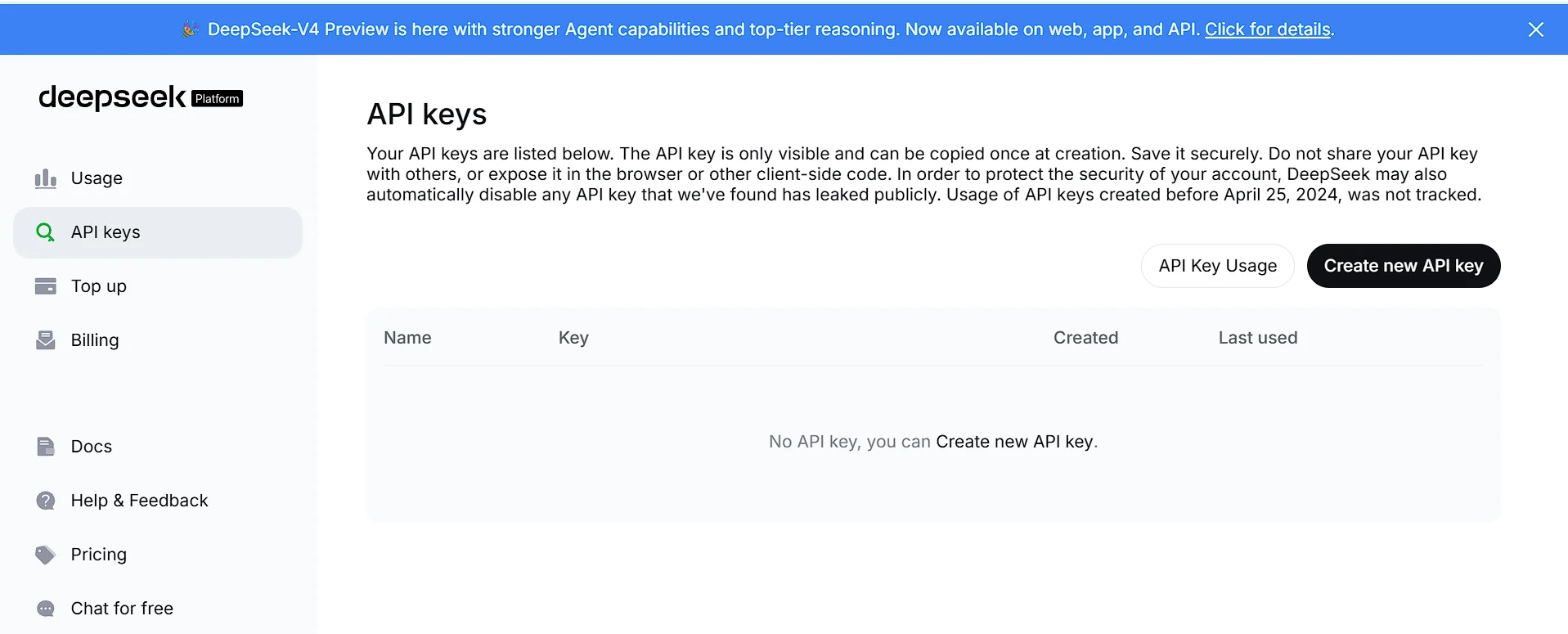
    For example, if you rename a service class that affects dozens of files, Claude Code is generally better at identifying related changes throughout the project.

    OpenCode can also accomplish these tasks, but its effectiveness depends on the language model you choose. Running OpenCode with a powerful reasoning model can produce excellent results, while smaller local models may struggle with complex architectural changes.

    Winner: Claude Code

    Code Generation Quality

    Generating code quickly is no longer enough—developers also expect AI-generated code to be readable, maintainable, and aligned with project conventions.

    During routine development tasks such as creating REST APIs, utility functions, authentication flows, and CRUD operations, both tools performed well.

    However, differences became more noticeable as task complexity increased.

    Claude Code generally produced:

    • cleaner architecture
    • better variable naming
    • more consistent project structure
    • fewer unnecessary edits
    • clearer explanations

    OpenCode’s output varied depending on the configured model. High-end models produced excellent code, while lightweight local models occasionally required additional prompting and manual refinement.

    If your priority is consistent quality without extensive prompt engineering, Claude Code has the advantage.

    Debugging Performance

    Debugging is one of the most valuable use cases for AI coding assistants.

    According to the JetBrains State of Developer Experience and Productivity 2025, 58% of developers want AI assistance understanding bugs and finding fixes, making debugging one of the most requested AI capabilities.

    When presented with runtime errors, failing tests, or unexpected application behavior, Claude Code generally focused on identifying root causes rather than simply suggesting patches.

    Instead of fixing symptoms, it often explained:

    • why the bug occurred
    • which files were involved
    • how the issue propagated through the application
    • potential side effects of the fix

    OpenCode also performed well, particularly when paired with advanced language models. However, debugging quality depended heavily on the selected AI provider.

    Teams using smaller local models may need additional prompts before reaching the same level of accuracy.

    Winner: Claude Code

    Refactoring Large Projects

    Refactoring is where repository awareness becomes especially important.

    Large software projects often require coordinated changes across multiple modules rather than isolated edits.

    Claude Code handled tasks such as:

    • renaming shared services
    • updating interfaces
    • reorganizing project structure
    • simplifying duplicated logic
    • improving architecture

    with minimal developer intervention.

    OpenCode can do similar work, but developers often need to guide the process more carefully, particularly when using smaller or locally hosted models.

    If your work involves enterprise-scale repositories, Claude Code currently provides a smoother experience.

    Speed and Workflow

    Developer productivity isn’t determined only by AI quality.

    Workflow efficiency matters just as much.

    Claude Code emphasizes a streamlined experience:

    • minimal configuration
    • intelligent defaults
    • consistent responses
    • integrated task planning

    Developers can begin using it almost immediately.

    OpenCode requires more initial configuration, but this investment offers greater flexibility later.

    For example, developers can configure different models for:

    • documentation
    • testing
    • debugging
    • architecture
    • code generation

    This modular approach appeals to experienced developers who enjoy optimizing their development environment.

    AI Model Flexibility

    This category clearly favors OpenCode.

    Claude Code is built around Anthropic’s own models.

    OpenCode, on the other hand, supports multiple providers, allowing teams to choose models based on performance, cost, or privacy requirements.

    This flexibility enables developers to:

    • switch providers without changing workflows
    • compare model performance
    • reduce API costs
    • experiment with new releases
    • use locally hosted AI models

    Organizations looking to avoid vendor lock-in may find this particularly attractive.

    Winner: OpenCode

    Pricing Comparison

    Pricing is another area where the two tools differ significantly.

    Claude Code is a commercial product with subscription plans designed for individual developers, professional teams, and enterprise customers. Depending on usage, API consumption, or plan limits, overall cost may vary, so it’s worth checking Anthropic’s official pricing before making a decision.

    Claude Code is a commercial product with subscription plans designed for individual developers, professional teams, and enterprise customers.
    Claude Code is a commercial product with subscription plans designed for individual developers, professional teams, and enterprise customers.

    OpenCode itself is free and open source.

    However, your actual costs depend on the language models you connect:

    • Local models can be free after setup.
    • Cloud APIs typically charge based on token usage.
    • Premium hosted models add recurring expenses.

    This gives developers much greater control over their budgets.

    For hobby projects, learning environments, and startups, OpenCode often provides a lower-cost entry point.

    For organizations prioritizing productivity over subscription costs, Claude Code may justify its price through reduced development time.

    opencode pricing
    opencode pricing

    Security and Privacy

    Security requirements vary widely between organizations.

    Companies handling customer data, financial systems, or proprietary intellectual property often require strict controls over how source code is processed.

    Claude Code offers enterprise-focused security features and governance options designed for organizations with compliance requirements.

    OpenCode approaches privacy differently.

    Because it supports locally hosted models, organizations can build workflows that keep sensitive code entirely within their own infrastructure.

    This makes OpenCode particularly attractive for:

    • government organizations
    • healthcare projects
    • financial institutions
    • defense contractors
    • companies with strict internal security policies

    Neither approach is universally better—it depends on organizational requirements.

    IDE and Terminal Experience

    Both tools work well inside terminal-based workflows, but they target different audiences.

    Claude Code provides a polished experience with minimal setup, making it attractive for developers who want to begin working immediately.

    OpenCode appeals to developers who enjoy customizing every aspect of their workflow.

    Its open architecture makes it easier to integrate with:

    • local development environments
    • custom scripts
    • automation pipelines
    • internal tooling
    • experimental AI models

    For developers who spend most of their day in the terminal, both tools feel natural.

    The difference lies in whether you value simplicity or flexibility.

    Developer Productivity

    The purpose of AI coding assistants isn’t simply to write more code—it’s to help developers spend more time solving meaningful problems.

    The JetBrains 2025 Developer Experience report found that:

    • 47% of developers expect AI to reduce the time spent learning new frameworks and APIs.
    • 44% expect AI to automate repetitive development tasks.
    • 39% expect AI to free more time for problem-solving and high-level design.

    Claude Code aligns particularly well with developers who prioritize architectural reasoning and complex implementation.

    OpenCode aligns with developers who value flexibility, experimentation, and full control over their AI stack.

    Neither replaces developer expertise. Instead, both aim to reduce repetitive work so engineers can focus on design, problem-solving, and delivering high-quality software.

    Performance Summary

    After comparing both tools across real-world development scenarios:

    Claude Code excels at:

    • Deep repository understanding
    • Multi-file reasoning
    • Debugging complex issues
    • Refactoring large codebases
    • Minimal setup
    • Consistent coding quality

    OpenCode excels at:

    • Multi-model support
    • Open-source flexibility
    • Local AI deployment
    • Workflow customization
    • Cost control
    • Vendor independence

    The comparison is surprisingly close. Rather than one tool dominating every category, each has clear strengths depending on the developer’s priorities.

    Pros and Cons

    No AI coding assistant is perfect. After comparing Claude Code and OpenCode across features, workflows, customization, and developer experience, each tool has clear strengths and trade-offs.

    Claude Code

    Pros

    • Excellent reasoning for complex programming tasks
    • Strong understanding of large codebases
    • Produces clean, maintainable code with minimal prompting
    • Great debugging and refactoring capabilities
    • Smooth terminal and IDE experience
    • Well suited for professional teams and enterprise development
    • Consistent performance without extensive configuration

    Cons

    • Requires a paid subscription for full functionality
    • Limited to Anthropic’s ecosystem
    • Less customizable than open-source alternatives
    • Cloud-based workflows may not suit every organization’s privacy requirements.

    OpenCode

    Pros

    • Free and open source
    • Supports multiple AI providers
    • Compatible with local language models
    • Highly customizable workflows
    • No vendor lock-in
    • Excellent choice for terminal-first developers
    • Flexible enough for experimentation and automation

    Cons

    • Initial setup takes more time
    • Performance depends on the selected AI model
    • Requires more technical knowledge to configure effectively
    • Quality can vary when using lightweight local models

    Claude Code vs OpenCode Comparison Table

    CategoryClaude CodeOpenCode
    Ease of Setup⭐⭐⭐⭐⭐⭐⭐⭐⭐☆
    Code Quality⭐⭐⭐⭐⭐⭐⭐⭐⭐☆
    Debugging⭐⭐⭐⭐⭐⭐⭐⭐⭐☆
    Refactoring⭐⭐⭐⭐⭐⭐⭐⭐⭐☆
    AI Model Choice⭐⭐☆☆☆⭐⭐⭐⭐⭐
    Local Models⭐☆☆☆☆⭐⭐⭐⭐⭐
    Open Source❌✅
    Enterprise Readiness⭐⭐⭐⭐⭐⭐⭐⭐⭐☆
    Customization⭐⭐⭐☆⭐⭐⭐⭐⭐
    Cost Flexibility⭐⭐⭐☆⭐⭐⭐⭐⭐

    Which Tool Should You Choose?

    The best choice depends on how you develop software.

    Choose Claude Code if you:

    • Work on large production codebases
    • Need reliable architectural reasoning
    • Want minimal setup and a polished workflow
    • Frequently debug complex applications
    • Value consistency over customization
    • Work in enterprise or professional development environments

    Claude Code is particularly effective when the AI needs to understand relationships across multiple files and assist with high-level engineering tasks rather than isolated code generation.

    Choose OpenCode if you:

    • Prefer open-source software
    • Want complete control over your AI stack
    • Use multiple language models
    • Need support for local AI models
    • Want to reduce long-term AI costs
    • Enjoy building customized development workflows

    OpenCode offers exceptional flexibility and is ideal for developers who like experimenting with different models or running AI entirely on their own infrastructure.

    Can You Use Both Together?

    Absolutely.

    Many experienced developers combine the strengths of both tools instead of treating them as competitors.

    For example:

    • Use OpenCode with lightweight or local models for autocomplete, documentation, and routine coding tasks.
    • Switch to Claude Code for architectural planning, debugging difficult issues, or large-scale refactoring.

    This hybrid workflow allows developers to balance cost, flexibility, and performance while using the right tool for each task.

    Best Use Cases

    Claude Code

    Ideal for:

    • Enterprise software
    • Backend development
    • API design
    • Large monorepositories
    • Microservices
    • Code reviews
    • Technical debt reduction
    • Complex refactoring projects

    OpenCode

    Ideal for:

    • Open-source projects
    • Personal development
    • Learning new frameworks
    • Local AI experimentation
    • Custom developer tooling
    • Privacy-focused environments
    • Budget-conscious teams
    • Multi-model AI workflows

    Frequently Asked Questions

    Is Claude Code better than OpenCode?

    Not necessarily.

    Claude Code generally provides stronger reasoning and a smoother out-of-the-box experience, while OpenCode offers greater flexibility, customization, and support for multiple AI providers. The better choice depends on your workflow and priorities.

    Can OpenCode use Claude models?

    Yes.

    OpenCode supports multiple AI providers, including Anthropic’s Claude models as well as other cloud-based and locally hosted language models. The available providers may change over time, so it’s worth checking the project’s latest documentation.

    Which tool is better for beginners?

    Claude Code is often easier to start with because it requires very little configuration.

    OpenCode has a steeper learning curve but rewards users with much greater flexibility once configured.

    Which is better for enterprise development?

    Organizations that prioritize managed security, governance, and a streamlined user experience may prefer Claude Code.

    Companies that require local AI deployment or highly customized workflows may find OpenCode a better fit.

    Can either tool replace software developers?

    No.

    AI coding assistants improve productivity by automating repetitive tasks, generating code, and assisting with debugging, but they still require human oversight for architecture, business logic, security reviews, and production decisions.

    Does AI actually improve developer productivity?

    Industry research suggests that AI is becoming an important productivity tool.

    According to JetBrains’ State of Developer Experience and Productivity (2025):

    • 85% of developers use at least one AI tool for software development.
    • 62% regularly use AI coding assistants or AI-powered editors.
    • 44% expect AI to automate repetitive development tasks.
    • 39% expect AI to free more time for problem-solving and system design.

    These findings indicate that developers increasingly view AI as a collaborator rather than a replacement.

    How to Train ChatGPT for Accurate Content Generation Techniques (2026)

    Final Verdict

    Claude Code and OpenCode represent two different philosophies of AI-assisted software development.

    Claude Code focuses on delivering a polished, intelligent experience with strong reasoning, deep repository awareness, and reliable performance. It works particularly well for professional developers, engineering teams, and organizations managing complex software projects.

    OpenCode takes the opposite approach by emphasizing openness, flexibility, and developer control. Its support for multiple AI providers and local language models makes it an attractive choice for developers who want to customize every aspect of their workflow or avoid dependence on a single vendor.

    Neither tool is objectively “better” in every situation.

    If your priority is accuracy, deep reasoning, and productivity on large projects, Claude Code is the stronger option.

    If your priority is flexibility, lower costs, local AI deployment, and open-source customization, OpenCode is difficult to beat.

    For many developers, the most effective solution isn’t choosing one over the other—it’s using each where it provides the greatest value.

    As AI-assisted development continues to evolve, the developers who benefit most will be those who understand the strengths of different tools and integrate them thoughtfully into their daily workflows.

    Make your images lighter. Explore our Free Tools
    Droven.io Cloud Computing Guide: A Practical Decision Framework for 2026
    What Are the Best AI Tools for Business Workflow Analysis and Process Mapping in 2026?
    Is Droven.io AI Automation Tools Worth It? (2026 Review)
    Ziptie AI Search Performance Tool Review (2026): Is It the Best AI Search Analytics Platform?
    Does Google Drive Work with AI Tools? Complete Guide (2026)


  • Brazil Fintech News: How Competition Is Changing Lending Rates, Digital Banks and Payments in 2026

    Brazil Fintech News: How Competition Is Changing Lending Rates, Digital Banks and Payments in 2026

    Brazil fintech news continues to dominate Latin American financial coverage in 2026 for a clear reason: the country’s digital finance sector is no longer just growing — it is actively forcing traditional banks to change how they price credit, serve customers and control costs. New data from the International Monetary Fund (IMF Working Paper 26/7 by Rui Xu, January 2026) provides the strongest evidence yet of this shift. Between 2018 and 2024, rising fintech competition lowered commercial banks’ average lending rates by 2.7 percentage points and compressed their net interest margins by 0.9 percentage points. A one-standard-deviation increase in fintech exposure alone cut lending rates by 3.7 percentage points.

    These numbers matter. In 2023, Brazil’s average market lending rates still exceeded funding rates by more than 30 percentage points — far above the global average spread of roughly 5.9 percent. Administrative costs and profit margins together explained nearly half of that spread. Fintech lenders have begun closing the gap.

    The Scale of Brazil’s Fintech Expansion

    Brazil fintech news in 2026 is defined by rapid scale. Non-bank credit companies nearly doubled between 2018 and 2024. By the end of 2024, approximately 195 non-banking credit companies were operating under Brazilian Central Bank (BCB) supervision. Four of the world’s ten largest digital banks by customer numbers are Brazilian. Nubank alone reached 100 million customers in Brazil by the end of 2024, including 22 million people who accessed formal financial services for the first time.

    Active borrowers from fintech companies rose from nearly zero to 60 million by 2023 — about 40 percent of the adult population. Overall active borrowers in the financial system climbed from 75 million in 2018 to 115 million in 2023, with most of the increase attributable to fintech and digital banks. Fintech lenders now hold roughly 25 percent of the credit-card market and a meaningful share of non-payroll personal loans.

    Market-size estimates reinforce the trend. According to IMARC Group data, the Brazil fintech market reached USD 5.5 billion in 2025 and is projected to grow to USD 19.1 billion by 2034, a compound annual growth rate of 14.92 percent. Growth drivers include high smartphone penetration, the success of the Pix instant payment system, Open Finance expansion, and continued venture investment in lending, payments, and AI-driven credit tools.

    brazil fintech news
    brazil fintech news

    How Fintech Competition Actually Affects Traditional Banks

    The IMF study used a bank-specific Bartik exposure measure built from comprehensive BCB credit and balance-sheet data covering all regulated institutions from 2013 to 2024. This approach isolates the causal effect of fintech competition on commercial banks, which still account for about 85 percent of total credit.

    Key findings include:

    • Commercial banks responded to higher fintech exposure primarily by cutting lending rates rather than raising them to compensate for riskier borrowers.
    • A one-standard-deviation rise in exposure reduced average lending rates by 3.7 percentage points and net interest margins by 1.3 percentage points.
    • Banks lost customers, especially in unsecured consumer credit segments, but maintained overall loan volumes by increasing the average loan size per remaining customer and focusing on higher-value clients.
    • Operational capability improved: administrative costs relative to assets fell by about 0.5 percentage points per standard-deviation increase in exposure.
    • Credit risk metrics (non-performing loan ratios and provisioning ratios) for commercial banks showed no significant deterioration linked to fintech competition. Higher overall NPL ratios in credit cards largely reflected fintech lenders serving first-time, higher-risk borrowers.

    These results support the traditional industrial-organization view that competition lowers prices. They also show that Brazilian banks adapted by becoming more efficient and by shifting toward higher-value relationships rather than matching fintechs dollar-for-dollar in mass-market unsecured lending.

    Pix, Open Finance and the Payment Infrastructure Layer

    No discussion of Brazil fintech news is complete without Pix. Launched by the BCB, the instant payment system has become the backbone of electronic transactions. By the period covered in the IMF analysis, 90 percent of adults were using Pix, and the system accounted for 49 percent of electronic payments. Pix operates 24/7, is free for individuals, and has driven rapid merchant adoption of QR-code payments. Many small businesses that previously accepted only cash now rely on Pix.

    Open Finance has advanced in parallel. Brazil records one of the highest adoption rates globally, with 53.7 million Open Finance users — roughly 25 percent of the adult population — according to industry data cited in market reports. Consumers can authorize data sharing for better loan offers, faster credit decisions and consolidated financial views. The framework continues to expand beyond basic account information into investments, insurance and credit products.

    Together, Pix and Open Finance have lowered barriers for new entrants while giving incumbents new tools for product design and customer retention.

    Regulatory Framework Supporting Fintech Growth

    Brazil’s regulatory approach has been deliberately pro-competition while progressively tightening rules as fintechs scale. Key milestones include:

    • CMN Resolution 4,656 of April 2018, which created specific licenses for Direct Credit Societies (SCDs — balance-sheet lenders) and Peer-to-Peer Loan Companies (SEPs).
    • Rules enabling fully digital account opening and simplified onboarding.
    • A regulatory sandbox and cloud-computing guidelines that lowered operational friction for technology-focused firms.
    • From January 2023, progressive capital requirements for Type-3 conglomerates (payment institutions controlling financial institutions) that comply with them with bank-like standards by 2025.

    Foreign capital participation of up to 100 percent in credit fintechs was also facilitated. The BCB continues to monitor systemic risks as some fintechs reach significant scale, balancing innovation with stability.

    Sector Focus: Where Competition Is Strongest

    Fintech market share is highest in credit cards and non-payroll personal loans — segments with lower entry barriers and historically high spreads. Corporate lending and payroll-backed credit have seen slower penetration, partly because of higher regulatory and operational barriers. Recent reforms to private-sector payroll-guaranteed credit lines (announced in early 2025) are likely to reduce those barriers further by allowing requests through a centralized government app and using severance funds as collateral.

    Digital banks and fintech lenders have also expanded into SME finance, embedded finance, and basic wealth products, though consumer unsecured credit remains the core competitive arena.

    Consequences for Consumers, Banks and Investors

    For consumers, lower lending rates and broader access represent clear gains. Millions of previously underserved adults now hold accounts and credit products. Instant payments and analytics-based offers improve convenience and pricing transparency.

    For traditional banks, the pressure has forced efficiency gains and digital investment. Many have launched their own digital brands or partnered with fintechs. Profitability has declined due to narrower margins, but the overall credit volume has held steady.

    For investors and entrepreneurs, Brazil remains the largest and most mature fintech market in Latin America. The combination of a large digital-first population, enabling infrastructure (Pix and Open Finance), and demonstrated competitive effects creates opportunities in AI credit models, SME tools, embedded finance, and specialized lending. At the same time, unit economics and compliance regulations have become more important as the market matures and capital becomes more selective.

    brazil fintech news
    brazil fintech news

    Gazing Forward Through 2026 and Beyond

    Brazil fintech news in the remainder of 2026 and into the next several years will likely center on three themes. First, further compression of lending spreads as competition expands beyond unsecured consumer credit. Second, continued digitalization of traditional banks and deeper bank–fintech partnerships. Third, the interaction among rapid credit growth, household leverage, and macroprudential policy. Household debt-to-income ratios rose notably after 2018, and default rates increased during the 2022–23 tightening cycle. Programs such as Desenrola have helped renegotiate debt, but sustained monitoring remains necessary.

    The IMF analysis finds that fintech competition has already improved financial intermediation efficiency relative to the 2018 Financial Sector Assessment. Lower credit costs support consumer welfare and can contribute to broader economic activity. Brazil’s experience — proportional regulation that allows entry, followed by tighter rules as firms scale — offers a practical model for other emerging markets.

    In short, the latest Brazil fintech news is no longer just about the number of startups or funding rounds. It is about measurable effects on the cost of credit, bank efficiency, and the reach of formal financial services. The data from 2018–2024 show that competition is working. The challenge for 2026 and beyond is to sustain the gains while managing the risks that come with faster credit expansion.

    Frequently Asked Questions (FAQs)

    What is the most important Brazil fintech news development in 2026?

    The strongest recent evidence comes from the IMF’s January 2026 Working Paper (Xu, WP/26/7). It shows that fintech competition between 2018 and 2024 lowered commercial banks’ average lending rates by 2.7 percentage points and net interest margins by 0.9 percentage points. This quantifies how digital lenders are forcing traditional banks to reduce the cost of credit.

    How large is the Brazilian fintech market right now?

    According to IMARC Group estimates, the Brazilian fintech market reached USD 5.5 billion in 2025 and is forecast to grow to USD 19.1 billion by 2034 at a CAGR of 14.92 percent. By end-2024, approximately 195 non-banking credit companies were operating under BCB supervision.

    How many people use fintech lending in Brazil?

    Active borrowers from fintech companies rose from nearly zero to 60 million by 2023 (about 40 percent of the adult population). Overall active borrowers in the financial system increased from 75 million in 2018 to 115 million in 2023. Nubank alone reported 100 million customers in Brazil by the end of 2024, including 22 million first-time users of formal financial services.

    Is Pix still growing and how important is it?

    Yes. By the period analyzed in the IMF study, 90 percent of Brazilian adults were using Pix, and the system accounted for 49 percent of electronic payments. It operates 24/7 at no cost for individuals and has driven widespread merchant adoption of QR-code payments.

    How has Open Finance progressed in Brazil?

    Brazil has one of the highest Open Finance adoption rates globally, with 53.7 million users (roughly 25 percent of the adult population). Consumers can securely share data for better loan offers, faster approvals and consolidated financial views. The system continues to expand into investments, insurance and credit products.

    Did fintech competition hurt traditional banks’ profitability?

    Yes, mainly through narrower interest margins. The IMF found that a one-standard-deviation increase in fintech exposure reduced net interest margins by 1.3 percentage points and return on assets by about 0.7 percentage points. Banks offset some of the pressure by cutting administrative costs and focusing on higher-value customers, so overall loan volumes remained stable.

    Which credit segments face the strongest fintech competition?

    Credit cards and non-payroll personal loans. Fintech lenders hold approximately 25 percent of the credit-card market. These segments have lower entry barriers and historically high interest spreads, making them the primary battleground.

    What are the main regulatory licenses for credit fintechs in Brazil?

    The two key licenses created by CMN Resolution 4,656/2018 are Direct Credit Societies (SCDs), which lend from their own balance sheet, and Peer-to-Peer Loan Companies (SEPs). From 2023, the BCB also applied progressive bank-like capital requirements to larger Type-3 conglomerates.

    Will fintech competition continue to lower lending rates in Brazil?

    The IMF evidence suggests yes, especially as fintechs expand beyond unsecured consumer credit. Recent reforms to private-sector payroll-guaranteed loans (2025) and further development of credit portability under Open Finance are expected to increase competitive pressure in additional segments.

    What should investors watch in Brazilian fintech during the rest of 2026?

    Key indicators include further changes in bank lending rates and net interest margins, growth in Open Finance consents, Pix transaction volumes, household leverage trends, and the impact of tighter capital rules on larger fintech groups. Unit economics and regulatory compliance are becoming more important as the market matures.

    brazil fintech news
    brazil fintech news

    Key Takeaways

    • Fintech competition cut commercial bank lending rates by an estimated 2.7 percentage points between 2018 and 2024.
    • 60 million Brazilians now borrow from fintech lenders; overall active borrowers reached 115 million by 2023.
    • Pix is used by 90 percent of adults and accounts for nearly half of electronic payments.
    • The Brazil fintech market is projected to grow from USD 5.5 billion in 2025 to USD 19.1 billion by 2034.
    • Regulatory design (SCD/SEP licenses, Open Finance, progressive capital rules) has been central to both growth and stability.

    This data-driven picture of Brazil fintech news provides a clearer view of where the market stands in 2026 and what forces will shape it next.

    References

    Fintech ecosystem Banco Central do Brasil
    Fintech Competition and Banks’ Shrinking Margins in Brazil
    Brazil Fintech Market Size, Share, Trends and Forecast by Deployment Mode, Technology, Application, End User, and Region, 2026-2034

    Our Latest Blogs


    HR Tech News Today, October 2025: Top Trends & AI Updates
    Is Droven.io AI Automation Tools Worth It? (2026 Review)
    Which AI Skills Do Technical Post-Sales Leaders Need in 2026?
    Droven.io Cloud Computing Guide: A Practical Decision Framework for 2026

    OUR TOOLS “Turn any text or link into a scannable code.”


  • Does Google Drive Work with AI Tools? Complete Guide (2026)

    Does Google Drive Work with AI Tools? Complete Guide (2026)

    If you’ve been wondering, does Google Drive work with an AI tool? The short answer is yes. Google Drive has become one of the best cloud storage platforms for AI integration, allowing users to connect powerful AI assistants, automate workflows, summarize documents, analyze PDFs, organize files intelligently, and collaborate more efficiently than ever before.

    As someone who has spent years testing productivity software, AI writing assistants, and cloud collaboration tools for blogs and business projects, I’ve watched Google Drive evolve from simple cloud storage into an intelligent workspace powered by AI. In this guide, you’ll learn exactly how Google Drive AI integration works, which tools are worth using, and how to get the most from your files in 2026.

    Does Google Drive Work with an AI Tool?

    Yes. Google Drive works seamlessly with many AI tools in 2026. Whether you use Google’s own Gemini AI or third-party platforms like ChatGPT, Notion AI, Zapier AI, Claude, or document automation software, Google Drive can securely store, access, organize, and process your files.

    Today’s AI tools can:

    • Summarize lengthy documents
    • Analyze PDFs
    • Search thousands of files instantly
    • Write and edit documents
    • Organize folders automatically
    • Generate reports
    • Create meeting notes
    • Automate repetitive workflows
    • Improve team collaboration

    This combination makes Google Drive with AI one of the most powerful productivity solutions available for students, freelancers, businesses, educators, and content creators.

    How to Set Up DeepSeek on Janitor AI (2026 Step-by-Step Guide)

    Why Are So Many People Using Google Drive with AI in 2026?

    The popularity of Google Drive AI integration has exploded because people now manage hundreds—or even thousands—of digital files.

    Instead of manually searching through folders, AI can understand document content, answer questions about stored files, and even create new content based on existing information.

    Some of the biggest reasons people are adopting AI tools for Google Drive include:

    • Faster document management
    • Improved collaboration
    • Smarter file search
    • AI-powered writing assistance
    • Automatic workflow automation
    • Better knowledge management
    • Reduced repetitive tasks
    • Increased workplace productivity

    Businesses especially benefit because employees spend far less time searching for information and more time completing meaningful work.

    What Is Google Drive AI Integration?

    Google Drive AI integration refers to connecting artificial intelligence software with your Google Drive account so AI can interact with your stored files securely.

    Rather than serving as simple cloud storage, Google Drive becomes an intelligent workspace that understands your documents, spreadsheets, presentations, PDFs, and images.

    Modern Google Drive AI software can perform tasks such as:

    • Reading documents
    • Extracting information
    • Summarizing reports
    • Answering questions
    • Creating presentations
    • Generating emails
    • Finding duplicate files
    • Organizing folders
    • Suggesting edits
    • Building automated workflows

    Many integrations work directly inside Google Workspace, while others connect through secure APIs.

    How Does Google Drive Work with AI Tools?

    Google Drive works with AI through secure permissions that allow approved applications to access selected files.

    Here’s a simplified process:

    Step 1: Connect Your Google Account

    Most AI apps let you sign in with your Google account.

    After authentication, you choose which folders or files the AI can access.

    Step 2: Grant File Permissions

    You remain in control.

    You can allow access to:

    • Entire Drive
    • Shared Drives
    • Individual folders
    • Specific documents only

    This ensures privacy while still enabling AI functionality.

    Step 3: AI Reads File Content

    Once connected, AI can understand:

    • Google Docs
    • PDFs
    • Word files
    • PowerPoint presentations
    • Google Sheets
    • Text documents
    • Notes
    • Meeting transcripts

    Many AI apps that connect to Google Drive also process images using OCR (Optical Character Recognition).

    Step 4: AI Performs Requested Tasks

    After reading your files, AI can:

    • Answer questions
    • Generate summaries
    • Create reports
    • Translate documents
    • Find missing information
    • Compare versions
    • Organize folders
    • Draft emails
    • Generate blog outlines
    • Produce meeting notes

    The result is dramatically improved productivity.

    Which Google AI Features Already Work Inside Google Drive?

    Google has steadily added AI across its Workspace ecosystem.

    These built-in capabilities make Google Drive far smarter than traditional cloud storage.

    Gemini for Google Drive

    One of the biggest improvements is Gemini for Google Drive.

    Gemini can:

    • Summarize long documents
    • Explain reports
    • Answer questions about files
    • Generate document drafts
    • Analyze spreadsheets
    • Create presentations
    • Find important information quickly

    Instead of opening dozens of files manually, users can ask natural-language questions.

    For example:

    “Summarize all quarterly sales reports.”

    Or:

    “Find contracts mentioning Company XYZ.”

    Gemini searches intelligently rather than relying solely on file names.

    Traditional search depends on filenames.

    AI search understands document meaning.

    Instead of searching:

    “budget_final_v4”

    You can ask:

    “Show me last year’s marketing budget.”

    This semantic search dramatically reduces the time spent looking for files.

    Smart File Recommendations

    Google Drive now suggests:

    • Frequently accessed files
    • Recently shared documents
    • Relevant project folders
    • Upcoming meeting materials

    AI predicts what you’ll likely need before you search.

    AI Writing Assistance

    Inside Google Docs, AI helps users:

    • Rewrite paragraphs
    • Improve grammar
    • Adjust tone
    • Generate ideas
    • Expand outlines
    • Summarize content
    • Draft emails
    • Brainstorm headlines

    This built-in writing support is especially useful for marketers, students, and business professionals.

    What Types of AI Tools Can Connect to Google Drive?

    The ecosystem has expanded dramatically.

    Today’s AI tools for Google Drive include nearly every major productivity category.

    AI Writing Assistants

    These help create:

    • Articles
    • Emails
    • Reports
    • Social media posts
    • Product descriptions
    • Marketing copy
    • Documentation

    Many can access existing Drive documents for additional context.

    does google drive work with an ai tool
    Does Google Drive work with an AI tool

    AI Document Summarization Tools

    These tools quickly summarize:

    • Research papers
    • Contracts
    • Business reports
    • PDFs
    • Meeting notes
    • Technical documentation

    Instead of reading 100 pages, users receive concise summaries in seconds.

    AI PDF Readers

    Modern AI PDF reader software allows users to:

    • Ask questions
    • Extract tables
    • Summarize chapters
    • Explain technical language
    • Translate documents
    • Highlight important information

    This has become especially valuable for students and researchers.

    AI Note-Taking Tools

    Meeting assistants now save recordings directly into Google Drive.

    AI automatically creates:

    • Action items
    • Meeting summaries
    • Speaker identification
    • Task lists
    • Follow-up reminders

    No manual note-taking required.

    AI Workflow Automation

    Automation platforms connect Google Drive with hundreds of business apps.

    Common workflows include:

    • Save email attachments automatically
    • Rename uploaded files
    • Create folders for new clients
    • Process invoices
    • Archive completed projects
    • Notify teams when documents change

    These automations save hours every week.

    What Are the Biggest Benefits of Using Google Drive with AI?

    The biggest advantage is simple:

    AI removes repetitive work.

    Instead of spending time searching, organizing, summarizing, and writing manually, AI handles much of the workload.

    Some of the most valuable benefits include:

    1. Faster File Management

    AI automatically categorizes documents based on their contents.

    This creates smarter folder organization and reduces clutter.

    2. Better Collaboration

    Teams can:

    • Share knowledge faster
    • Generate meeting summaries
    • Track changes
    • Create collaborative documents
    • Reduce communication delays

    This improves remote work significantly.

    Rather than remembering filenames, users search using natural language.

    For example:

    “Find my invoice from March.”

    or

    “Show customer contracts signed this year.”

    AI understands meaning—not just keywords.

    4. Improved Productivity

    Studies consistently show employees spend significant time searching for information.

    With Google Drive productivity tools, AI reduces that wasted time by making files instantly searchable and actionable.

    5. Better Knowledge Management

    Businesses often store years of documentation inside Google Drive.

    AI transforms those archives into searchable knowledge bases.

    Instead of manually reading hundreds of files, employees ask questions and receive immediate answers.

    6. Enhanced Content Creation

    Content creators can:

    • Research faster
    • Repurpose existing documents
    • Generate outlines
    • Rewrite content
    • Create summaries
    • Draft newsletters
    • Produce blog posts

    This dramatically speeds up publishing workflows.

    Who Should Use Google Drive AI Software?

    Almost anyone who works with digital documents can benefit from Google Drive’s AI.

    It’s especially useful for:

    • Students managing research papers and study notes.
    • Freelancers organizing client files and contracts.
    • Content creators producing articles, videos, and marketing materials.
    • Small businesses are automating repetitive document tasks.
    • Marketing teams are collaborating on campaigns.
    • Sales professionals search proposals and customer records.
    • HR departments manage employee documentation.
    • Project managers are tracking reports and meeting notes.
    • Educators are organizing lesson plans and classroom resources.

    Whether you’re managing ten files or ten thousand, AI helps you find information faster and work more efficiently.

    What Are the Best AI Tools for Google Drive in 2026?

    If you’re looking for the best AI tools for Google Drive, you’ll find options for almost every workflow. Some excel at writing, others at document analysis, automation, note-taking, or business collaboration. The best choice depends on how you use Google Drive every day.

    The biggest advantage in 2026 is that you don’t have to rely on just one tool. Many professionals combine multiple AI apps to create a highly efficient workflow—for example, using Gemini to summarize documents, ChatGPT to create content, and Zapier AI to automate repetitive tasks.

    Quick Comparison: Best AI Tools for Google Drive

    AI ToolBest ForGoogle Drive IntegrationFree PlanIdeal Users
    GeminiGoogle Workspace productivityNativeYesEveryone
    ChatGPTWriting, brainstorming, document analysisVia integrationsYesWriters, marketers
    ClaudeLong document analysisSupported through connectorsLimitedResearchers, businesses
    Notion AIKnowledge managementYesLimitedTeams
    Zapier AIWorkflow automationExcellentYesBusinesses
    Otter.aiMeeting transcriptionYesYesRemote teams
    ClickUp AIProject managementYesLimitedAgencies
    Fireflies.aiAI meeting assistantYesYesSales teams
    Microsoft CopilotCross-platform productivityPartialNoMicrosoft users
    Adobe Acrobat AIPDF analysisYesLimitedStudents, professionals

    Each tool offers unique strengths, so let’s explore them in more detail.

    Why Is Gemini the Best Native AI Assistant for Google Drive?

    Gemini is the most seamless AI assistant for Google Drive because it’s built directly into Google Workspace. There’s no need for complicated setup or third-party integrations, making it the easiest option for most users.

    Whether you’re working in Google Docs, Sheets, Slides, or Drive itself, Gemini can understand your files and help you work faster.

    Key Features

    • Summarizes long Google Docs
    • Answers questions about stored documents
    • Creates presentations
    • Drafts emails
    • Generates spreadsheet insights
    • Searches files using natural language
    • Suggests edits
    • Helps organize information

    Best For

    • Students
    • Bloggers
    • Small businesses
    • Teams using Google Workspace
    • Everyday productivity

    Pros

    ✔ Native integration ✔ Excellent document search ✔ Fast responses ✔ Secure Google ecosystem

    Cons

    • Some advanced features require paid Google Workspace plans.
    • Performance depends on the type and size of your documents.

    Can ChatGPT Work with Google Drive?

    Yes. ChatGPT works with Google Drive through connectors, integrations, and file uploads. While it isn’t built directly into Drive, it can analyze documents, summarize reports, answer questions, and generate new content based on your files.

    This makes Google Drive and ChatGPT one of the most popular productivity combinations in 2026.

    What ChatGPT Can Do

    • Read uploaded PDFs
    • Summarize reports
    • Rewrite documents
    • Generate blog posts
    • Create email drafts
    • Explain spreadsheets
    • Brainstorm ideas
    • Analyze research papers

    Content creators often use ChatGPT alongside Google Drive to manage research and speed up writing projects.

    Best For

    • Bloggers
    • Copywriters
    • SEO professionals
    • Students
    • Researchers

    Pros

    • Excellent writing quality
    • Strong reasoning abilities
    • Supports multiple document formats
    • Great for content generation

    Cons

    • Requires connecting or uploading files rather than native Drive access in some workflows.
    • Some advanced capabilities are available only on paid plans.

    Is Claude Better for Large Documents?

    Claude stands out for its ability to analyze lengthy files without losing context. If your Google Drive contains research papers, legal contracts, technical manuals, or business reports, Claude is one of the strongest AI assistants available.

    Unlike many AI models, Claude performs particularly well with very large documents.

    Best Uses

    • Legal documents
    • Research papers
    • Financial reports
    • Technical documentation
    • Business proposals

    Advantages

    • Excellent summarization
    • Strong contextual understanding
    • High-quality explanations
    • Reliable long-form analysis

    Why Do Businesses Use Zapier AI with Google Drive?

    Zapier AI transforms Google Drive into an automation hub. Instead of manually moving files or updating records, Zapier connects Google Drive with hundreds of apps and automates repetitive tasks.

    For businesses, this can save several hours each week.

    Common Automations

    • Save Gmail attachments to Drive
    • Rename uploaded files automatically
    • Create project folders
    • Notify Slack when files change
    • Sync documents with CRMs
    • Archive completed projects
    • Organize invoices
    • Trigger AI summaries after uploads

    This is one of the best examples of Google Drive automation with AI.

    How Does Notion AI Improve Google Drive Productivity?

    Notion AI focuses on organizing knowledge rather than just storing files. It works well alongside Google Drive by helping teams collect ideas, summarize information, and build searchable documentation.

    Many startups use Notion AI as their internal knowledge base while keeping documents stored in Google Drive.

    Ideal For

    • Team documentation
    • SOP creation
    • Meeting notes
    • Project planning
    • Company wikis

    Are AI Meeting Assistants Worth Connecting to Google Drive?

    Absolutely. AI meeting assistants automatically record conversations, generate summaries, and store everything inside Google Drive for future reference.

    Instead of taking notes manually, these tools capture the important details for you.

    Popular options include:

    Otter.ai

    Best for:

    • Lecture notes
    • Interviews
    • Business meetings
    • Team collaboration

    Features:

    • Live transcription
    • AI summaries
    • Speaker identification
    • Searchable transcripts

    Fireflies.ai

    Ideal for:

    • Sales meetings
    • Client calls
    • Team discussions

    It automatically creates:

    • Action items
    • Meeting highlights
    • Follow-up tasks
    • Searchable transcripts

    For remote teams, these AI collaboration tools eliminate much of the manual work after meetings.

    does google drive work with an ai tool
    Does Google Drive work with an AI tool

    Which AI Tool Is Best for PDF Analysis?

    If your Google Drive contains many PDFs, specialized AI readers can save you enormous amounts of time.

    Rather than reading every page yourself, AI can identify key points in seconds.

    AI PDF Reader Capabilities

    • Summarize reports
    • Extract tables
    • Explain technical language
    • Translate documents
    • Answer questions
    • Highlight important sections

    This is especially useful for:

    • Students
    • Researchers
    • Lawyers
    • Consultants
    • Healthcare professionals

    Adobe Acrobat AI is one of the leading options in this category.

    What Makes ClickUp AI Useful for Google Drive Users?

    ClickUp AI combines project management with AI-powered productivity. Teams can connect Google Drive files directly to tasks, making projects easier to organize and track.

    Key Features

    • AI task summaries
    • Document generation
    • Project planning
    • Team collaboration
    • Workflow automation

    Agencies managing multiple clients often find this integration especially valuable.

    Which AI Tool Is Best for Different Types of Users?

    Not every user has the same needs. Here’s a simple breakdown to help you choose.

    User TypeRecommended AI ToolWhy It Stands Out
    StudentsGeminiNative Workspace integration and study assistance
    BloggersChatGPTExcellent writing and content generation
    ResearchersClaudeHandles long documents exceptionally well
    Small BusinessesZapier AIPowerful workflow automation
    Marketing TeamsGemini + ChatGPTContent creation and collaboration
    Remote TeamsFireflies.aiAI meeting summaries and action items
    Project ManagersClickUp AITask management with document integration
    HR TeamsGeminiEasy document search and organization

    What Features Should You Look for in Google Drive AI Software?

    The best Google Drive AI software should save time without adding complexity. Before choosing a tool, consider the features that matter most for your workflow.

    Look for:

    Secure Google Authentication

    The tool should connect using Google’s official sign-in process and let you control which files it can access.

    Natural language search helps you find information by meaning rather than file names.

    AI Document Summarization

    Choose software that can summarize:

    • PDFs
    • Reports
    • Google Docs
    • Meeting notes
    • Research papers

    Workflow Automation

    Automation features should handle repetitive tasks like:

    • File organization
    • Folder creation
    • Notifications
    • Data syncing
    • Document approvals

    Collaboration Tools

    If you work with a team, prioritize software that supports:

    • Shared workspaces
    • Comments
    • Version history
    • AI-generated meeting notes
    • Task assignments

    Multi-Format Support

    The best AI apps should work with:

    • Google Docs
    • Google Sheets
    • Google Slides
    • PDFs
    • Microsoft Office files
    • Images
    • Text documents

    Free vs. Paid Google Drive AI Tools: Which Is Better?

    Free AI tools are ideal for occasional users, while paid plans offer more advanced capabilities for professionals and businesses.

    Free Plans Usually Include

    • Basic document summaries
    • Limited AI chats
    • File uploads
    • Standard integrations
    • Light automation

    Paid Plans Often Add

    • Larger file limits
    • Faster processing
    • Advanced automation
    • Team collaboration
    • Better security controls
    • Priority support
    • Enhanced AI reasoning
    • More monthly AI usage

    For many freelancers and students, a free plan is enough to get started. Businesses handling large volumes of documents often benefit from upgrading.

    Expert Tips for Choosing the Right AI Tool

    Before committing to an AI assistant, keep these practical tips in mind:

    1. Define your main goal. Are you focused on writing, automation, document analysis, or team collaboration?
    2. Check integration quality. Native or officially supported integrations are usually more reliable.
    3. Review security settings. Make sure you understand what data the AI can access.
    4. Test free versions first. Most leading tools offer a free plan or trial.
    5. Think long term. Choose software that can scale with your personal or business needs.

    By matching the tool to your workflow, you’ll get far more value than simply choosing the most popular option.

    How Can You Automate Google Drive with AI?

    Google Drive automation with AI lets you eliminate repetitive tasks and focus on work that truly matters. Instead of manually organizing files, sending notifications, or updating records, AI-powered automation handles these processes in the background.

    For individuals, automation saves valuable time every week. For businesses, it can streamline operations across departments, reduce errors, and improve collaboration.

    Below are some of the most practical ways to automate Google Drive in 2026.

    Automatically Organize Uploaded Files

    One of the simplest yet most useful automations is sorting files as soon as they’re uploaded.

    AI can automatically:

    • Move invoices into Finance folders
    • Store resumes in HR directories
    • Organize marketing assets by campaign
    • Categorize images based on content
    • Separate contracts from proposals
    • Archive completed projects

    Instead of creating folders manually, AI recognizes document types and places them in the appropriate location.

    Generate AI Summaries Automatically

    Businesses often receive lengthy reports, meeting notes, or research documents.

    Rather than reading every file, AI can automatically generate summaries whenever a new document is added to Google Drive.

    Common examples include:

    • Weekly sales reports
    • Customer feedback
    • Meeting transcripts
    • Research papers
    • Financial statements
    • Project documentation

    This helps teams stay informed without spending hours reading long documents.

    Send Notifications When Files Change

    AI-powered workflow automation can notify team members whenever important files are updated.

    Examples include:

    • Alerting managers when contracts are signed
    • Informing designers about new creative briefs
    • Notifying HR of uploaded employee documents
    • Sending Slack or email updates after file revisions

    This reduces communication delays and keeps everyone aligned.

    Create Smart Folder Structures

    As businesses grow, file management becomes more complex.

    AI can automatically create folder structures based on:

    • New clients
    • Projects
    • Departments
    • Events
    • Courses
    • Employees

    Instead of manually creating folders each time, automation creates consistent organization across your Google Drive.

    How Do Businesses Use Google Drive with AI Every Day?

    Businesses use Google Drive with AI to improve efficiency, reduce manual work, and make information easier to access. From startups to enterprise organizations, AI-powered document management has become a key part of modern workflows.

    Here are some real-world examples.

    Marketing Teams

    Marketing departments generate a large volume of content every week.

    AI helps them:

    • Organize campaign assets
    • Summarize research
    • Draft blog posts
    • Generate social media ideas
    • Store creative briefs
    • Manage brand guidelines

    With AI handling repetitive tasks, marketers can spend more time on strategy and creativity.

    Sales Teams

    Sales professionals rely on quick access to customer information.

    AI assists by:

    • Searching proposals
    • Summarizing client histories
    • Organizing contracts
    • Finding pricing documents
    • Preparing meeting notes

    Instead of digging through folders, sales teams can retrieve information in seconds.

    Human Resources

    HR departments manage thousands of confidential documents.

    AI helps organize:

    • Employee records
    • Offer letters
    • Training materials
    • Policies
    • Performance reviews
    • Onboarding documents

    Finance Departments

    Automation also reduces administrative workload during hiring and onboarding.

    Finance teams process invoices, budgets, receipts, and financial reports every day.

    AI simplifies this by:

    • Extracting invoice details
    • Categorizing receipts
    • Summarizing reports
    • Organizing tax documents
    • Tracking approvals

    This improves accuracy while reducing manual data entry.

    does google drive work with an ai tool
    Does Google Drive work with an AI tool

    Educational Institutions

    Schools and universities increasingly rely on Google Workspace productivity tools.

    AI supports educators by helping them:

    • Organize lesson plans
    • Summarize research
    • Create study materials
    • Manage assignments
    • Search academic resources

    Students also benefit from AI-powered document summaries and intelligent note organization.

    Can AI Improve Document Management in Google Drive?

    Yes. AI document management is one of the biggest advantages of connecting AI to Google Drive. Instead of treating files as static documents, AI can understand their content and help organize, search, and analyze them.

    This dramatically improves productivity for individuals and organizations alike.

    Intelligent File Categorization

    Traditional folders rely on users placing files in the correct location.

    AI goes further by analyzing the document itself and automatically categorizing it.

    For example, it can recognize whether a file is:

    • A contract
    • A resume
    • A tax document
    • A presentation
    • A meeting transcript
    • A project proposal

    This creates a much cleaner and more searchable storage system.

    Searching by file name is no longer enough.

    Modern AI document search understands natural language.

    You can search:

    • “Find invoices from June.”
    • “Show marketing reports for Product A.”
    • “Locate contracts signed this year.”
    • “Open the proposal sent to ABC Company.”

    This semantic search saves significant time, especially in large Google Drive environments.

    AI Knowledge Management

    Many organizations have years of valuable information stored in Google Drive.

    Without AI, finding specific details can be frustrating.

    AI-powered knowledge management allows users to ask questions like:

    • “What did we decide in last year’s strategy meeting?”
    • “Which document contains our refund policy?”
    • “Where is the latest pricing guide?”

    Instead of searching through dozens of folders, AI provides direct answers based on stored documents.

    Is Google Drive Secure When Connected to AI Tools?

    Security depends on the AI tool you choose and the permissions you grant. Google Drive itself provides strong security features, but users should always review how third-party applications access their files.

    Following a few best practices can help protect sensitive information.

    Use Trusted AI Providers

    Only connect your Google Drive to well-known AI platforms with clear privacy policies and strong security practices.

    Avoid granting access to unknown or unverified applications.

    Limit File Permissions

    Most AI tools allow you to choose what they can access.

    Rather than permitting your entire Drive, consider limiting access to:

    • Individual folders
    • Specific projects
    • Selected documents

    This minimizes unnecessary exposure.

    Review Connected Apps Regularly

    Over time, it’s easy to forget which applications have access to your Google Drive.

    Review connected apps periodically and remove any that you no longer use.

    Enable Two-Factor Authentication

    Adding an extra layer of account protection helps prevent unauthorized access to your Google account and stored files.

    This is especially important for businesses handling confidential information.

    What Are the Limitations of Google Drive AI Integration?

    While AI has become incredibly capable, it isn’t perfect. Understanding its limitations helps you use it more effectively and avoid common mistakes.

    Here are some areas where human oversight is still important.

    AI Can Misinterpret Context

    Although AI understands documents well, it may occasionally misunderstand technical terms, industry jargon, or ambiguous language.

    Always review AI-generated summaries before relying on them for important decisions.

    Privacy Considerations

    Some AI services process document content to generate responses.

    Before connecting to confidential business files, check the provider’s privacy policy and data-handling practices.

    Large File Processing Limits

    Certain AI tools may restrict:

    • Maximum file size
    • Number of uploads
    • Daily AI requests
    • Processing speed

    Paid plans often offer higher limits than free versions.

    Formatting Issues

    AI sometimes struggles with:

    • Complex spreadsheets
    • Highly formatted documents
    • Scanned PDFs
    • Unusual layouts

    Manual review may still be necessary for critical files.

    Cost of Premium Features

    Many of Google Drive’s most advanced AI features are available only with premium subscriptions.
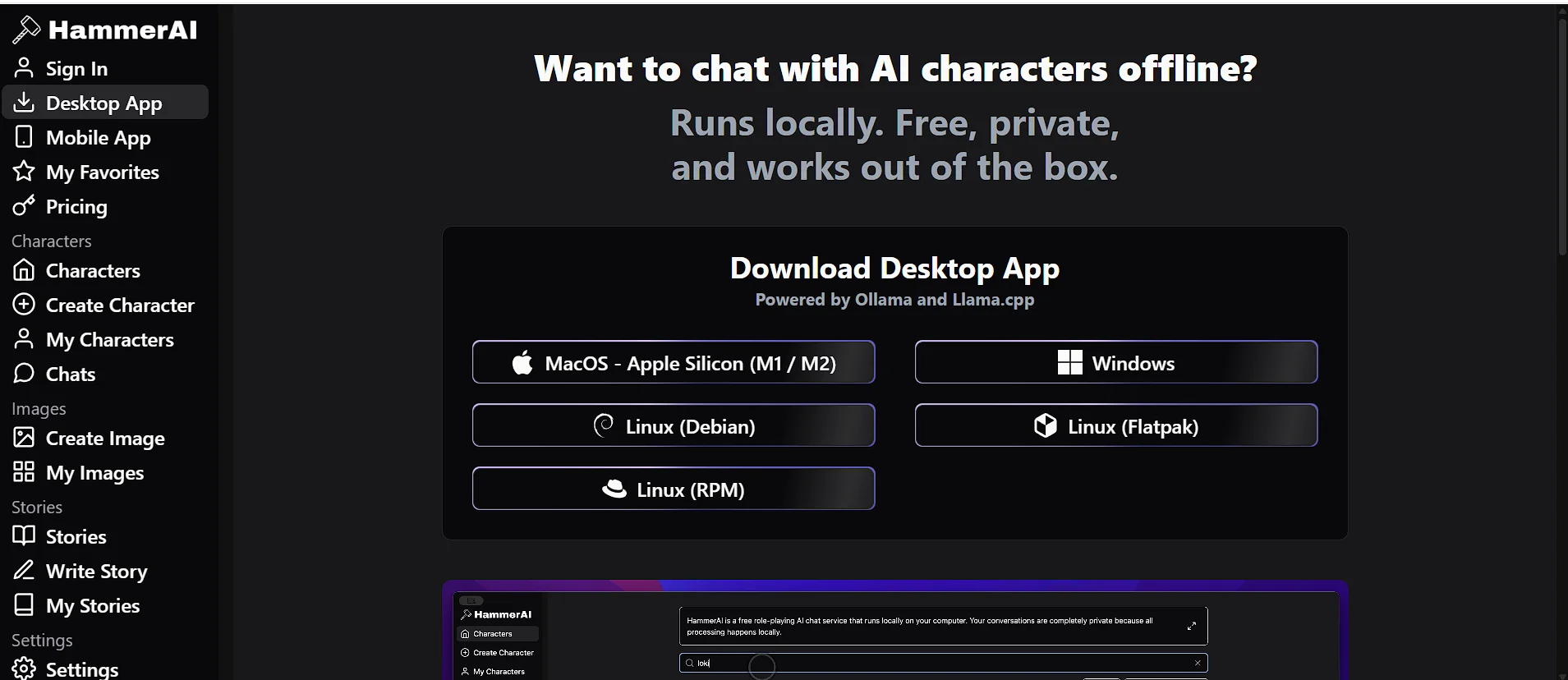
    Businesses should compare pricing against expected productivity gains before upgrading.

    How Can You Get the Most Out of Google Drive with AI?

    Using AI effectively isn’t just about installing the right software—it’s about building smart habits. A well-organized Google Drive combined with AI can significantly improve your daily workflow.

    Here are some practical strategies.

    Keep Folder Structures Consistent

    Even though AI can understand documents, a logical folder system still improves efficiency.

    Use consistent naming conventions for:

    • Projects
    • Clients
    • Departments
    • Dates
    • Reports

    This makes both human and AI searches more effective.

    Write Descriptive File Names

    Avoid generic names like:

    • Document1
    • Final
    • New Version

    Instead, use names such as:

    • 2026 Marketing Strategy
    • Client Proposal – ABC Ltd
    • Q2 Sales Report 2026

    AI can still understand document content, but descriptive file names provide additional context.

    Archive Old Files

    Regularly archive outdated documents to reduce clutter.

    This keeps active projects easier to find while preserving historical records.

    Combine Multiple AI Tools

    Many professionals use different AI tools for different tasks.

    For example:

    • Gemini for Workspace assistance
    • ChatGPT for writing
    • Claude for document analysis
    • Zapier AI for automation
    • Fireflies.ai for meeting summaries

    Using the strengths of each tool creates a more efficient workflow.

    Review AI Output

    AI is an assistant—not a replacement for human judgment.

    Always verify:

    • Financial information
    • Legal content
    • Medical documents
    • Client communications
    • Business decisions

    A quick review helps catch occasional errors and ensures accuracy.

    What Does the Future of AI-Powered Google Drive Look Like?

    The future of Google Drive with AI is moving toward proactive assistance rather than reactive tools. Instead of waiting for commands, AI will increasingly anticipate users’ needs and help them before they ask.

    Here are some trends expected to shape AI-powered cloud storage over the next few years.

    AI search will become even more conversational, allowing users to ask complex questions across thousands of files and receive precise answers almost instantly.

    Predictive Organization

    Future AI systems may automatically reorganize folders, archive inactive files, and recommend storage improvements based on usage patterns.

    Deeper Workflow Automation

    Expect tighter integration between Google Drive and business platforms, including CRM systems, project management tools, and communication apps, enabling end-to-end automated workflows.

    More Personalized AI Assistance

    AI assistants will learn user preferences over time, offering tailored suggestions for writing, organizing documents, and managing projects without requiring repeated instructions.
    Enhanced Collaboration

    AI will likely play a larger role in real-time collaboration by generating meeting summaries, assigning tasks, tracking project progress, and automatically identifying important updates.

    As these capabilities continue to evolve, Google Drive is becoming more than just a place to store files. It’s rapidly transforming into an intelligent workspace that helps users find information faster, automate repetitive tasks, and collaborate more effectively than ever before.

    does google drive work with an ai tool
    Does Google Drive work with an AI tool

    Frequently Asked Questions (FAQs)

    Does Google Drive work with an AI tool?

    Yes, Google Drive works with many AI tools in 2026. You can connect Google Drive to AI assistants like Gemini, ChatGPT, Claude, Notion AI, Zapier AI, and other productivity platforms. These tools can summarize documents, organize files, automate workflows, analyze PDFs, and improve collaboration while securely accessing your Google Drive files with your permission.

    What is the best AI tool for Google Drive?

    The best AI tool depends on your workflow. If you use Google Workspace daily, Gemini is the most seamless choice because it’s built into Google’s ecosystem. For content creation and brainstorming, ChatGPT is an excellent option. Businesses that want workflow automation often choose Zapier AI, while researchers and professionals working with long documents may prefer Claude.

    Is Google Drive AI integration secure?

    Yes, Google Drive AI integration can be secure when you use trusted providers and manage permissions carefully. Google allows you to control which files or folders an AI application can access. For better security:

    • Use trusted AI platforms.
    • Review app permissions regularly.
    • Enable two-factor authentication (2FA).
    • Remove apps you no longer use.
    • Avoid granting unnecessary access to sensitive files.

    These practices help protect your personal and business data.

    Can ChatGPT access files stored in Google Drive?

    Yes, ChatGPT can work with Google Drive files through supported integrations, connectors, or by uploading documents. Once connected, it can help you:

    • Summarize documents
    • Analyze PDFs
    • Answer questions about reports
    • Generate blog posts
    • Rewrite content
    • Explain spreadsheets
    • Brainstorm ideas

    The available features depend on your ChatGPT plan and the integration you’re using.

    Can AI automatically organize my Google Drive?

    Yes. Many AI tools can automatically organize Google Drive files. They can:

    • Categorize documents
    • Rename files
    • Create folders
    • Archive completed projects
    • Sort invoices
    • Organize contracts
    • Detect duplicate files
    • Recommend storage improvements

    This reduces manual work and keeps your Drive organized as it grows.

    Which AI tools connect directly to Google Drive?

    Some of the most popular AI apps that connect to Google Drive include:

    • Gemini
    • ChatGPT (through supported integrations)
    • Claude
    • Notion AI
    • Zapier AI
    • Otter.ai
    • Fireflies.ai
    • ClickUp AI
    • Adobe Acrobat AI

    Each tool focuses on different tasks, such as writing, automation, document analysis, project management, or meeting transcription.

    Is Google Drive with AI useful for businesses?

    Absolutely. Businesses benefit significantly from Google Drive with AI. Common business use cases include:

    • AI document management
    • Smart document search
    • Meeting summaries
    • Workflow automation
    • Content generation
    • Knowledge management
    • Invoice processing
    • Team collaboration
    • Project organization

    By automating repetitive tasks, businesses can improve productivity and reduce operational costs.

    Are there free AI tools for Google Drive?

    Yes. Several AI tools offer free plans or free tiers. These usually include:

    • Basic document summaries
    • Limited AI conversations
    • File uploads
    • Simple automations
    • Standard integrations

    If you need larger file limits, advanced automation, or team features, a paid subscription may be worthwhile.

    Final Thoughts: Should You Use AI with Google Drive in 2026?

    If you’re still asking, d”DoesGoogle Drive work with an AI tool?,” the answer is a clear yes—and the possibilities agofar beyond simple cloud storage.

    In 2026, Google Drive has evolved into an intelligent productivity platform. Whether you’re a student organizing research, a freelancer managing client projects, a content creator producing articles, or a business streamlining operations, AI can help you work faster and smarter.

    The biggest advantages include:

    • Faster file organization
    • Intelligent document search
    • AI-powered writing assistance
    • Automatic document summaries
    • Workflow automation
    • Better team collaboration
    • Smarter knowledge management
    • Improved overall productivity

    Rather than replacing human expertise, AI acts as a capable assistant that handles repetitive tasks and surfaces information when you need it. This allows you to spend more time on creative thinking, decision-making, and meaningful work.

    As AI continues to advance, expect even deeper integration with Google Drive—making cloud storage more proactive, personalized, and efficient than ever before.

    Key Takeaways

    • Google Drive works with many AI tools, including Gemini, ChatGPT, Claude, Zapier AI, Notion AI, and other productivity platforms.
    • Gemini offers the most seamless experience within Google Workspace.
    • ChatGPT is an excellent choice for writing, brainstorming, and document analysis.
    • AI document management makes it easier to organize, search, summarize, and retrieve files. AI-driven
    • Google Drive automation reduces repetitive work and boosts efficiency for individuals and businesses.
    • Always review permissions, use trusted providers, and follow good security practices when connecting third-party AI tools.

    Ready to Make Google Drive Smarter?

    The right AI tool can transform the way you manage documents, collaborate with teams, and automate everyday tasks. Start with the tools that best match your workflow, experiment with their features, and build an AI-powered workspace that saves time and keeps your files organized.

    Whether you’re using Google Drive for personal projects, education, or business, combining it with AI is one of the smartest productivity upgrades you can make in 2026.

    Claude Code vs OpenCode: Which AI Coding Tool Wins in 2026?
    What Are the Best AI Tools for Business Workflow Analysis and Process Mapping in 2026?

    OUR TOOLS
    QR Code Generator
    Make your images lighter
    Turn images into one PDF